Virtual Items



RevenueCat’s Virtual Currency feature is designed to help you track and manage balances of in-app currencies, such as coins, tokens, or minutes granted via purchases. While we don’t natively support managing "virtual items" (e.g., consumable items like tickets, skins, or passes that are bought using virtual currency), it’s possible to work around this limitation using a creative implementation of multiple virtual currencies.
This guide walks you through how to implement this pattern.
Treat Items as Virtual Currencies
If your app has a small and fixed set of virtual items, you can represent each item as its own virtual currency.
RevenueCat has a limit of 100 virtual currencies per project that can be configured.
Example scenario: You want to sell:
- Tickets (cost: 2 coins)
- Passes (cost: 5 coins)
Set up the following virtual currencies in RevenueCat:
Coins: Your primary currencyTickets: Treated as a currency, but really represents an owned itemPasses: Same as above
Purchasing a Virtual Item
1. Customer Initiates Item Purchase

The customer decides to buy a virtual item (e.g., a ticket) using their coins.
- Action: Customer taps "Buy Ticket (2 coins)" in the app.
- App → Your backend request:
POST /api/purchase-ticket
Content-Type: application/json
{
  "app_user_id": "app_user_id",
  "item": "ticket"
}
2. Your Backend Contacts RevenueCat API

- API Request to RevenueCat:
curl --location 'https://api.revenuecat.com/v2/projects/<YOUR_PROJECT_ID>/customers/<YOUR_CUSTOMER_ID>/virtual_currencies/transactions' \
--header 'Content-Type: application/json' \
--header 'Authorization: Bearer sk_***************************' \
--data '{
    "adjustments": {
        "Coins": -2,
        "Tickets": +1
    }
}' - Validation: RevenueCat checks that the customer has enough coins and that the transaction is atomic (both succeed or both fail).
3. Your App Processes Result
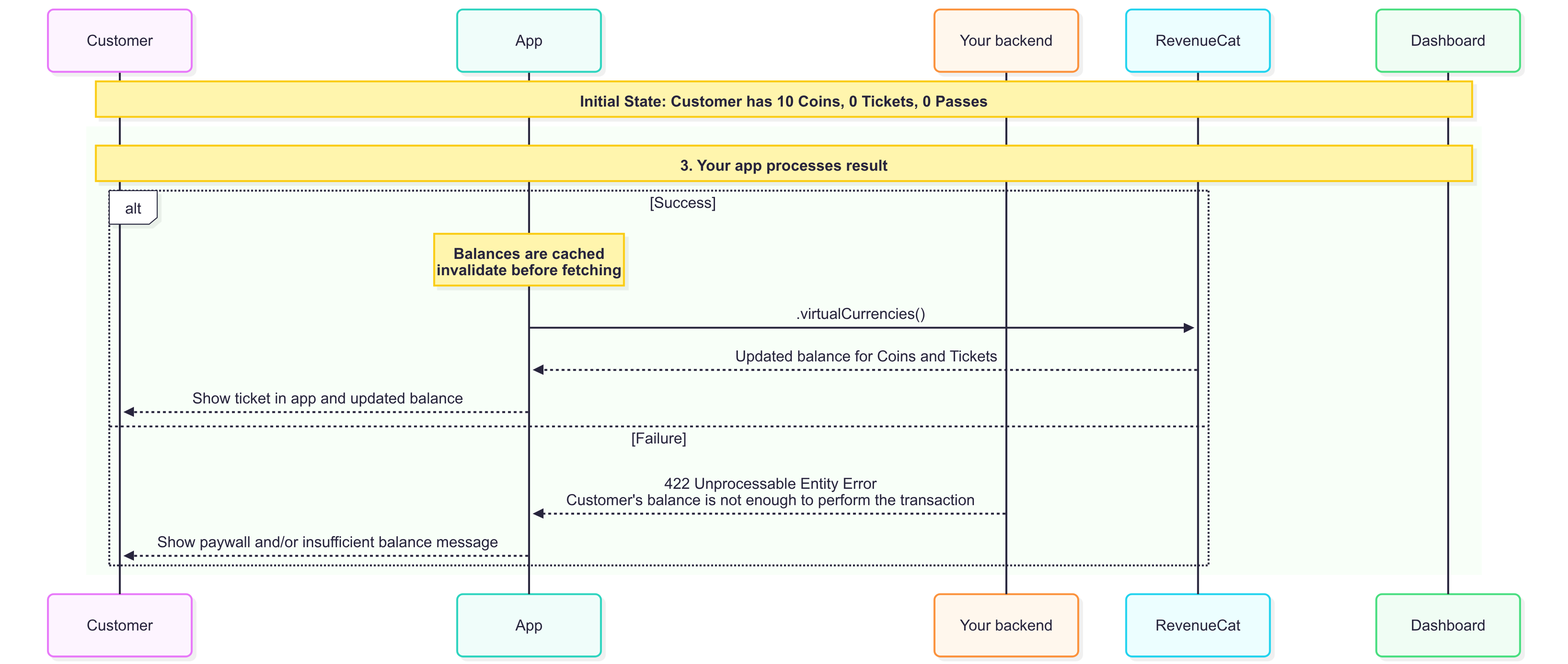
- On success:
- After any purchases or spends, make sure to invalidate the virtual currencies cache through
invalidateVirtualCurrenciesCache() - Call RevenueCat's
.virtualCurrencies()SDK method to fetch the updated balance. In this scenario, the updated balance will contain the coin's balance of 8 and ticket's balance of 1
- After any purchases or spends, make sure to invalidate the virtual currencies cache through
- On failure:
- This means the customer did not have enough balance to perform the transaction. You should show them a paywall to top-up and/or show an insufficient balance message