Overview Metrics
What each Overview card measures and how often it updates



This page describes what each card on the RevenueCat Overview measures and how often it updates. For trends over time, see Charts.
Metrics
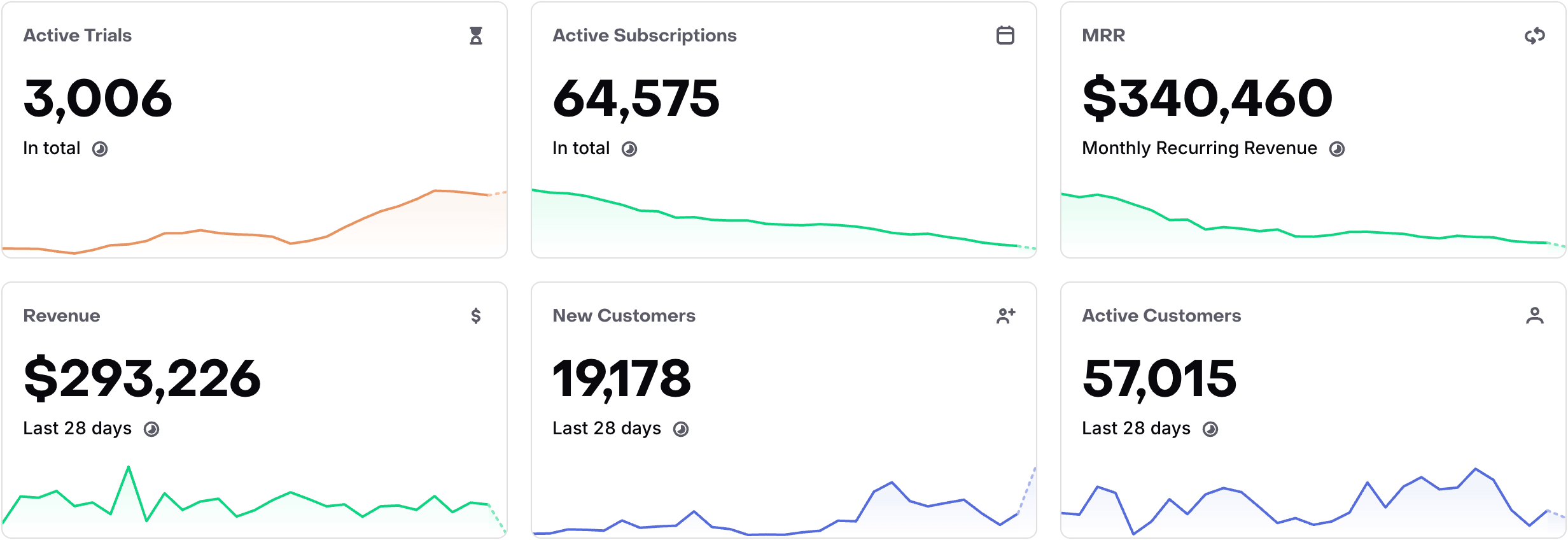
Active Trials
The Active Trials card displays the number of active free trials that are currently tracked in RevenueCat. This includes trials which may be cancelled, or within a grace period, until they either convert to paid or expire.
Active Subscriptions
The Active Subscriptions card displays the number of active paid subscriptions that are currently tracked in RevenueCat. This includes active paid subscriptions which may be cancelled, or within a grace period, until they expire.
MRR
The MRR card displays the current monthly recurring revenue tracked in RevenueCat. See how MRR is calculated.
Revenue
The Revenue card displays the gross revenue tracked in RevenueCat within the last 28 days. This is before any store fees, taxes, etc.
New Customers
The New Customers card displays the number of App User IDs created in the past 28 days. Multiple App User IDs aliased together will be counted as one New Customer.
You should expect the New Customer count in RevenueCat to be different than the download numbers provided by the respective store. However, if things seem drastically off, make sure you're identifying users correctly in RevenueCat.
Active Customers
The Active Customers card displays the number of App User IDs that have communicated with RevenueCat in the past 28 days. Active Customers should be higher than New Customers if your app is retaining customers and they keep coming back after 28 days. Multiple App User IDs aliased together will be counted as one active customer.
Interacting with cards
You can hover over the clock icon in the card to see how recently the data within the card has been updated.

For most customers, subscription metrics update in real time. New Customers and Active Customers may be cached for 1–2 hours. See Caching for details.
Click on each card to see the corresponding chart to better understand your performance.
Sandbox data
The Sandbox data toggle above the cards switches the overview metrics between sandbox purchases and production purchases.
There's no concept of a sandbox or production user in RevenueCat, since the same App User ID can have both production and sandbox receipts. Because of this, the Sandbox data toggle does not affect the New Customers or Active Customers cards.
Recent transactions
Below the metrics cards is a table of the most recent transactions shown in real time. Transactions include trial starts, trial conversions, purchases, and renewals.
Time zone
All dates and times in the dashboard are represented in UTC, unless explicitly specified.
Next steps
- Dig into the details of your subscriber base by looking at the charts →