Apple App Store Setup for Early Payouts



For Early Payouts on the App Store, complete these steps in the RevenueCat dashboard under Early Payouts → Connect → Apple App Store:
- Upload App Store Connect API credentials
- Invite RevenueCat as an admin on App Store Connect
- Change your App Store payout bank account to the partner bank account we provision
1. Upload App Store Connect credentials
Create an App Store Connect API key with App Manager and Finance permissions, then upload the .p8 file in the Early Payouts onboarding form along with the IDs shown alongside the key.
Create the API key
- In App Store Connect, go to Users and Access → Integrations → App Store Connect API
- Under Team Keys, create a new API key with App Manager and Finance access
- Download the generated
.p8key file (this can only be downloaded once)
The file name should follow the format AuthKey_XXXXXXXXXX.p8.
Also note:
- Key ID — shown next to the key in App Store Connect (often also part of the
.p8file name) - Issuer ID — shown above the list of active keys on the App Store Connect API page
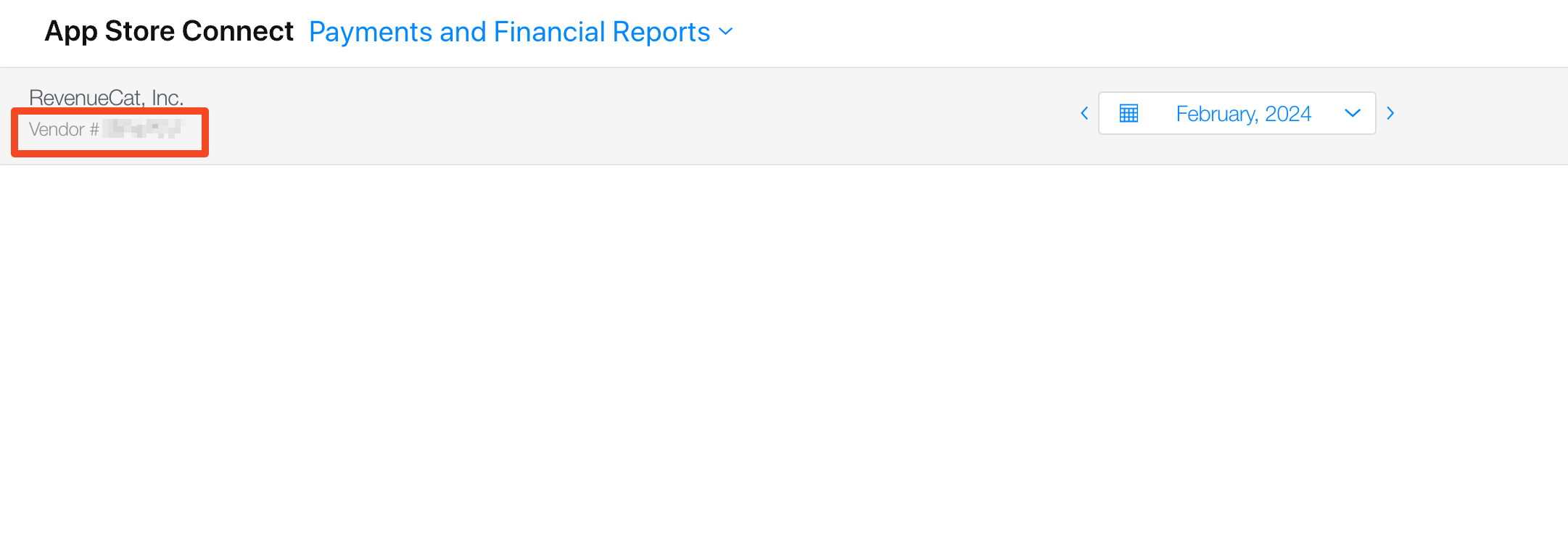
Find your App Store Vendor Number
Your App Store Vendor Number appears at the top of the Financial Reports page in App Store Connect.
Upload to RevenueCat
In the Early Payouts App Store setup flow, upload:
- The
.p8credential file - Key ID
- Issuer ID
- App Store Vendor Number
Then click Confirm. Once the credentials are validated, this step shows as completed and the next step unlocks.
2. Invite RevenueCat
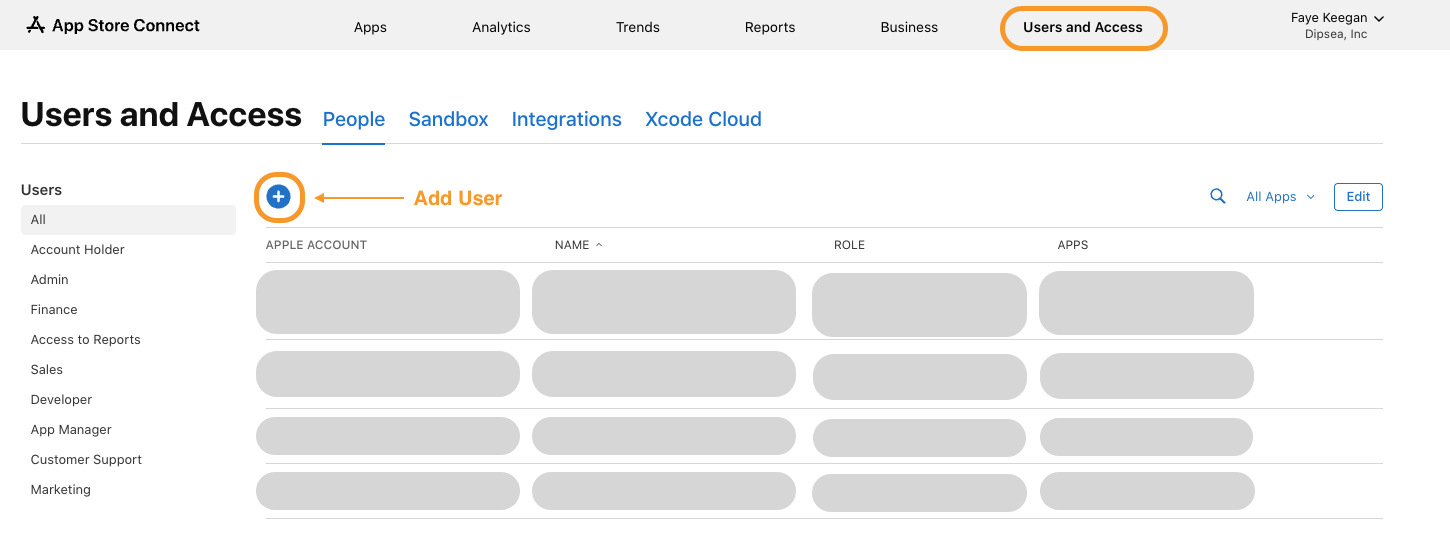
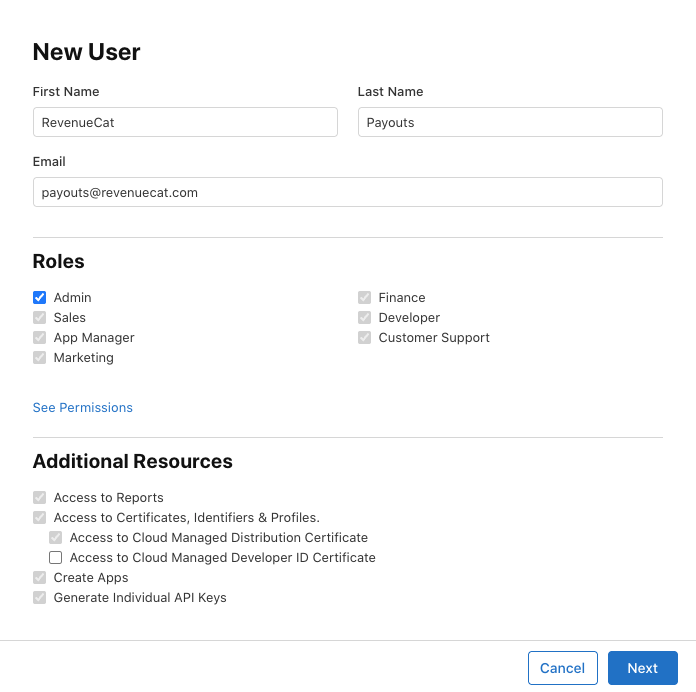
Go to App Store Connect → Users and Access and add a new user with the following details:
- First Name: RevenueCat
- Last Name: Payouts
- User / Email:
payouts@revenuecat.com - Role: Admin
Admin access is required so we can be notified of potential issues with your App Store account.
After sending the invite, return to the RevenueCat dashboard and click Mark as done. The step may show Pending verification until we detect the invitation on our side.
3. Change store payouts bank account
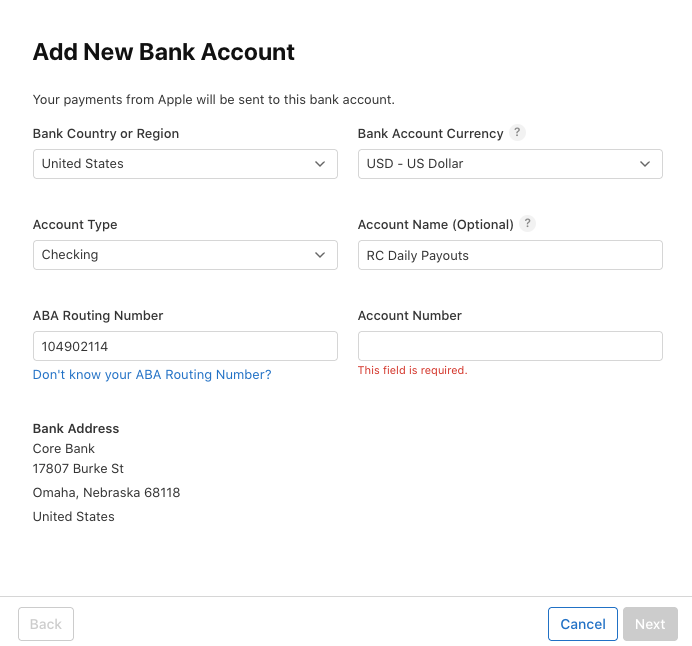
In App Store Connect → Business, add a new bank account for store payouts.
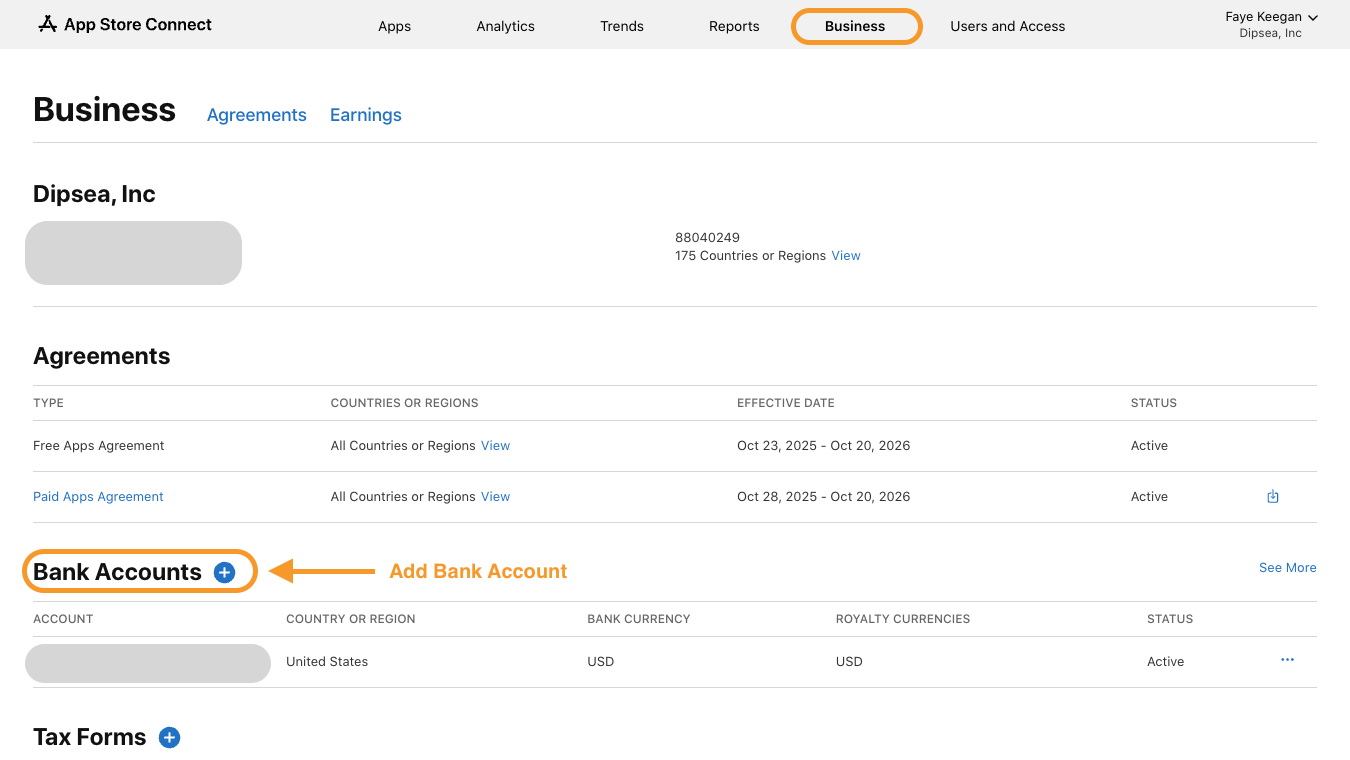
The bank account is in the United States. For Account Holder name and address, you can use your existing legal entity information (select Same as legal entity).
Then enter the bank account details shown in the Early Payouts dashboard for your account:
- Bank Account Type: Checking
- Account Number: Shown in the RevenueCat Early Payouts App Store setup step
- ABA Routing Number: Shown in the RevenueCat Early Payouts App Store setup step
- Account Name (Optional): RC Early Payouts
After you have updated the bank account in App Store Connect, return to the RevenueCat dashboard and click Mark as done.
We will verify that App Store access and the bank account are configured correctly, and contact you by email if anything else is needed.