Purchase Tracking


The Purchase tracking setting controls which transactions RevenueCat tracks for an app. Most apps should leave this on the default - it only matters if you also manage some StoreKit or Google Play Billing purchases outside of RevenueCat and want to scope tracking to a subset of those transactions.
You can find this setting in each app's settings under Purchase tracking:
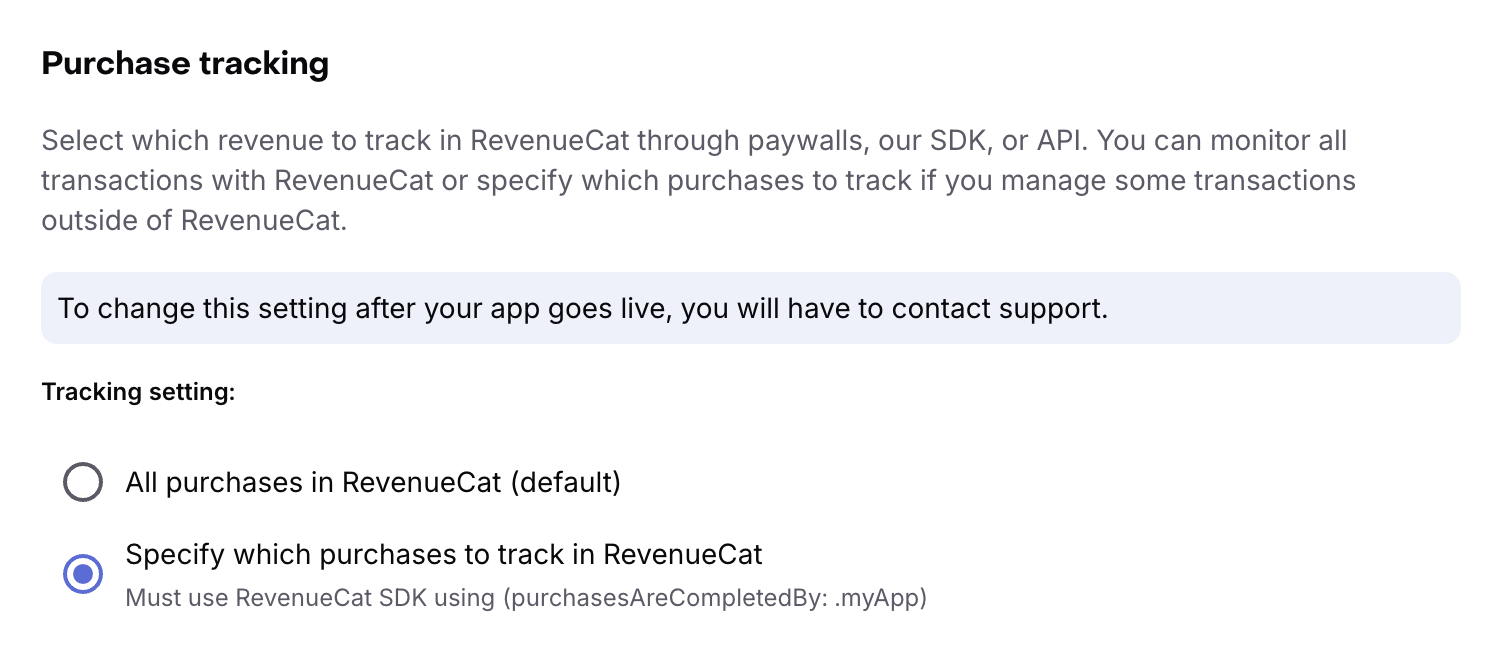
Once your app goes live, you'll need to contact support to change this setting.
This setting only applies to transactions made through the App Store or Google Play via the RevenueCat mobile SDKs. Purchases made through RevenueCat Web Billing or sent directly via our API are always tracked.
All purchases in RevenueCat (default)
Every transaction your app makes through the App Store or Google Play is tracked in RevenueCat. This is the right option for most apps, and is required if you want RevenueCat to finish your transactions.
When this option is selected, you can also enable Track new purchases from server-to-server notifications to optionally track purchases directly from Apple App Store Server Notifications or Google Cloud Pub/Sub.
Specify which purchases to track in RevenueCat
Only purchases that flow through RevenueCat are tracked: transactions made through a RevenueCat paywall, the SDK's purchase methods (e.g. purchaseProduct, purchasePackage), or sent directly via our API. Any purchase your app completes outside of these paths is ignored.
This is useful if you have your own StoreKit and Google Play Billing integrations and want to try a portion of RevenueCat - for example, running RevenueCat paywalls for a subset of users - without migrating all of your transactions.
To use this option, you'll also need to configure the SDK with purchasesAreCompletedBy: .myApp. See Using the SDK with your own IAP code for details.
Your charts, integrations, webhooks, and the rest of the RevenueCat platform continue to work the same way - they just only show tracked transactions.