Asapty
Track Apple Search Ads subscription revenue with Asapty



With our Asapty integration you can:
- Accurately track subscriptions generated from Apple Search Ads campaigns, allowing you to know precisely how much revenue your campaigns generate.
- Track renewals and trial conversions even when users don't reopen your app, since RevenueCat sends these events to Asapty from our servers.
- Continue to follow your cohorts for months to know the long tail revenue generated by your campaigns.
Integration at a glance
| Revenue support | Supports Negative Revenue | Sends Sandbox Events | Includes Customer Attributes | Sends Transfer Events | Optional Event Types |
|---|---|---|---|---|---|
| ✅ | ✅ | ❌ | ❌ | ❌ | See Event types |
For a cross-provider view of identifiers, revenue support, sandbox behavior, and attribution responsibilities, see the attribution provider comparison.
Asapty is an Apple Search Ads optimization tool, so RevenueCat only sends iOS App Store purchases that are attributed to Apple Search Ads. Organic installs, other ad networks, non-Apple platforms, and sandbox purchases are not sent.
1. Send attribution data to RevenueCat
The Asapty integration requires that Apple Search Ads attribution data is sent from the device to RevenueCat. RevenueCat uses this data to attach the campaign, ad group, and keyword IDs to each event and to determine which purchases originated from Apple Search Ads.
The simplest way to collect this information is by calling enableAdServicesAttributionTokenCollection after configuring the Purchases SDK.
- Swift
- Obj-C
- Flutter
- React Native
- Cordova
func application(_ application: UIApplication,
                 didFinishLaunchingWithOptions launchOptions: [UIApplicationLaunchOptionsKey: Any]?) -> Bool {

    Purchases.configure(withAPIKey: "public_sdk_key", appUserID: "my_app_user_id")
    Purchases.shared.attribution.enableAdServicesAttributionTokenCollection()

    return true
}
- (BOOL)application:(UIApplication *)application
  didFinishLaunchingWithOptions:(NSDictionary *)launchOptions {

  RCPurchases *purchases = [RCPurchases configureWithAPIKey:@"public_sdk_key" appUserID:@"my_app_user_id"];
  [purchases.attribution enableAdServicesAttributionTokenCollection];

}
// ...
await Purchases.configure(PurchasesConfiguration(<public_api_key>));
// ...
await Purchases.enableAdServicesAttributionTokenCollection();
// ...
Purchases.configure({apiKey: <public_api_key>});
// ...
Purchases.enableAdServicesAttributionTokenCollection();
// ...
Purchases.configureWith({apiKey: <public_api_key>});
// ...
Purchases.enableAdServicesAttributionTokenCollection();
Our guide on Apple Search Ads attribution outlines this step in more detail.
Asapty relies on Apple's AdServices attribution. Purchases without Apple Search Ads attribution are skipped and not sent to Asapty.
2. Enable the Apple Search Ads integration
Please ensure you've enabled the Basic or Advanced Apple Search Ads integration in the RevenueCat dashboard. This is what makes the campaign, ad group, and keyword attribution available for RevenueCat to forward to Asapty.
3. Send RevenueCat events into Asapty
After you've set up the Purchases SDK to send device data to RevenueCat, you can "turn on" the integration and configure it from the RevenueCat dashboard.
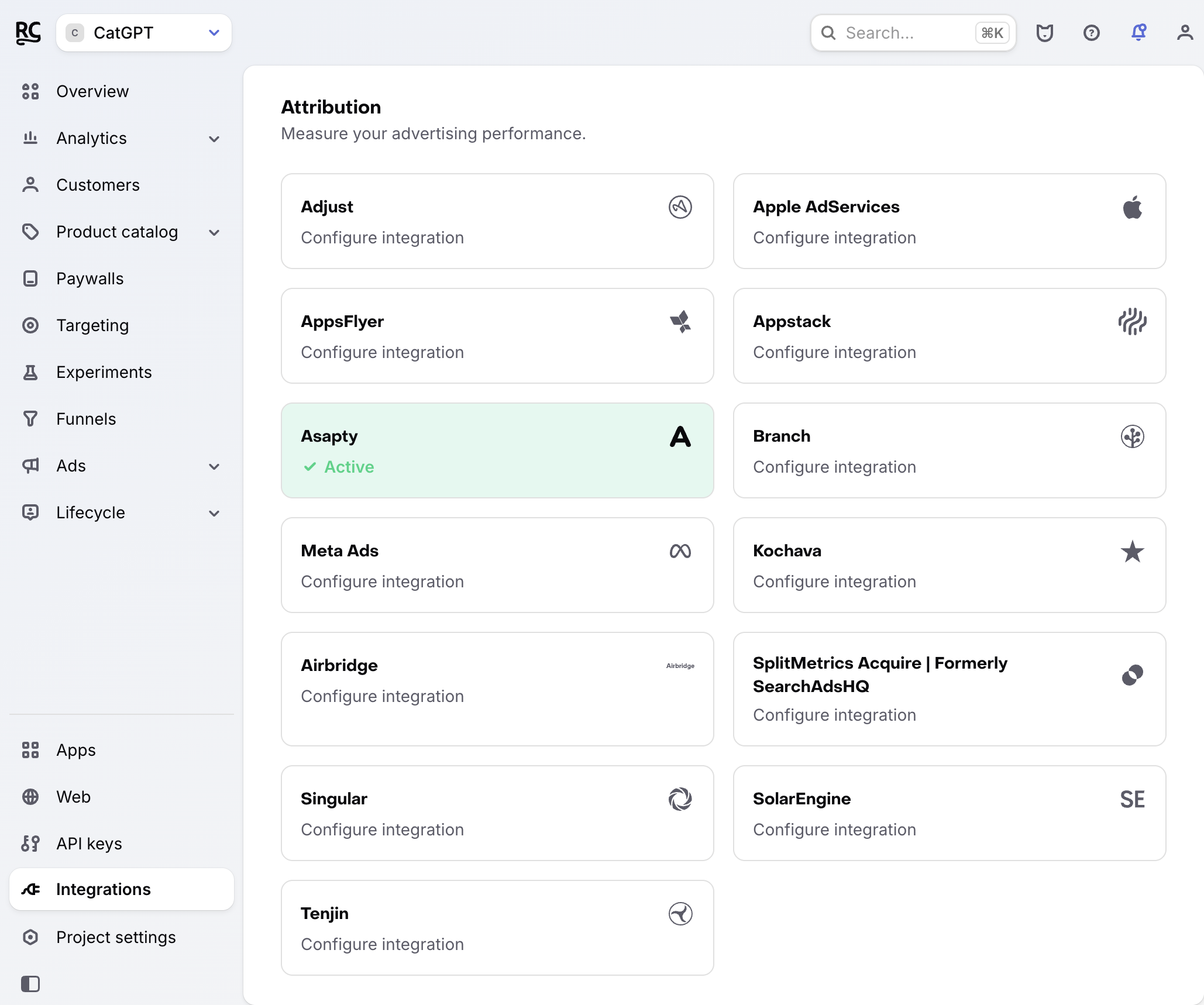
- Navigate to the Integrations menu in the RevenueCat dashboard and choose 'Asapty' from the Attribution section.
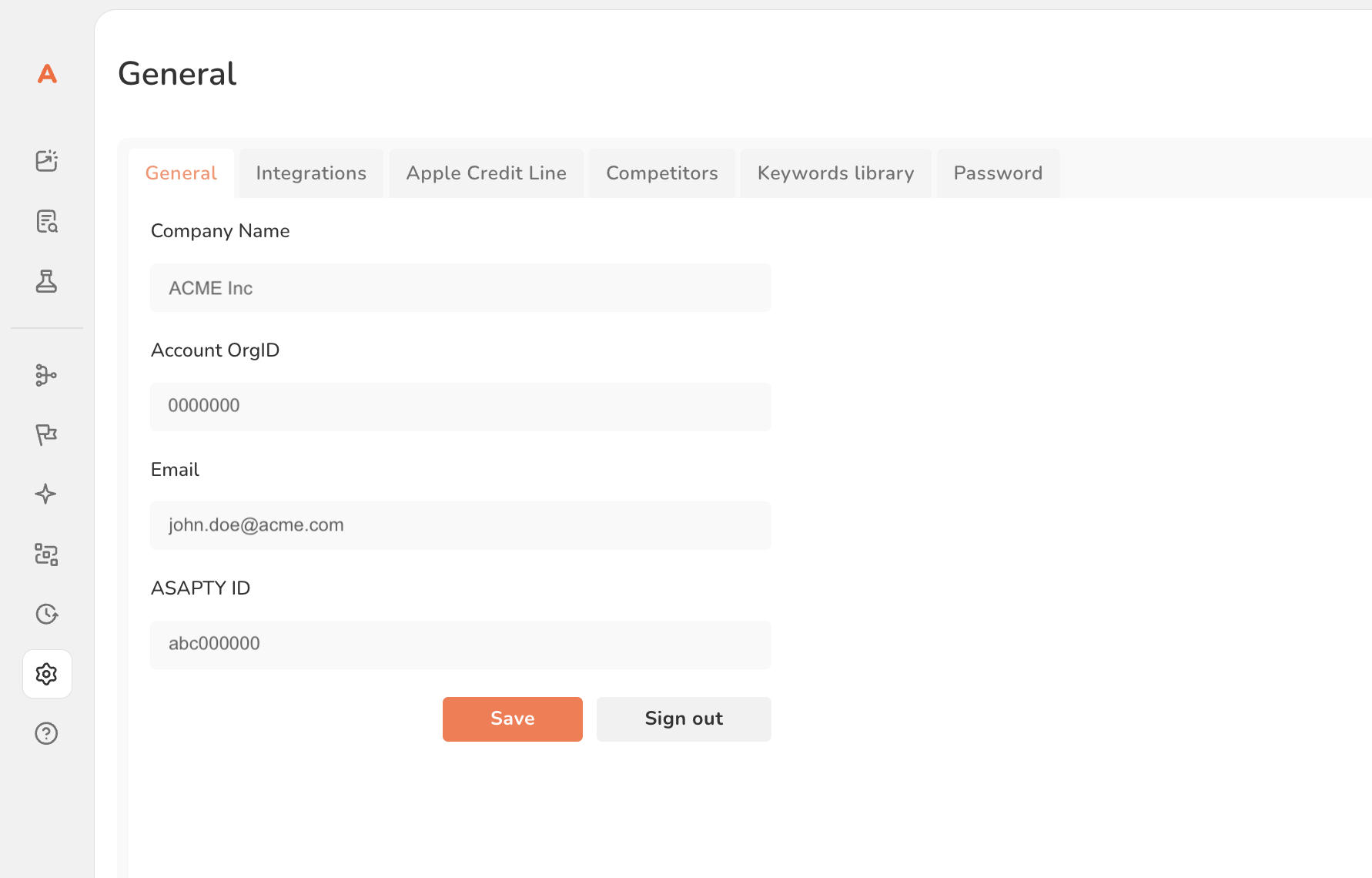
- Add your Asapty ID. You can find it in your Asapty dashboard under Settings → General.
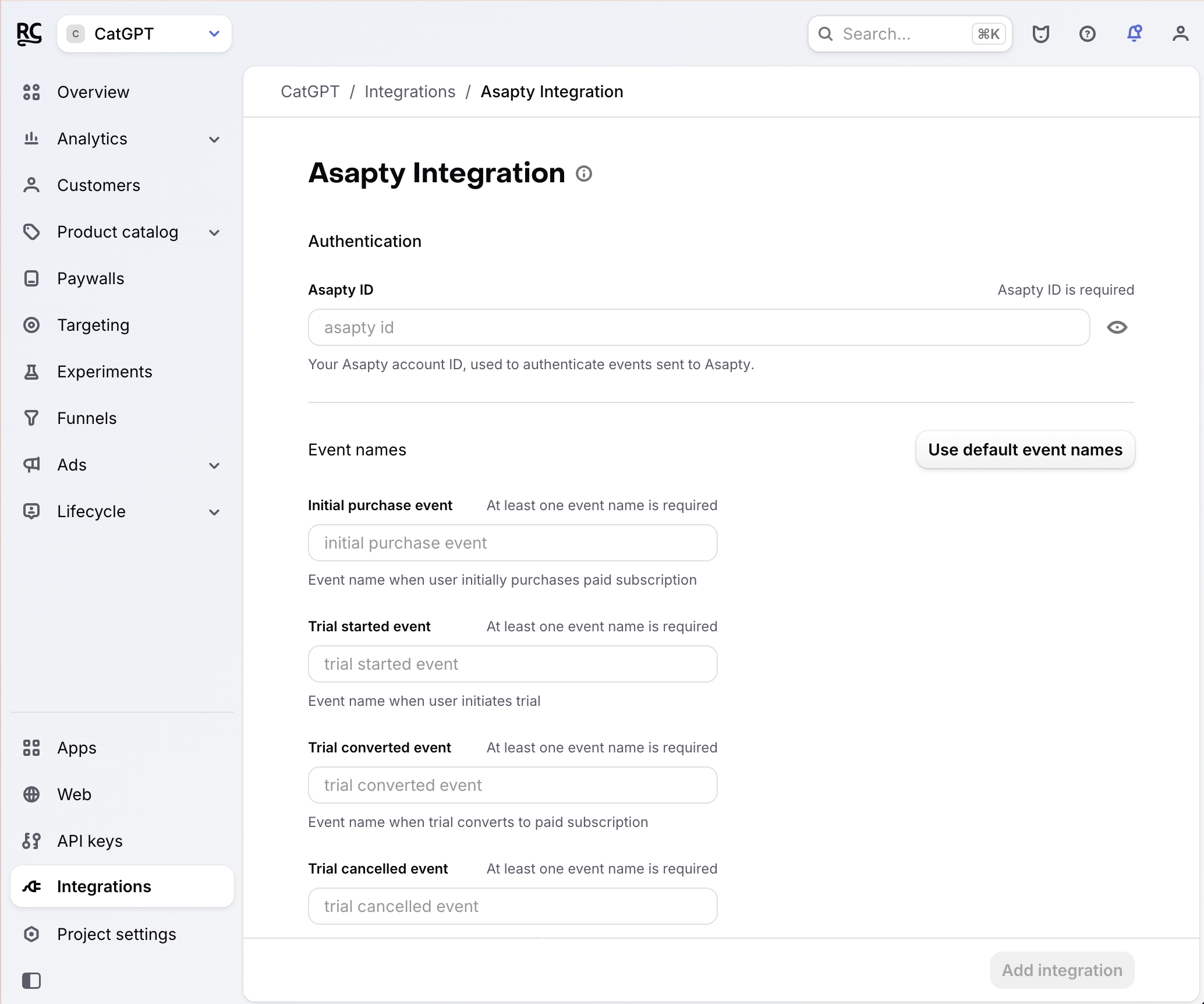
- Enter the event names that RevenueCat will send, or choose the default event names. Any event you leave blank will not be sent to Asapty.
- Select whether you want sales reported as gross revenue (before app store commission), or after store commission and/or estimated taxes. Revenue is always reported to Asapty in USD.
For a readable version of the GET query parameters and nested json value RevenueCat sends to Asapty, see the Asapty event delivery reference.
Make sure to remove all client-side tracking of revenue. Since RevenueCat will be sending events for all revenue actions, tracking purchases yourself directly into Asapty can lead to double counting of revenue.
Event types
RevenueCat can send the following events to Asapty. Each one is only sent if you provide a name for it; leave a field blank to skip that event. The default names below are filled in automatically when you choose "Use default event names".
| Event | Sent when | Default name |
|---|---|---|
| Initial purchase | A user makes their first paid purchase of a subscription | initial_purchase_event |
| Trial started | A user starts a free trial | trial_started_event |
| Trial converted | A trial converts to a paid subscription | trial_converted_event |
| Trial cancelled | A user cancels before their trial converts | trial_cancelled_event |
| Renewal | A paid subscription renews | renewal_event |
| Cancellation | A user turns off auto-renew for their paid subscription | cancellation_event |
| Uncancellation | A user re-enables auto-renew after previously cancelling | uncancellation_event |
| Non-subscription purchase | A user makes a one-time (non-subscription) purchase | non_renewing_purchase_event |
| Subscription paused | A user pauses their subscription | subscription_paused_event |
| Expiration | A subscription expires and access is lost | expiration_event |
| Billing issue | There was a problem charging the user | billing_issue_event |
| Product change | A user changes the product of their subscription | product_change_event |
4. Testing the Asapty integration
You can verify the Asapty integration end-to-end from the RevenueCat dashboard.
Asapty only accepts production events, so RevenueCat filters out sandbox purchases. To test the integration end-to-end you'll need a production purchase from an install that is attributed to Apple Search Ads.
Check that the required attribution data is collected
Navigate to the Customer View for a user that made a purchase and confirm that the Apple Search Ads attribution data is present. Only users attributed to Apple Search Ads will generate events into Asapty.
Check that the Asapty event delivered successfully
While still on the Customer View, click into the purchase event in the Customer History and make sure that the Asapty integration event exists and was delivered successfully.
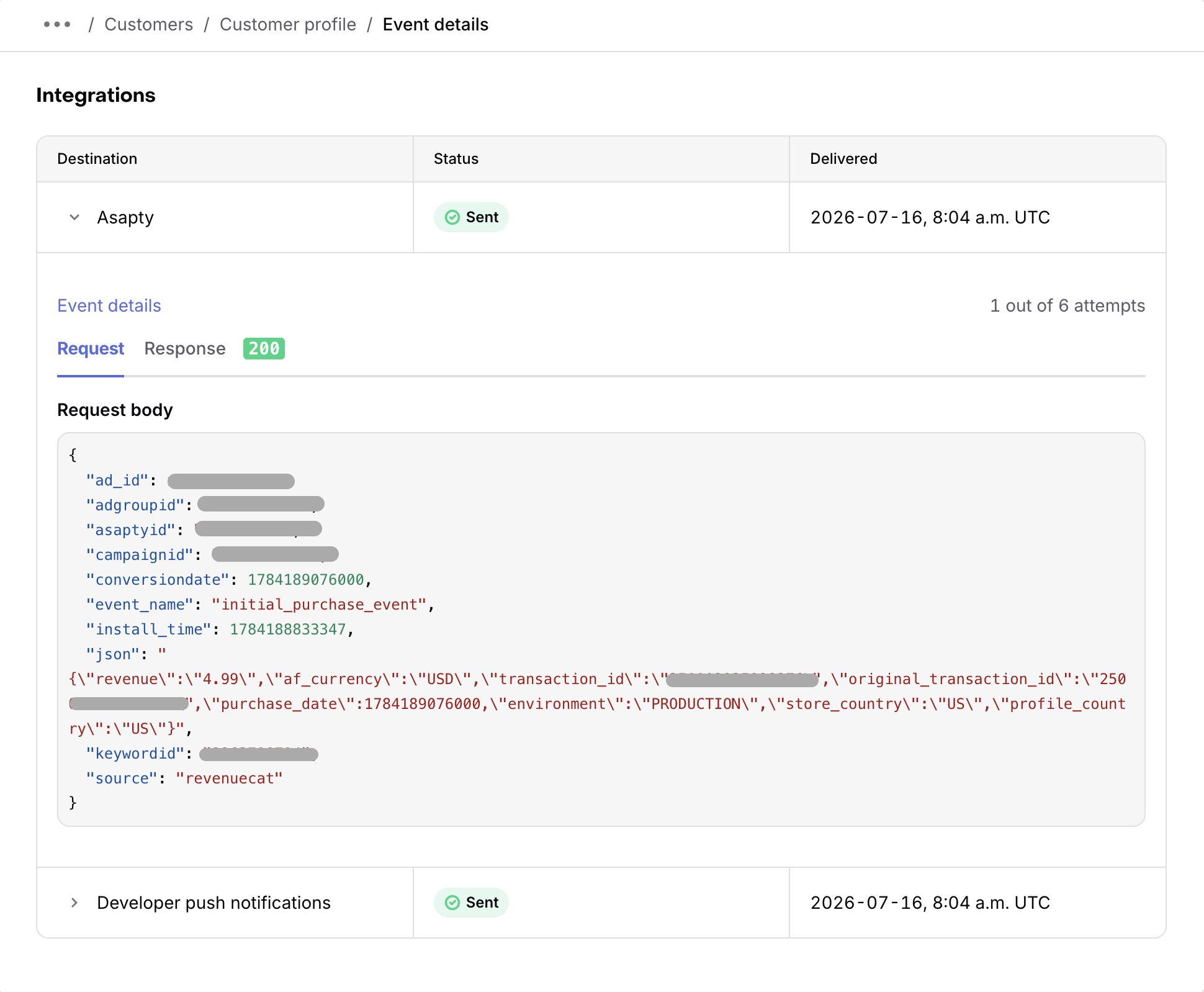
You should start seeing events from RevenueCat appear in Asapty.