Win-back campaigns
Automatically re-engage churned subscribers with a targeted offer to re-subscribe on the web



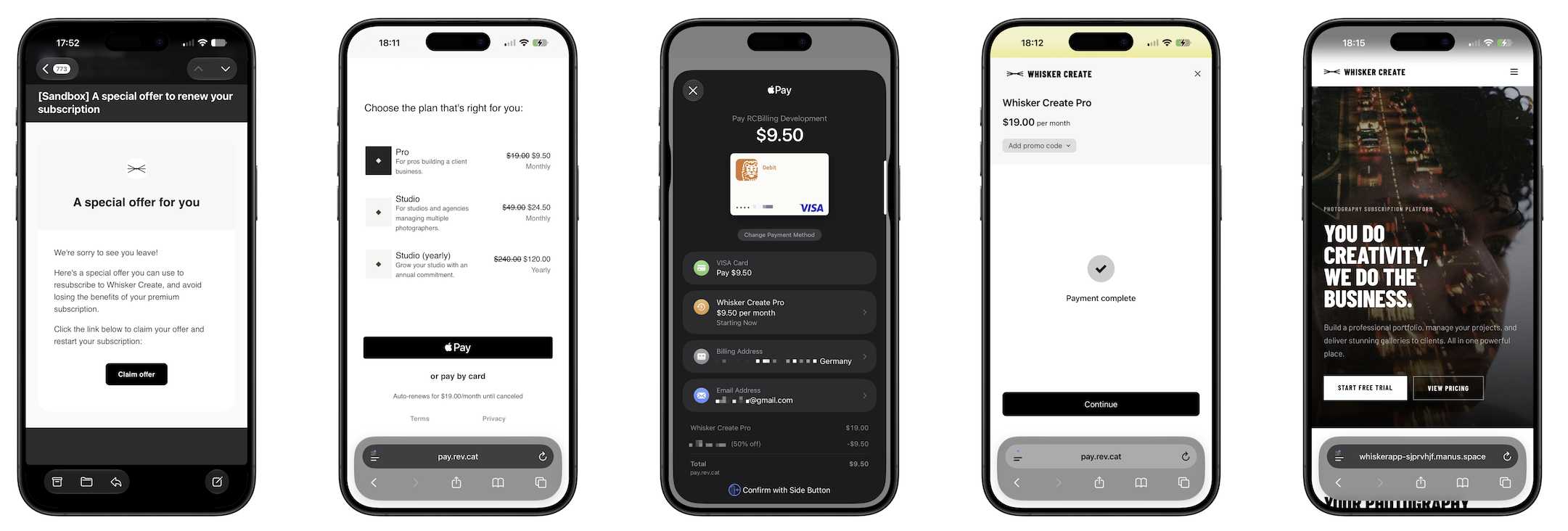
Win-back campaigns automatically re-engage subscribers who have churned. When a customer's subscription expires in an app you're monitoring, RevenueCat sends them a transactional email with a special offer to re-subscribe on the web through a Web Purchase Link. This is an easy way to recover revenue from customers who would otherwise have churned and left completely.
Campaigns work both app-to-web (a customer churns on mobile and re-subscribes on the web) and web-to-web (a customer churns and re-subscribes on the web).
Win-back campaigns are in beta. The setup and capabilities described here are a V1 and may change. See Beta limitations for what isn't supported yet.
How it works
A win-back campaign monitors a single app for subscription expirations and emails affected customers an offer to re-subscribe:
- Trigger. A campaign listens for the
EXPIRATIONevent on its app — fired when a subscription has fully expired and access should be removed. It waits for this event rather than firing onCANCELLATION(when a customer opts out of renewal but keeps access until the period ends), so the offer reaches customers who have actually lost access. - Scope. Only genuine end-user churn is eligible. Expirations with a
DEVELOPER_INITIATEDreason (for example, revoking or adjusting an entitlement from your side) do not trigger a win-back email. - Action. Once the subscription expires, RevenueCat sends the customer a transactional email with a Claim offer call to action that links to the Web Purchase Link configured on the campaign.
Supported billing engines
Re-subscription always happens on the web through a Web Purchase Link, and works with any of RevenueCat's supported billing engines:
The app you monitor for expirations can be a mobile app (App Store or Google Play) or a RevenueCat Billing app.
Before you begin
A win-back campaign sends churned customers to a Web Purchase Link, so you need RevenueCat Web set up before creating one. If you haven't already:
- Set up RevenueCat Web. Choose and configure a billing engine — RevenueCat Billing, Stripe Billing, or Paddle Billing — by following Getting started with RevenueCat Web.
- Create an offering and a Web Purchase Link. Set up the web offering and Web Purchase Link for the product you want churned customers to re-subscribe to. A heavily discounted offer tends to work best — for example, an introductory offer on a yearly plan that discounts the first year and then auto-renews at the standard price.
Create a win-back campaign
- In the RevenueCat dashboard, go to Lifecycle → Win-back.
- Click Create campaign.
- Under App, select the app to monitor for subscription expirations.
- Under Web purchase link, select the Web Purchase Link to send in the win-back email.
- Click Create campaign.
The campaign begins monitoring for expirations immediately. Each campaign maps one monitored app to one Web Purchase Link, and is listed on the Win-back page with its app, event trigger (Subscription expiration), outcome (Email web purchase link), and link. You can delete a campaign from the same page.
The win-back email
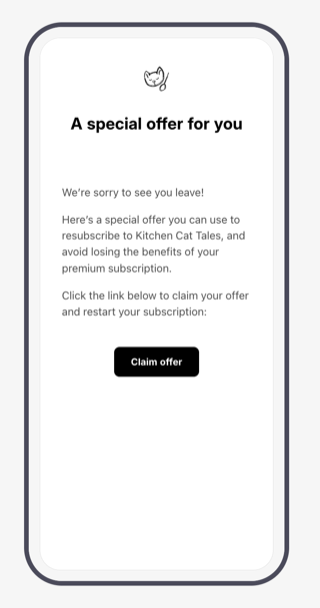
When a monitored subscription expires, the customer receives a branded email promoting your special offer. The Claim offer call to action opens the Web Purchase Link configured on the campaign.
What the customer sees depends on how that Web Purchase Link is set up — it can present the default package selection, a paywall, or send the customer directly to checkout. See Web Purchase Links for the full range of options.
Beta limitations
While win-back campaigns are in beta, the following limitations apply:
- Email customization isn't available yet — campaigns use a standard email template.
- Email localization isn't supported yet — the email is sent in English only.
- Audience customization isn't available yet — the email goes to all eligible churned customers.
- Eligibility criteria can't be configured yet for a campaign.