
Show or hide paywall components with rules
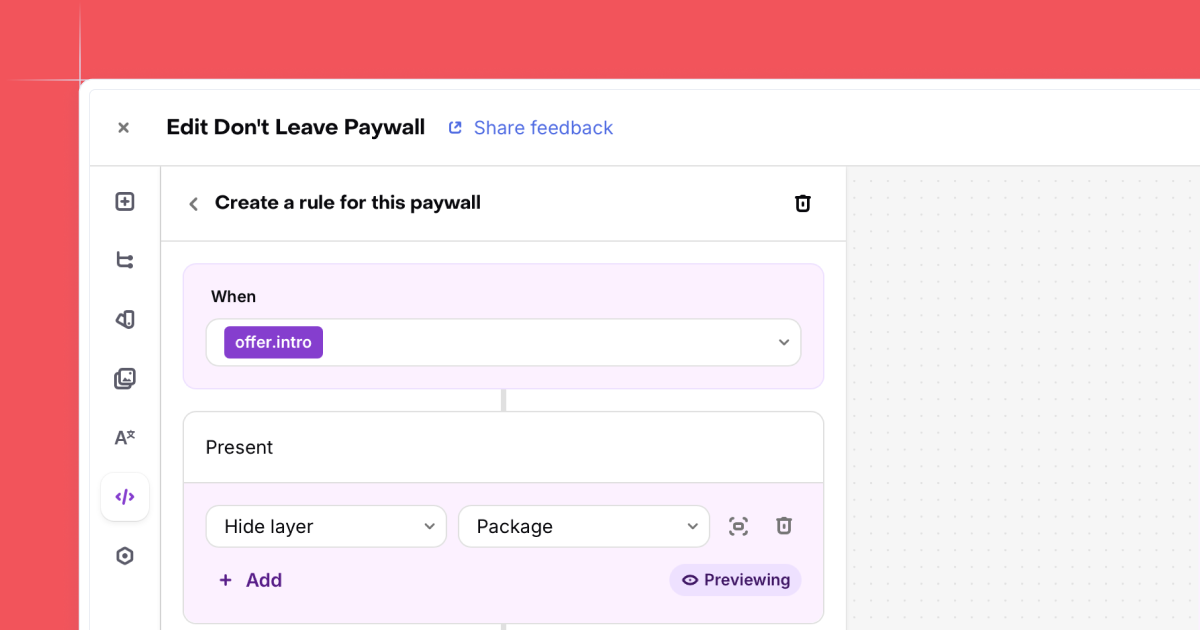
Paywall Rules let you control which components appear on a paywall based on conditions like intro offer eligibility, selected package, or custom variables. One paywall handles multiple scenarios instead of building separate paywalls for each.
Open the Paywall logic tab in the Paywall Builder and create a rule. Pick a condition type, then choose which layers to show or hide. For intro and promo offer rules, you can also override text. The SDK evaluates all rules at render time, so your users see the right version instantly.
This replaces the old workaround of maintaining multiple paywalls with Targeting. If you've got a trial badge that should only appear for eligible users, or a promo banner tied to a specific package, you can handle it in one paywall now. Rules are supported on iOS, Android, Flutter, React Native, Unity, Capacitor, and Web.
