

Apple’s Subscription Bundles and Suites let you sell access to several auto-renewable subscriptions in one in-app purchase. Announced at WWDC26, these configurations can cover your own apps and, with bundles, apps from other developers as well. This opens new options for developers to cross-promote their subscriptions and offer better pricing for customers.
At first glance, Bundles and Suites sound very similar. A subscription bundle is one in-app purchase that combines up to five subscriptions customers can also buy separately, at a lower combined price. It can include subscriptions within one app, across your apps, or across apps from multiple developers.
A subscription suite is a single subscription that provides access across a set of up to 15 apps from one developer. Its included subscriptions exist only within the suite, and apps’ subscriptions aren’t sold separately. Customers subscribe to the collection, rather than choosing individual subscriptions.
In this guide, we’ll explain how bundles and suites differ, how to get your apps ready for them, and how you should plan your new subscription offerings. Since Bundles and Suites are currently in early access, you’ll need to request access from Apple, something we cover at the end of this guide.
Bundles and suites at a glance
When should you use App Store bundles (+ types of Bundle)?
Use a bundle when you want to keep selling subscriptions individually while offering customers a combined deal. There are three configurations to consider:
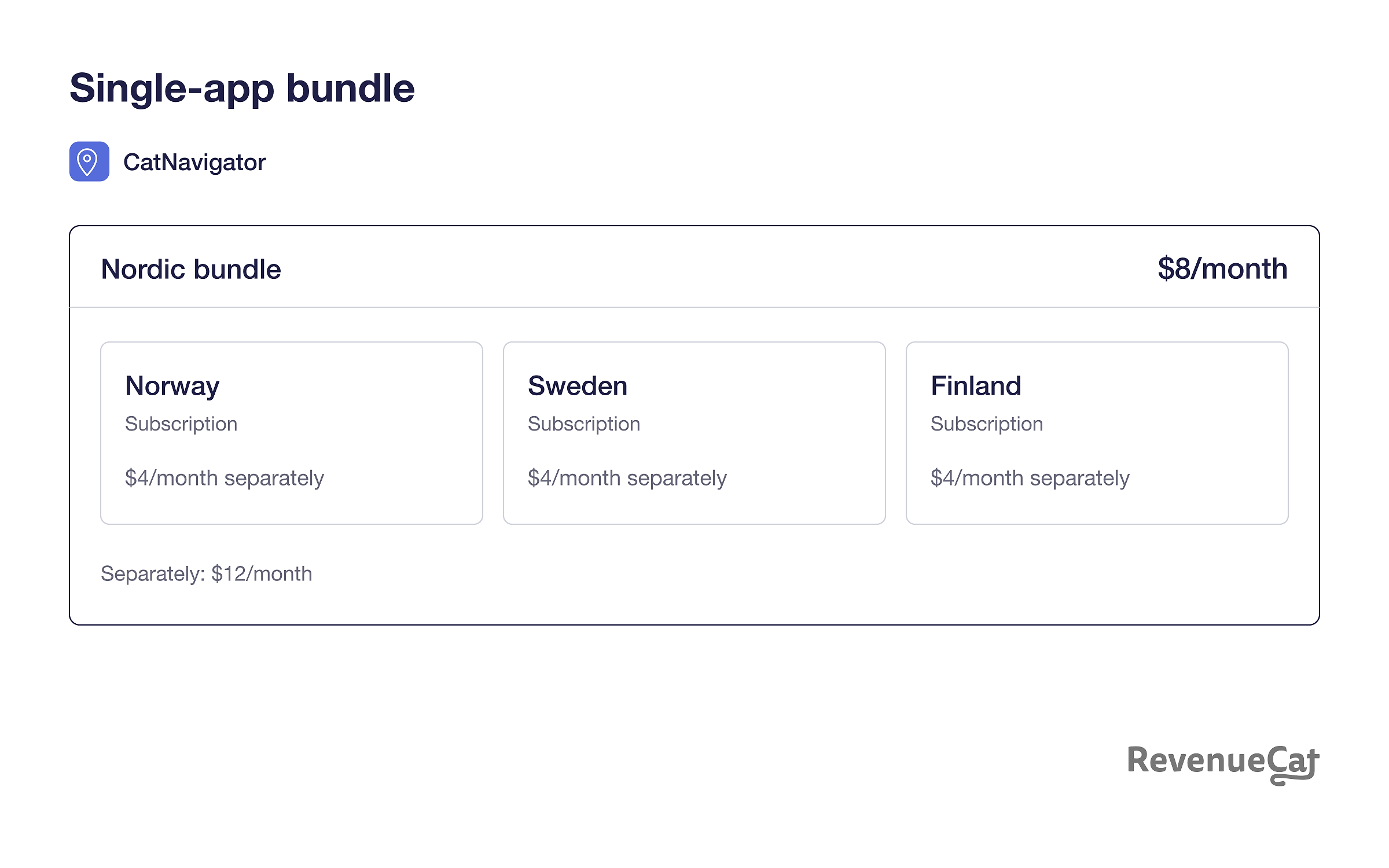
- Single-app bundle: CatNavigator sells subscriptions for Norway, Sweden, and Finland individually, and combines all three in its Nordic bundle
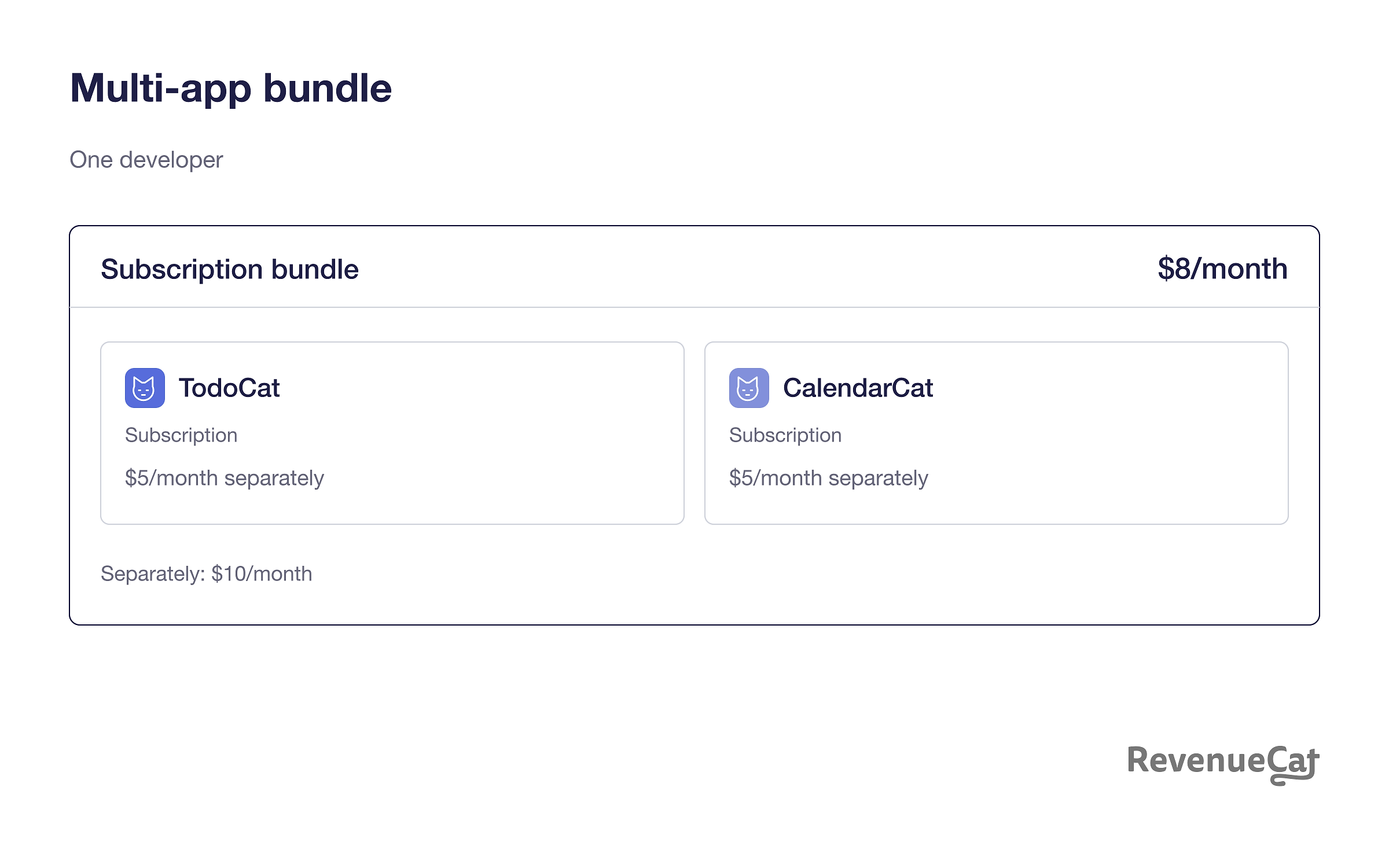
- Multi-app bundle from one developer: TodoCat and CalendarCat each have a subscription, and their developer offers both together in a bundle
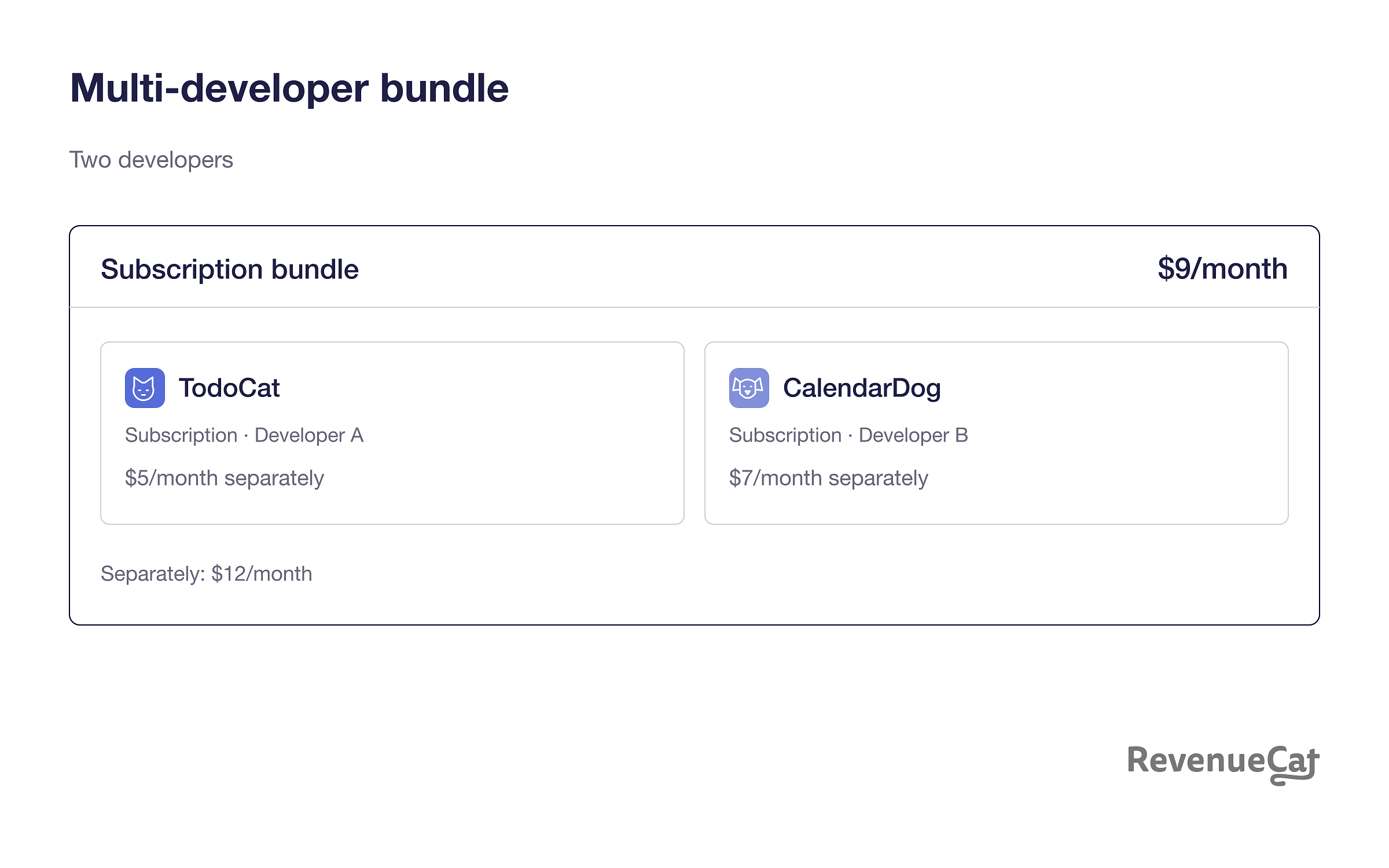
- Multi-developer bundle: TodoCat and CalendarDog come from different developers, who partner to sell their subscriptions together
A multi-developer bundle also creates a cross-promotion opportunity: customers who already value another developer’s app may discover yours through the combined offer. Bundling subscriptions from two different apps can also give customers a better deal than buying each app individually.
A bundle can contain up to five subscriptions, and a multi-developer bundle can involve up to five developers. Each included subscription must have the same duration, so you can’t combine monthly and annual products in one bundle. Customers must also be able to buy the included subscriptions individually.
Single-app bundle
The following configurations are illustrative. CatNavigator is a navigation app with separate subscriptions for Norway, Sweden, and Finland. A customer who only needs Norway can subscribe to that country. A customer traveling around the region can choose the Nordic bundle, which includes all three subscriptions at a lower combined price.
Everything is unlocked inside CatNavigator. You’re combining subscriptions within one app, so the bundle doesn’t require a second app or another developer. The individual country subscriptions remain available, and their durations must match within the bundle.
Multi-app bundle from one developer
Take a developer with two apps: TodoCat for tasks and CalendarCat for scheduling. Each app has its own subscription, but the developer now has the option to offer both in a bundle at a lower combined price. The bundle gives customers access to both services through one purchase while keeping the standalone subscriptions available. When canceling, customers can also decide to keep parts of the bundle.
Multi-developer bundle
Multi-app bundles can also combine apps from different developers, for example, a calendar app from one developer and a to-do app from another. The customer proposition stays similar: TodoCat and CalendarDog offer their monthly subscriptions together for less than the combined standalone price.
If the customer is already subscribed to TodoCat, joining the bundle upgrades their access and triggers a prorated refund for the unused standalone period. If they later decide they only want TodoCat, they can keep that subscription and leave the rest of the bundle at renewal.
When should you use App Store Suites?
Use a suite when you want to sell one subscription across a related set of your apps. Apple Creator Studio illustrates that use case by combining creative tools such as Final Cut Pro, Logic Pro, and Pixelmator Pro in one subscription. It’s a useful reference for the purchase experience:
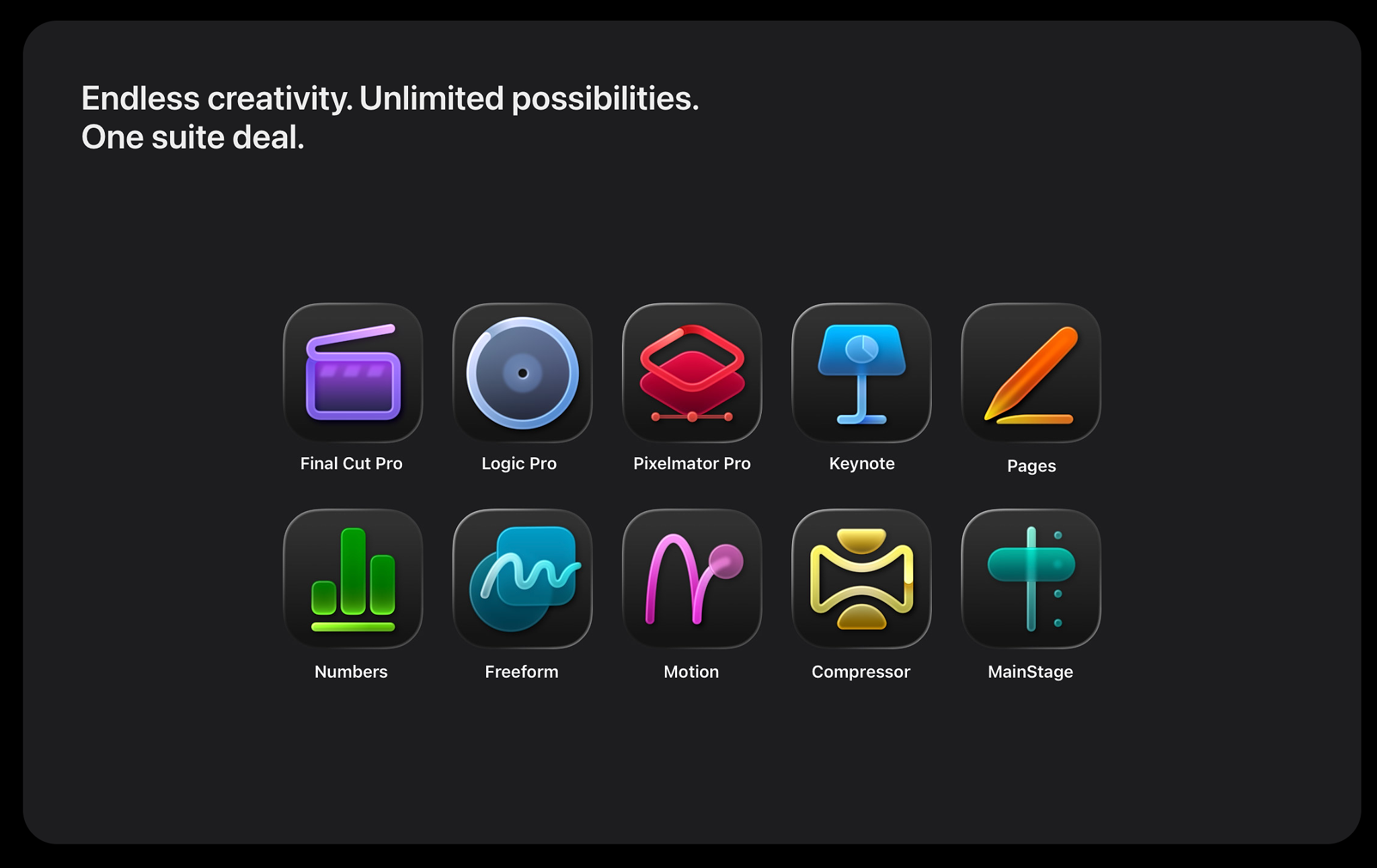
A suite can cover up to 15 apps from the same developer. Apple’s explanation says the subscriptions included in a suite can’t be purchased individually. This makes suites more limited when it comes to offering both bundled and individual subscriptions. For most developers, bundles might therefore be the better option due to their flexibility with existing business models.
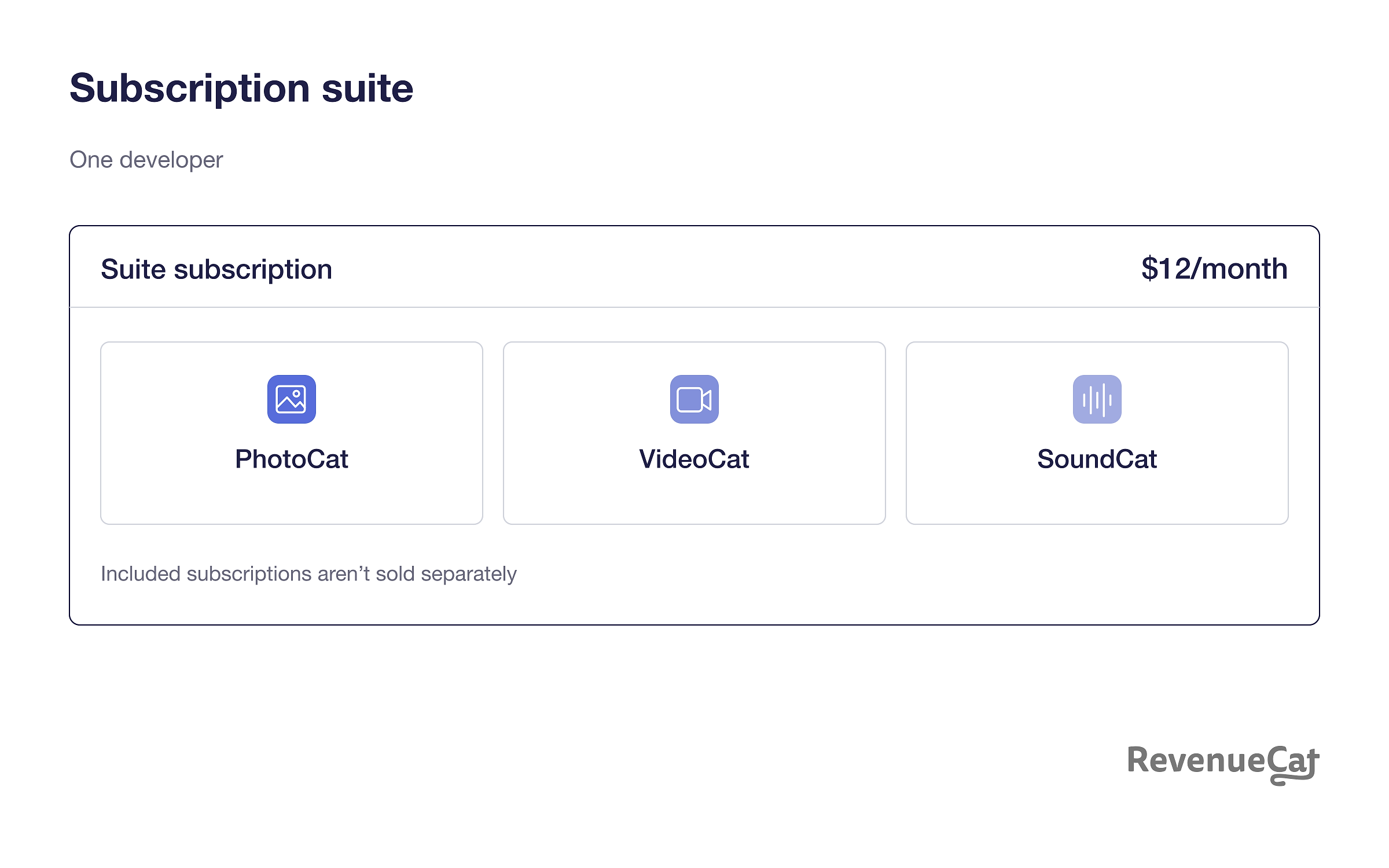
A suite example: PhotoCat, VideoCat, and SoundCat
Imagine one developer offering PhotoCat for photo editing, VideoCat for video editing, and SoundCat for audio editing. Customers buy the suite subscription and receive access across all three apps. The subscriptions included in that suite aren’t sold individually.
Get access to Bundles and Suites from Apple
Start with Apple’s request form in App Store Connect. Have the participating apps’ identifiers ready, along with the configuration you want to offer.
Check the technical requirements
Apple lists support for Bundle and Suite purchases on iOS 27, iPadOS 27, macOS 27, and tvOS 27 or later. Check that all participating apps meet the requirements before submitting the request.
Choose your configuration
After entering your contact details, confirm that you’ve implemented StoreKit 2 across the apps you plan to include. Select a single-developer bundle, a single-developer suite, or a multi-developer bundle.
For a single-developer bundle or suite, provide the App Apple IDs for the participating apps. These are the numeric app identifiers in App Store Connect you can find on each app’s submission page.
For a multi-developer bundle, the form also asks whether you’re the primary or secondary developer. The primary developer acts as the seller of record and Apple’s main contact. The secondary developers contribute subscriptions to the bundle. Include the App Apple IDs for your apps and your partners’ apps, so agree on the participating apps before anyone submits.
Apple’s public overview and WWDC26 session don’t explain how revenue is split between developers or how secondary developers receive payment. Confirm the revenue split and payment arrangements with Apple during onboarding before agreeing to a partnership.
Submit the request and complete onboarding
Each developer in a multi-developer bundle must submit their own request and sign Apple’s program addendum. One partner’s application isn’t enough. After approval, Apple gathers subscription details and works with the participants on pricing and the go-live date.
Get started with Bundles and Suites
Decide which services belong together, whether customers should be able to buy them separately, and which apps and developers will participate. For bundles, choose matching subscription durations and a combined price that gives customers a reason to buy the package.
Apple supports introductory and promotional offers on Bundles and Suites, so you can offer a discounted starting period or a promotion alongside your standard price. Our guides to introductory offers and promotional offers explain how these offer types work.
Already have access from Apple? If you’re using RevenueCat on a self-serve plan, contact RevenueCat support from your dashboard to discuss your configuration and next steps. You can also contact the RevenueCat team to discuss your requirements.