Authentication methods
The fields each authentication provider needs, and how RevenueCat verifies each ID token



This page lists the fields each authentication provider needs, and what RevenueCat does with them. To learn how authentication works before you configure it, see Authentication.
Tell us about your use case to get early access and help us shape the feature.
Prerequisites
- Be the project owner or an Administrator, the only roles that can view or manage authentication methods
- Create an application with your identity provider
- Read Authentication for how the identity provider, the method, and the access token fit together
Choose a provider
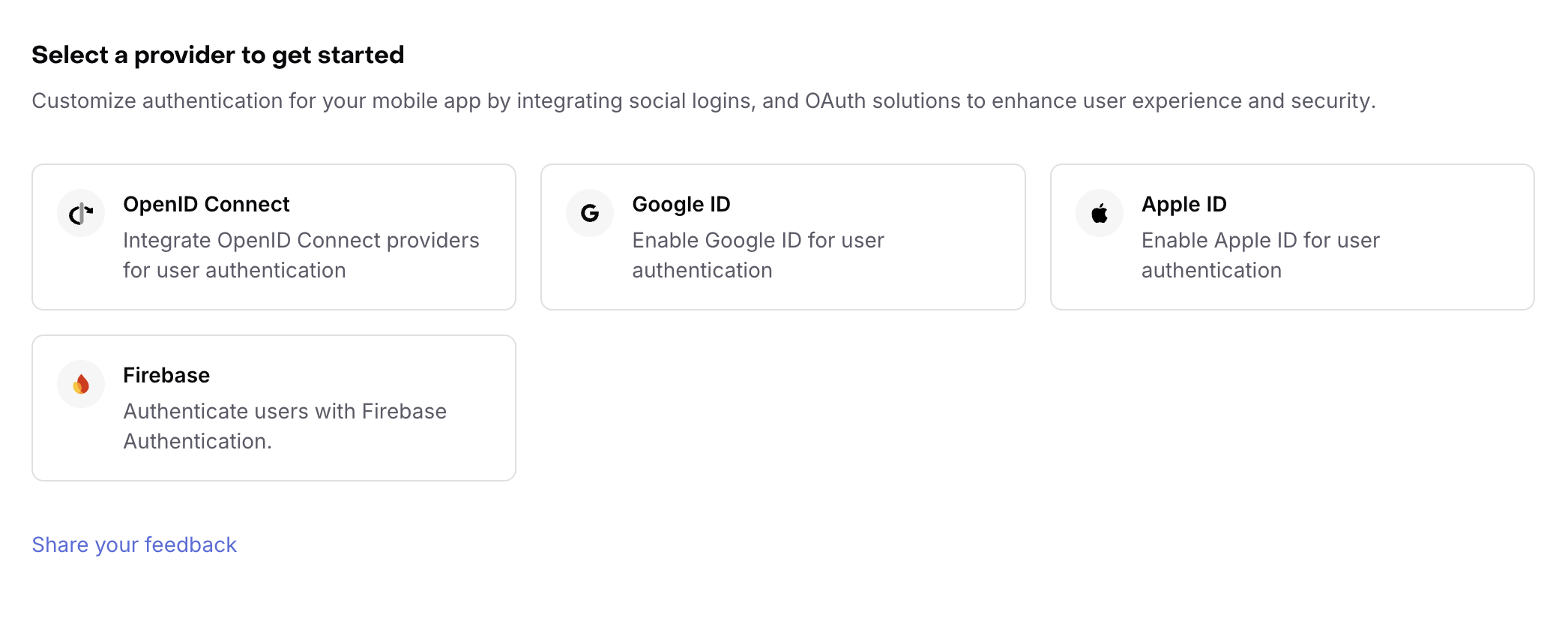
RevenueCat supports four providers. Pick the one that matches the identity provider your app already uses.
| Provider | Use it for | What you supply |
|---|---|---|
| OpenID Connect | Auth0, Okta, or any provider that publishes an OpenID Connect discovery document | An issuer URL |
| Google ID | Google sign-in | A Google OAuth client ID |
| Apple ID | Sign in with Apple | The Apple apps in your App ID group |
| Firebase | Firebase Authentication | A Firebase project ID, web API key, and auth domain |
Every provider works the same way: your app gets an ID token from the provider, and RevenueCat verifies it.
Add a method
-
Open your project and select Auth.
-
Select + Add method.
-
Select your provider on the Select a provider to get started screen.
-
Complete the fields for your provider. Each provider has its own section below.
-
Select Add method.
OpenID Connect
RevenueCat reads your provider's configuration from the Issuer URL and uses it to verify every ID token. You give RevenueCat one URL. It discovers the rest.
RevenueCat requests <Issuer URL>/.well-known/openid-configuration. That document must supply an issuer value and a jwks_uri value, both over HTTPS, and RevenueCat saves both with the method. At each login, RevenueCat loads the signing key named by the token's kid header and verifies the signature. RevenueCat accepts tokens signed with an RSA or ECC key. It then checks the iss claim against the saved issuer, the exp claim, and the age of the iat claim.
RevenueCat identifies the method by the token's iss claim, so two methods in one project can't share an issuer.
The Client Secret, Requested scopes, and Authorization parameters fields apply only to the interactive login that funnels use.
| Field | Required | What to enter |
|---|---|---|
| Name | Yes | A label for the method. The name appears in the method list and in funnel steps. |
| Issuer URL | Yes | The HTTPS URL of your provider. Do not include the discovery path. |
| Client ID | No | The value that your provider puts in the aud claim. When you set it, RevenueCat requires a match. |
| Client Secret | No | Needed only for the interactive login. |
| Requested scopes | No | Extra OAuth scopes for the interactive login. RevenueCat always includes openid. |
| App user ID claim | No | The claim that RevenueCat maps to the App User ID. Leave it empty to use sub. |
| Authorization parameters | No | Static query parameters for the authorization URL. Leave it empty unless your provider requires one. |
| ID token iat freshness (seconds) | No | Under Advanced settings. How old an ID token can be when your app sends it. |
RevenueCat maps this claim when it creates the Customer. Existing Customers keep the App User ID that they already have.
Example issuer URLs
- Auth0: use your tenant domain, for example
https://example.us.auth0.com. See Auth0 OpenID Connect Discovery. - Okta: use your authorization server URL. See Okta OpenID Connect & OAuth 2.0.
- Supabase: use
https://<YOUR_PROJECT_REF>.supabase.co/auth/v1. Set Client ID toauthenticated, the audience that Supabase gives every signed-in user. Your project must use an asymmetric signing key, which you can check under Project Settings → JWT Keys in the Supabase dashboard.
Any other provider works the same way, as long as it publishes an OpenID Connect discovery document.
RevenueCat verifies each ID token with the public keys of your provider. A token signed with a shared secret (the HS256 algorithm) has no public key, so RevenueCat can't verify it. Older Supabase projects sign with a shared secret and must migrate to an asymmetric key first.
Google ID
| Field | Required | What to enter |
|---|---|---|
| Name | Yes | A label for the method. |
| Client ID | Yes | The Google OAuth client ID for your application. |
| ID token iat freshness (seconds) | No | Under Advanced settings. How old an ID token can be when your app sends it. |
RevenueCat checks the aud claim of the Google ID token against this client ID. To find the value, see Get your Google API client ID.
Apple ID
An Apple ID method covers an Apple App ID group, not a single bundle ID. You select the Apple apps in your project that belong to the group, and RevenueCat reads their bundle IDs from your app settings. When you change a bundle ID in the app settings, the method uses the new value. There is nothing to update in the method.
Apple scopes the identifier of a Customer to the App ID group, so one method must cover the whole group. Two methods over one group would split a single Apple account into two Customers.
Your project needs at least one App Store or Mac App Store app before you can add this method.
| Field | Required | What to enter |
|---|---|---|
| Name | Yes | A label for the method. |
| App IDs in the group | Yes | Every Apple app in this project, or Only the apps I select and then the apps in your App ID group. Apps that share a bundle ID, such as an iOS app and its Mac App Store version, appear as one row. |
| Primary App ID | No | The radio button next to the App ID that is primary in your Apple Developer account. It has no effect on native sign-in. When the group has one App ID, RevenueCat selects it for you. |
| ID token iat freshness (seconds) | No | Under Advanced settings. How old an ID token can be when your app sends it. |
RevenueCat checks the aud claim of the Apple ID token against the bundle ID of the app that sends it. That app must belong to the method. Each Apple app can belong to only one Apple ID method, and a method that covers every Apple app leaves no room for another one. To learn how Apple groups App IDs, see Sign in with Apple.
Firebase
| Field | Required | What to enter |
|---|---|---|
| Name | Yes | A label for the method. |
| Project ID | Yes | The Firebase project ID, from Project settings → General in the Firebase console. |
| Web API key | Yes | The web API key that the Firebase JS SDK uses. |
| Auth domain | Yes | The Firebase auth domain, such as my-project.firebaseapp.com. |
RevenueCat checks the aud claim of the Firebase ID token against the project ID. To find these values, see Firebase project configuration.
Add the domain of your funnel to the authorized domains of your Firebase project. Firebase blocks sign-in from a domain that it does not list.
Next steps
- Authentication — how the identity provider, the method, and the access token fit together
- Authentication steps in funnels — require a sign-in before checkout in a funnel