Refund Control
How RevenueCat responds to Apple and Google refund requests



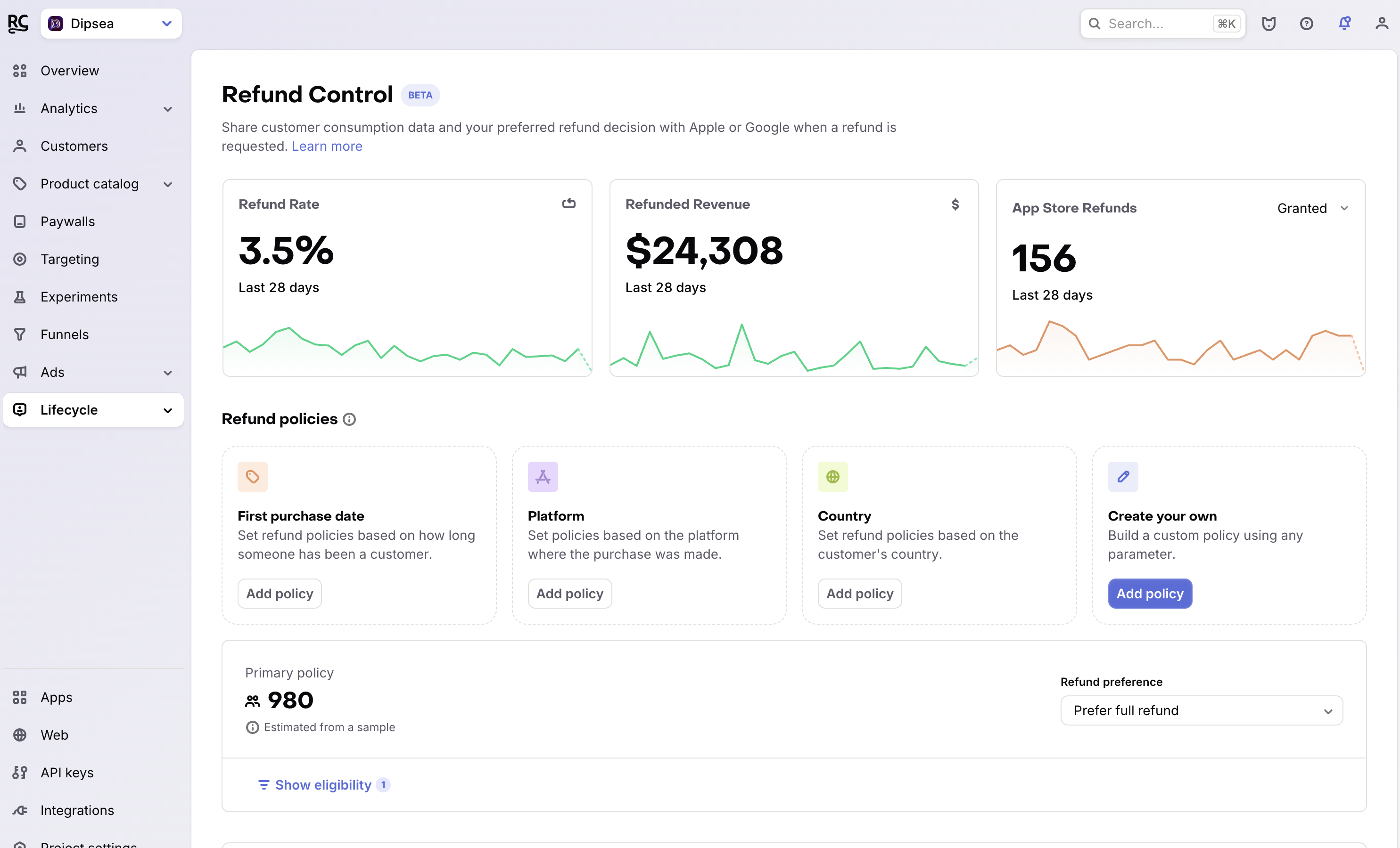
Refund Control uses project-level policies to tell Apple and Google how you prefer them to resolve refund requests. RevenueCat sends the preference from the first matching policy, and the store makes the final refund decision.
How refund policies work
RevenueCat evaluates refund policies from top to bottom. The first policy whose conditions match a Customer determines the preference sent to the store.
The default policy displayed at the bottom applies when no custom policy matches. If the default policy is the only policy, it applies to all Customers without requiring a filter.
Each policy can use Customer and purchase properties such as:
- First purchase date
- Platform
- Country
- Any other property available in the policy editor, including properties used in Customer audiences
The Customer count on each policy estimates how many Customers currently match its conditions.
Refund preferences
Choose one of these outcomes for each policy:
- Prefer full refund: RevenueCat tells the store that you prefer to grant the refund.
- Prefer no refund: RevenueCat tells the store that you prefer to decline the refund.
- Send consumption data only: RevenueCat submits available data without expressing a preferred outcome.
- Do not respond to refund requests: RevenueCat doesn't respond to refund-review requests for matching Customers.
Each policy sends one preference, and each preference can be assigned to only one policy in the project, including the default policy. To send the same preference to several Customer groups, add condition groups to that policy.
The preference is one input to the store's review. It doesn't guarantee that Apple or Google grants or declines a refund.
Use Prefer no refund for a targeted group of Customers instead of applying it to nearly everyone. Refund Control warns you when this preference matches most of your Customers.
Data RevenueCat sends to Apple and Google
RevenueCat sends the following consumption request properties when Apple requests consumption data:
| Property | What RevenueCat sends |
|---|---|
customerConsented | true. Enabling consumption data sharing confirms that you obtained consent from your Customers. |
deliveryStatus | DELIVERED when the Transaction exists in RevenueCat. Otherwise, UNDELIVERED_OTHER. |
sampleContentProvided | true |
refundPreference | The preference mapped from $appleRefundHandlingPreference, when set. Otherwise, RevenueCat sends the preference from the matching Refund Control policy. |
RevenueCat sends the following fields in the request body to Google's orders.reviewrefund endpoint when responding to a pending refund review:
| Property | What RevenueCat sends |
|---|---|
pendingRefundToken | The token from Google's pending refund review notification. |
sampleContentProvided | true |
refundPreference | The preference from the matching Refund Control policy: APPROVE for Prefer full refund, DECLINE for Prefer no refund, and NEUTRAL for Send consumption data only. |
RevenueCat doesn't currently collect or send consumption percentages or usage events for individual Transactions on either store.
Customer-specific override (legacy, Apple only)
RevenueCat supports a reserved Customer attribute that overrides the preference from the matching policy for an individual Customer. Set $appleRefundHandlingPreference through the SDK, REST API, or Customer profile in the RevenueCat dashboard.
The attribute accepts these values:
DO_NOT_HANDLE: RevenueCat doesn't handle refund requests for the Customer. Use this option for Customers who haven't provided consent.GRANT_REFUND: You prefer that Apple grants the refund.DECLINE_REFUND: You prefer that Apple declines the refund.LET_APPLE_DECIDE: You have no preference about Apple's decision.
This override affects only Apple refund requests.
The recommended way of customizing responses for specific users is to use user attributes in the policy filters, such as App user ID or Email.
Limitations
Refund Control doesn't currently support the Partial refund preference.