Configure refund policies
Configure project-level Refund Control policies for Apple and Google



This article shows you how to configure Refund Control policies for Apple and Google. By the end, RevenueCat will respond to refund requests according to the first policy that matches each Customer.
Prerequisites
Before configuring Refund Control:
- Configure Apple App Store Server Notifications for each Apple app in your project.
- Configure Google Real-Time Developer Notifications for each Google Play app in your project.
- Obtain any consent required to share Customer consumption data with Apple or Google.
RevenueCat displays a warning on the Refund Control page when it can't verify server notification settings for an app. Resolve these warnings before relying on your refund policies.
By enabling consumption data sharing for Apple, you confirm that you've obtained consent from your Customers. See Customer consent for Apple refund requests for suggested wording.
Setup
1. Open Refund Control
In the RevenueCat dashboard, select your project and open Lifecycle → Refund Control.
The configuration applies to the entire project. Use policy conditions when different apps, platforms, or Customer groups need different preferences.
2. Add a refund policy
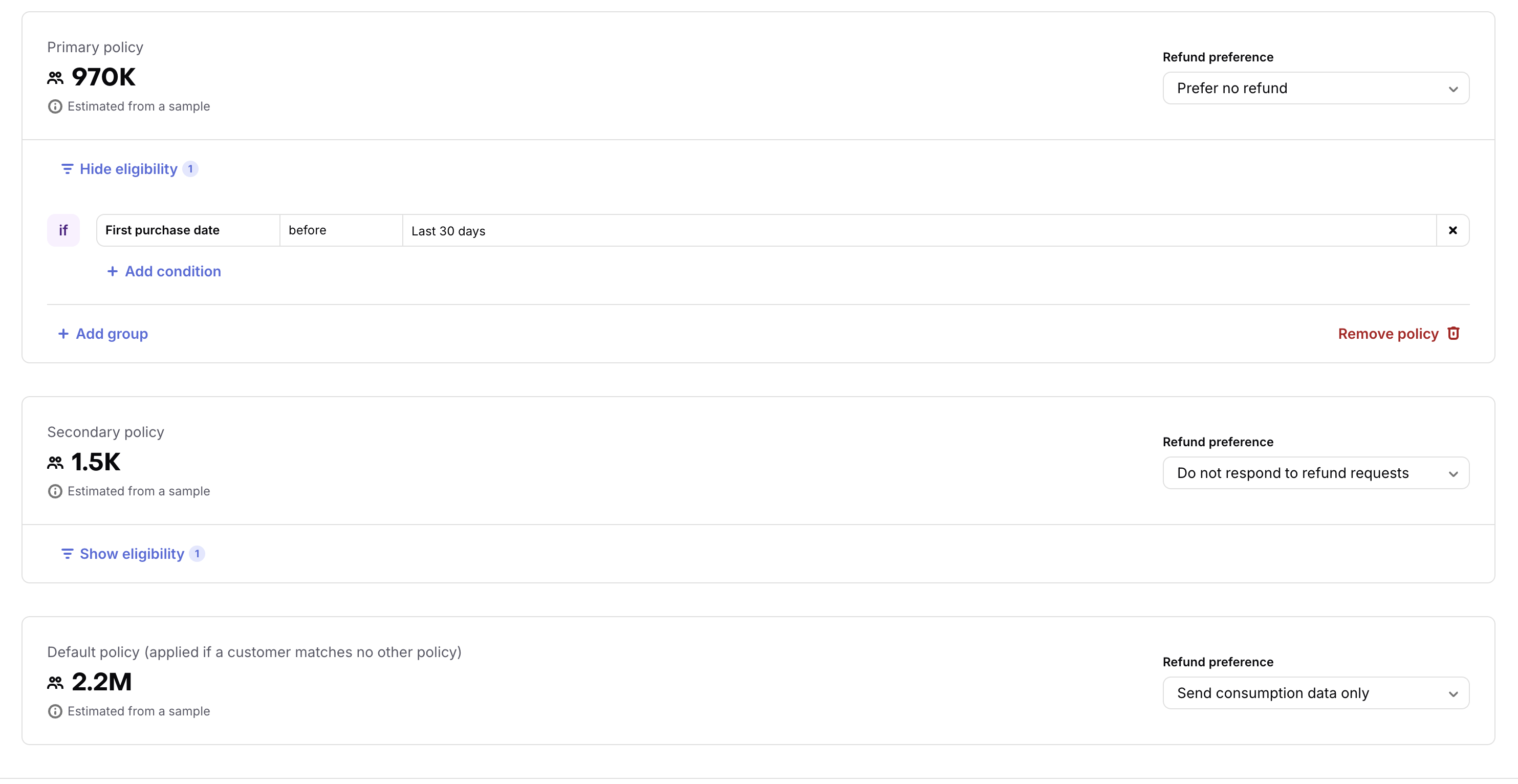
Choose a suggested policy based on First purchase date, Platform, or Country. To use any available Customer or purchase property, select Create your own.
You can add multiple conditions and condition groups to a policy. A Customer matches a policy when all conditions in any one of its groups match. A policy with no conditions matches all Customers, so use the default policy when you want one preference to apply to everyone.
Each policy has one refund preference, and each preference can be assigned to only one policy in the project, including the default policy. To apply the same preference to several Customer groups, add condition groups to that policy instead of creating another one. Preferences already used by another policy appear unavailable in the dropdown.
3. Configure Apple and Google policies
Use the Platform condition to control which stores a policy covers:
- Include iOS, macOS, and visionOS for Apple purchases.
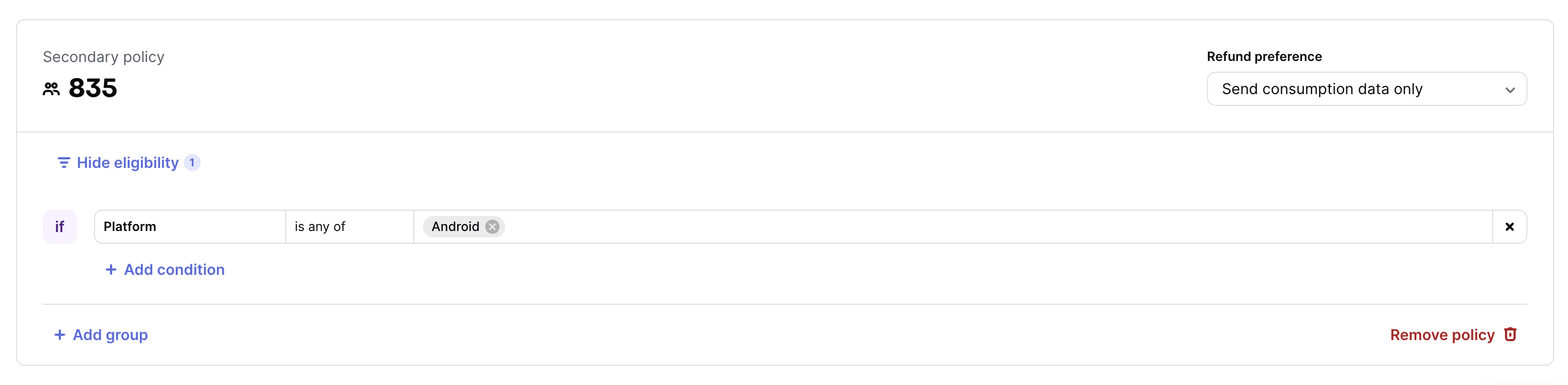
- Include Android for Google Play purchases.
- Omit the platform condition to apply the policy to both stores.
Create separate policies when you want different preferences for Apple and Google. Put the more specific policy above broader policies because RevenueCat applies the first match. To use the same preference for both stores, remove the platform condition from the existing policy instead of creating a new one.
For example, to preserve an Apple-specific policy and use a different preference for Google Play:
- Keep iOS, macOS, and visionOS in the existing policy's platform condition.
- Add another policy whose platform condition includes Android.
- Select the appropriate preference for each policy.
4. Set the default policy
Choose the preference that applies when a Customer doesn't match any custom policy.
To apply one preference to every Customer on Apple and Google, remove the custom policies and configure only the default policy.
5. Review and save
Review the order, conditions, matching Customer counts, and preferences for every policy. Select Save changes to activate the configuration.
Changes don't affect refund-review requests until you save them.
Review a migrated Apple policy
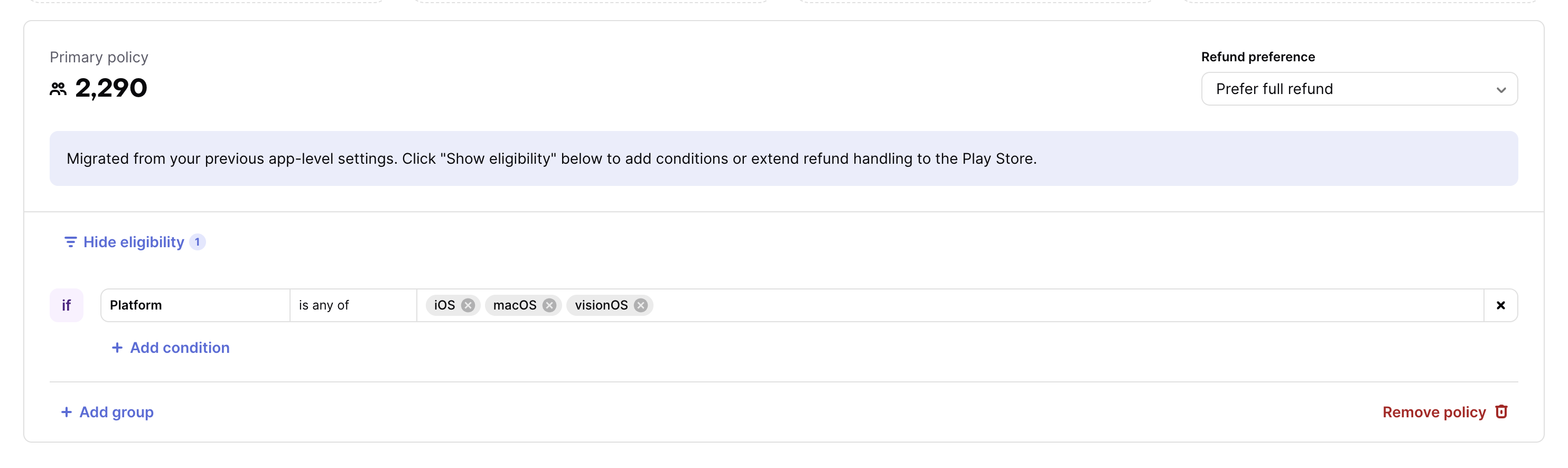
When you first open Refund Control, RevenueCat converts your existing Apple refund preference into a project-level policy. The migrated policy includes a platform condition for iOS, macOS, and visionOS so it continues to affect only Apple purchases.
To apply the migrated policy to Google Play purchases:
- Remove the platform condition to use the same preference for Apple and Google.
- Add Android to the platform condition.
- Create a separate Android policy to use a different Google Play preference.
Existing configurations that prefer declining refunds remain selected after migration. Review the warning if that preference applies to most Customers, then narrow the policy before saving when appropriate.
Monitor refund results
The Refund Control page summarizes recent refund performance, including refund rate, refunded revenue, and refund-request volume. Use these metrics to compare outcomes after changing a policy.
For deeper analysis, use the Refund Rate Chart, Refunds Chart, and Refund Requests Outcomes Chart.
Customer consent for Apple refund requests
Apple requires consent before you share a Customer's consumption data. You can adapt this template for your terms or consent flow:
Consent to share consumption data with Apple
By using our app and making in-app purchases, you consent to our sharing information about your usage and consumption of purchased content with Apple when resolving refund requests. This information may include how you accessed and interacted with the purchased content. We share this information only as needed to help Apple make an informed refund decision and in accordance with Apple's policies.
If your updated terms apply only to new Customers, contact RevenueCat Support before enabling consumption data sharing for existing Customers.