

For a growing number of app teams, setup now starts with an agent. The agent sees the codebase, knows the platform, can edit files, can run commands, and can help connect RevenueCat with the app.
Meet the RevenueCat AI Toolkit. It brings RevenueCat into your AI coding assistant, starting with a Claude Code plugin that can help configure RevenueCat, integrate the Purchases SDK, inspect project health, pull RevenueCat Charts data, and troubleshoot in-app purchase issues from the tools where you already write code.
The AI Toolkit gives your agent access to both the RevenueCat context and the skills it needs to understand it.
Meet the RevenueCat AI Toolkit
The RevenueCat AI Toolkit is distributed as a plugin you install from your AI coding assistant’s marketplace. It is available for Claude Code, and it also works with OpenAI Codex, Gemini CLI, and Visual Studio Code. Cursor support is coming soon; for now, Cursor users can connect the RevenueCat MCP server directly.
The plugin gives your agent two things. First, it includes RevenueCat MCP server configuration, which lets your agent access RevenueCat after you authenticate with OAuth. Second, it includes RevenueCat-specific skills, which guide the agent through setup, SDK integration, paywalls, purchases, testing, analytics, and troubleshooting.
Think of it as access plus knowledge. MCP gives your agent a way into RevenueCat. Skills tell it which steps to take next.
What you and your agent can do
Subscription infrastructure from the editor. Instead of coordinating every setup step by hand, you can ask your agent to create or select a project, add apps, create products, define entitlements, build offerings, attach packages, and return the public SDK keys your app needs.
This matters because order matters in RevenueCat. Products need to map to entitlements. Offerings need packages. Packages need products. Apps need the right public SDK keys. The AI Toolkit helps your agent follow that order.
SDK setup with RevenueCat context. Your agent can detect whether your app is native iOS, native Android, React Native, Flutter, or Kotlin Multiplatform. Then it can install the right Purchases SDK, configure Purchases once at app launch, enable debug logs during setup, and verify the expected SDK output.
That saves more than tab switching. It reduces the classic mismatch between product configuration and app code: the wrong key, the wrong app identifier, or a configure call in the wrong place.
Paywalls and purchases where the code lives. If you use RevenueCat Paywalls, your agent can add the right RevenueCatUI package and present the dashboard-configured paywall from your app. If you need custom UI, it can guide the purchase flow around getOfferings(), purchase(package), restore purchases, and entitlement checks.
Analytics and troubleshooting inline. Your agent can inspect project status, query RevenueCat Charts, and help diagnose common setup issues like empty offerings, missing products, inactive entitlements, or sandbox purchase failures.
How to install it
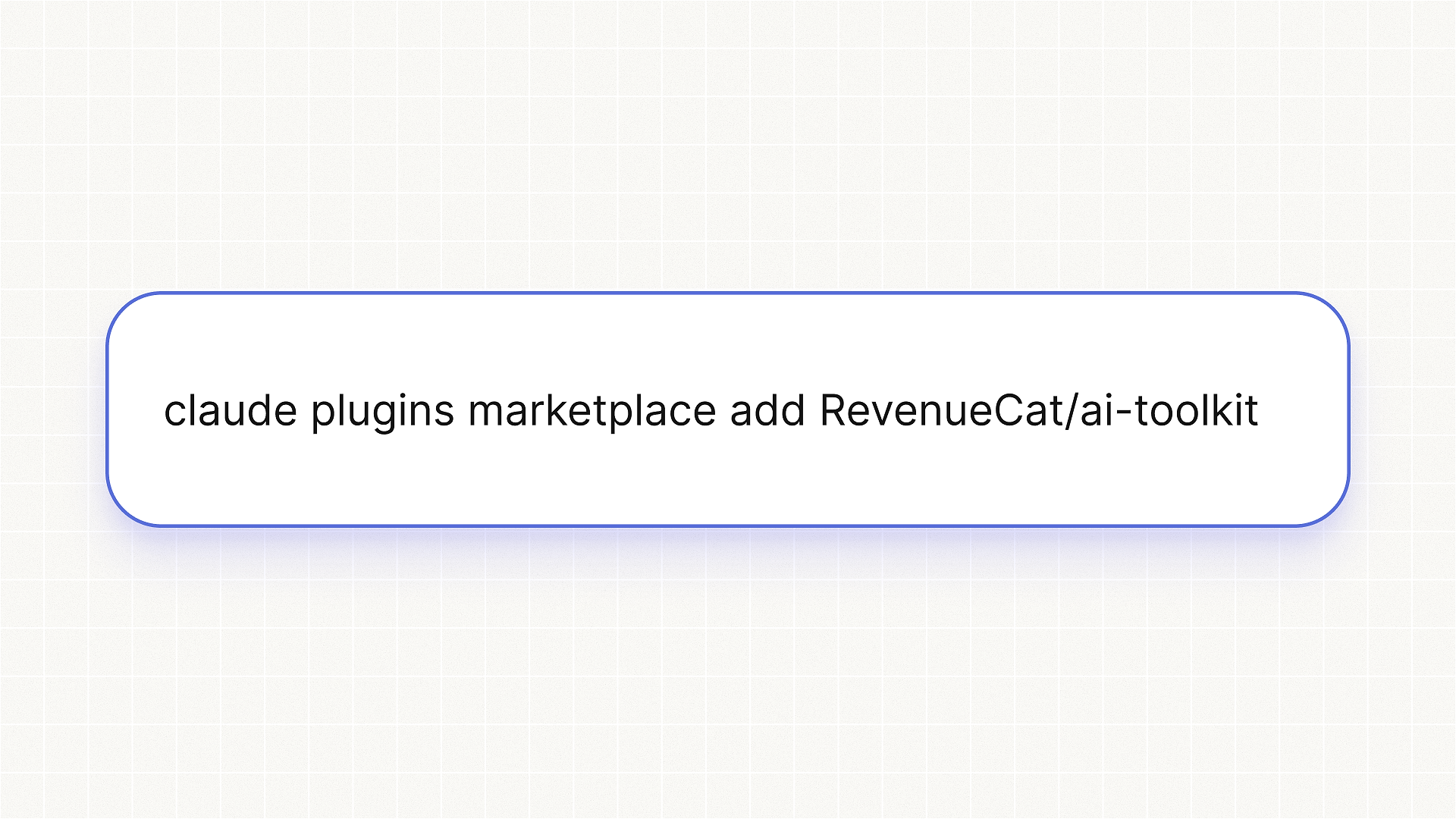
Start with Claude Code. From inside Claude Code, run:
Choose Marketplace, select + Add Marketplace, enter:
Then install the RevenueCat plugin.
You can also install it from the command line:
For OpenAI Codex CLI, add the marketplace first:
Start Codex, run /plugins, search for RevenueCat, and install the plugin.
For the OpenAI Codex desktop app, run the same marketplace command in your terminal:
Then open Plugins in the Codex app, select RevenueCat from the plugin source dropdown, and click the plus button next to the plugin.
For Gemini CLI, install the extension directly from GitHub:
For Visual Studio Code, use the agent plugins marketplace beta. Add this repository as a plugin marketplace, then install the RevenueCat plugin.
Cursor support is coming soon. Until then, configure the RevenueCat MCP server directly in Cursor using the setup instructions in the RevenueCat docs.
For other AI coding environments, you can install the skills with:
That fallback installs the skills, not the MCP server. If you want live RevenueCat project access in an unsupported environment, configure the MCP server manually.
What you can ask it
Start with the job you would otherwise split across your editor, RevenueCat setup, store consoles, SDK docs, and logs.
Frequently Asked Questions
What can an agent do through the AI Toolkit?
Your agent can use RevenueCat MCP access and RevenueCat skills to help configure projects, apps, products, entitlements, offerings, packages, and public SDK keys. It can also inspect project health, query chart data, and diagnose common purchase setup problems.
Can an agent change live RevenueCat configuration?
Yes, if your authenticated RevenueCat account has permission to make that change. Treat agent access like any other privileged product access. Review changes to projects, products, entitlements, offerings, packages, and webhooks before accepting them.
How does authentication work?
The plugin uses OAuth. Your agent gets access based on your RevenueCat account permissions and can work with the projects your account can access.
Should you use this directly in production?
Use the same judgment you would use with dashboard or API changes. For setup, testing, and debugging, start with sandbox data, test stores, or non-production projects when the change could affect live users. Confirm purchases in RevenueCat, not only on the device.
Does this replace the RevenueCat dashboard?
No. The dashboard remains the place to see, review, and manage RevenueCat visually. The AI Toolkit gives teams another way to work with RevenueCat: the coding agent where more app work now starts.
Skills included in the AI Toolkit
The AI Toolkit includes thirteen RevenueCat skills. Each one gives your agent a focused playbook for a common developer workflow.
The skills stay narrow on purpose. Paywall work differs from entitlement gating. Testing differs from migration. Project creation differs from SDK configuration. Smaller playbooks make your agent easier to steer and easier to review.
Get started
Install the RevenueCat AI Toolkit in Claude Code:
Then ask your agent to set up RevenueCat, integrate the SDK, inspect your project, or debug the purchase flow that’s blocking your launch.
The RevenueCat AI Toolkit is available on GitHub at RevenueCat/ai-toolkit.