

RevenueCat Paywalls is the easiest way to build custom paywalls for your app. Combined with RevenueCat Targeting, it allows you to serve a different paywall to different customers without having to make new releases. And now, with the release of the new Paywall Rules feature you can take personalized paywalls even further, without having to make new paywalls.
Paywall Rules allow you to customize the visibility of paywall components based on both preset and Custom Variable based rules, enabling you to customize a single paywall to support multiple scenarios.
Hides components when a package is selected, and more
What do Paywall Rules look like in practice?
One example is using Paywall Rules to show a trial timeline only when a trial is available, or to display a different package based on a custom variable.
Paywall Rules supports the following rules at the moment:
How to create your first Paywall Rule
To create a Rule for your paywall, navigate to paywall editor and select the Paywall logic tab from the left sidebar. You will see the following button to create a new rule:
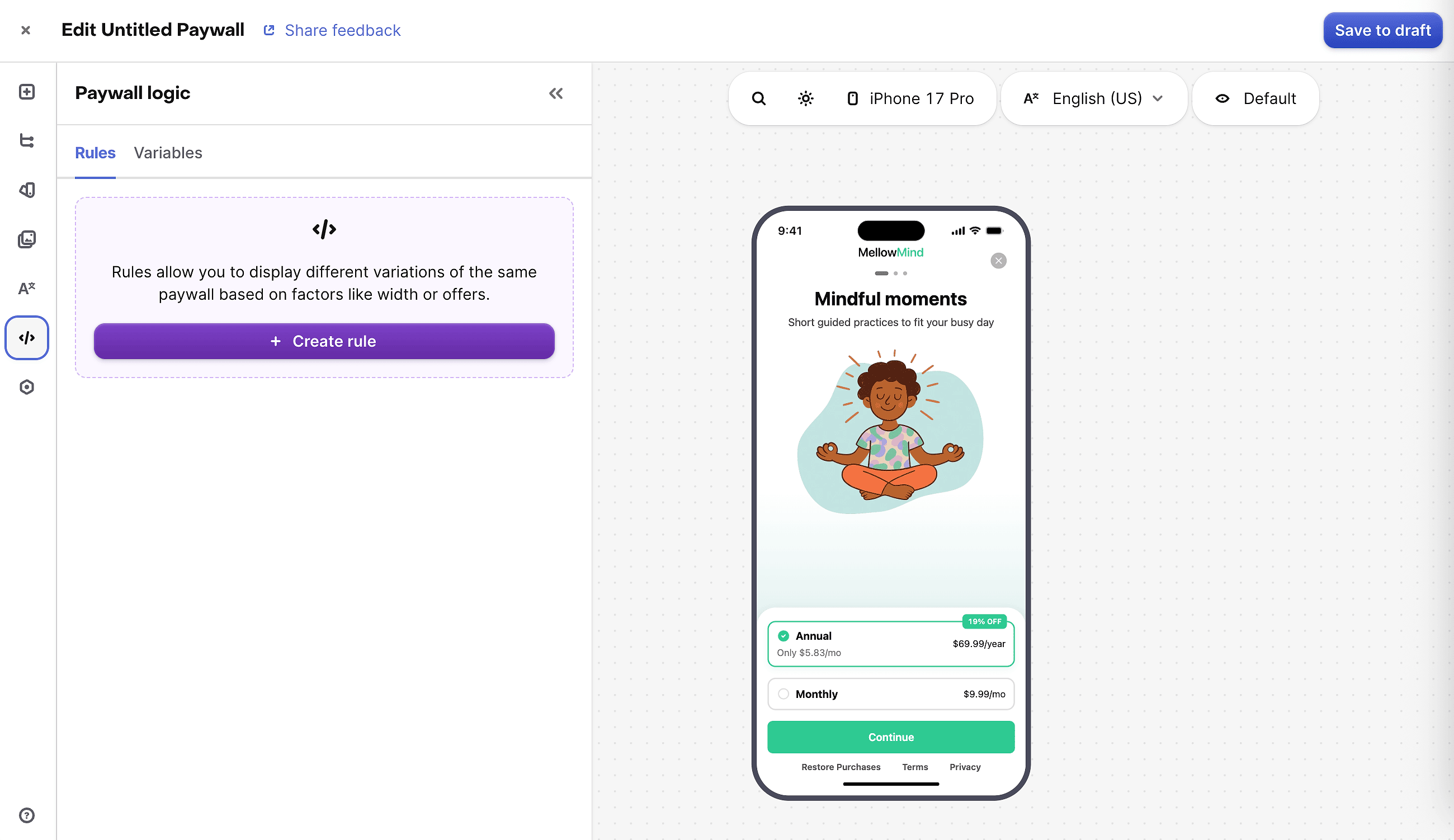
Creating a rule has two parts:
- Selecting the Rule that will control component visibility
- Selecting either existing or new components that the rule will be applied to
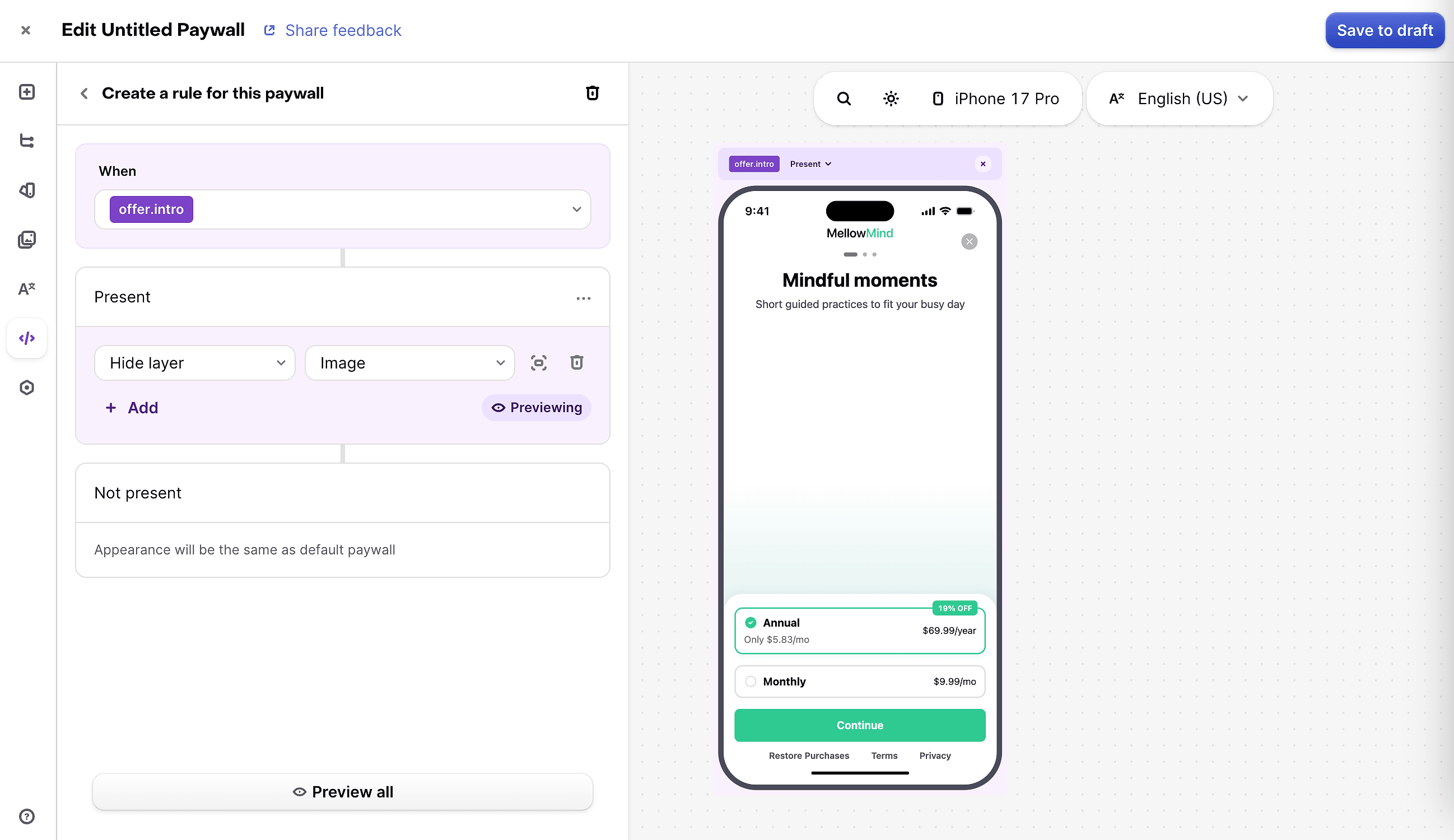
When viewing your rule, any component that you add will be set to only be visible for that Rule. You can edit this later if you require the component to be visible in more cases.
Rules are evaluated at runtime, after publishing your paywall, which allows multiple rules to exist on a component. Rules are applied to a component in the order defined in the table above. Custom variable rules are evaluated in alphabetical order.
Current limitations of Paywall Rules
Paywall Rules are supported on most components that you can add to your paywall, with the following limitations:
- Express checkout buttons
- Individual pages of a carousel
- Individual tabs
- Footer
- Sheet
- Purchase Button
Wrapping up
Paywall Rules make it easier than ever to build smart, context-aware paywalls without the overhead of maintaining multiple paywall variants. Whether you want to highlight a trial offer, swap out packages based on a custom variable, or tailor messaging for promotional offers, a single paywall can now handle it all.
As we continue to expand the supported components and rule types, we’re excited to see the creative ways developers and growth teams use this feature to drive conversions.
Give Paywall Rules a try and let us know what you think 👉 Paywall Rules documentation