


Apple’s new Retention Messaging API lets apps reach subscribers at the exact moment they choose to cancel, showing a message, incentive, or discount directly within the iOS subscription settings screen. It’s a new chance to win back users who’d otherwise be gone.
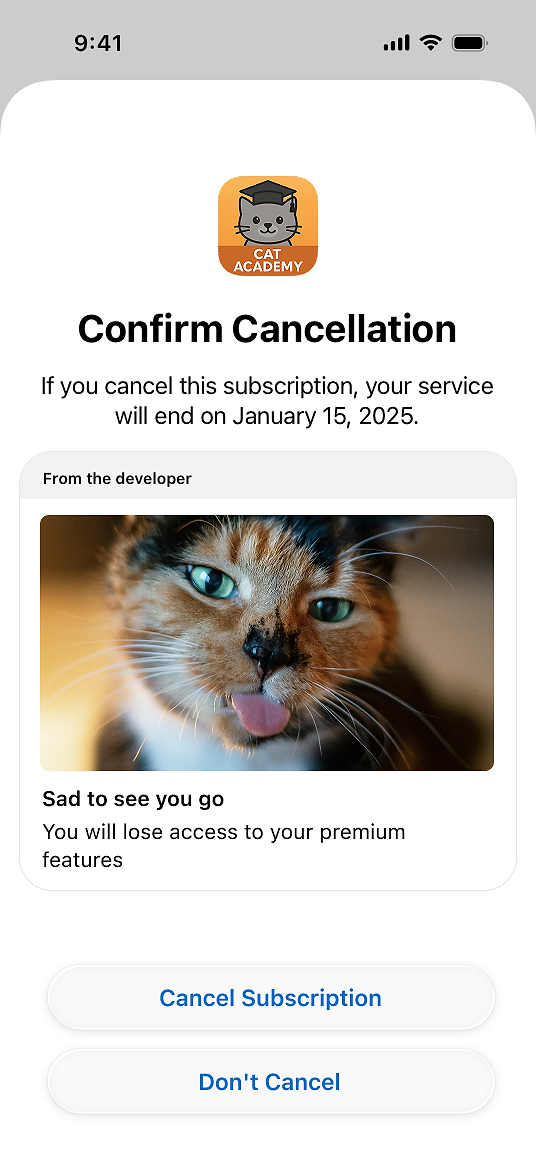
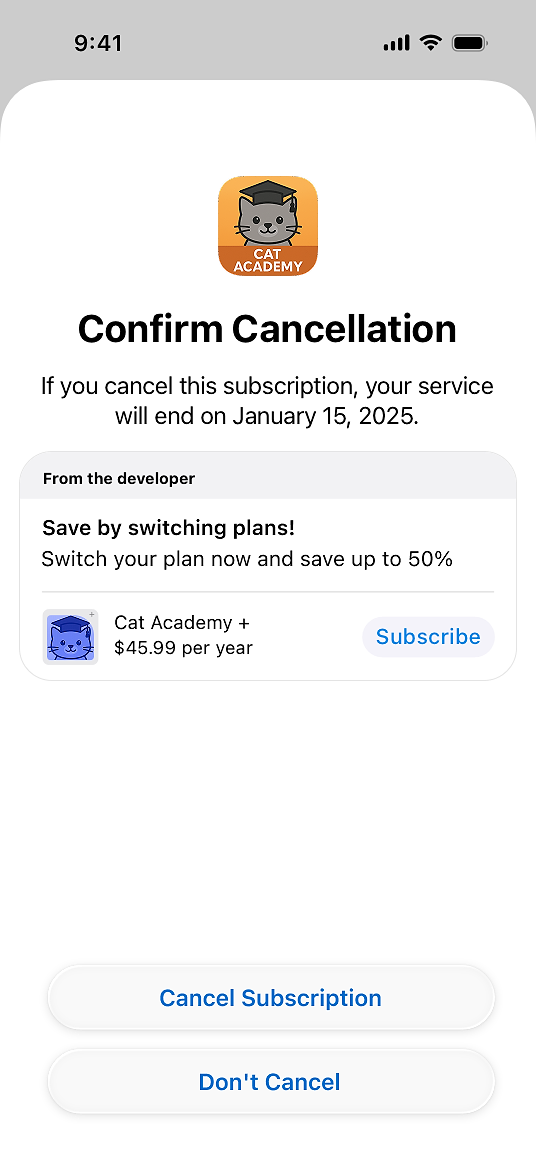
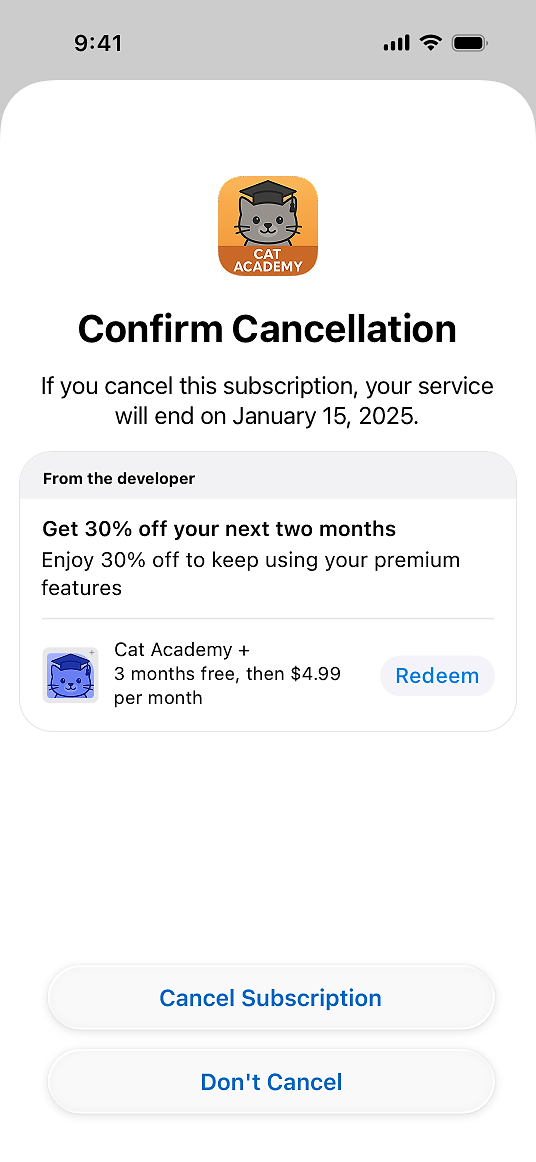
Depending on your setup, your message can take one of four forms: a simple text message, a text message paired with an image, an alternative product such as a lower-priced tier, or a promotional offer like a discount.
If you’ve ever wanted to reach customers before they walk out the door, this API finally makes that possible. The catch: it also comes with tight performance limits, tricky setup requirements, and a fair amount of backend plumbing.
Read on for why retention messaging matters, how it works, how it compares to setting offers up in App Store Connect, and how RevenueCat can take care of the painful parts for you.
How Apple’s Retention Messaging API works
When a user enters the iOS subscription management screen and taps Cancel, Apple checks whether you’ve configured a default retention message for that specific product and locale. If you have, Apple calls your backend with the subscriber’s transaction information and waits for your response. When a default message exists for that product and locale, Apple gives your server under 700ms to return the message, alternate product, or promotional offer.
RevenueCat handles this entire real-time sequence for you:
- Identifies the app, product, and subscriber
- Checks for a configured message, promotional offer, or alternate product
- Applies eligibility rules (first seen, first purchase, storefront, intro offer status, or a random sample)
- Returns the correct message to Apple
All of this happens in real time, well within Apple’s 700ms limit.
Real-time messaging vs. App Store Connect: which should you use?
Apple lets you configure retention offers in two places: through the real-time Retention Messaging API, or directly in App Store Connect (ASC). Configuring through ACS comes with some limitations.
ASC doesn’t support switch-plan messages, advanced eligibility criteria, or A/B testing. It’s also limited to specific retention offers, whereas real-time messaging can use any existing promotional offer you’ve already created.
The short version: if you want targeting, plan switching, experimentation, and deeper reporting, real-time messaging is where the value is, and that’s exactly where RevenueCat focuses.
Where RevenueCat goes further
Beyond handling the real-time plumbing, RevenueCat is built to make your retention program measurably better than what either Apple surface gives you out of the box:
- Better analytics: Instead of working from the same baseline numbers Apple exposes, you get more insightful reporting, including save rates and offer-acceptance benchmarking, so you can see what’s actually moving the needle
- Advanced eligibility: Target specific cohorts using rules Apple’s own surfaces don’t support, like first purchase more than seven days ago, storefront, or intro offer status
- A/B testing: Experiment with different messages and offers to find what retains best, something neither ASC nor the raw API offers
- AI-backed localization: Generate translations automatically, so your retention messages reach subscribers in their language without manual work
What implementing the API yourself looks like
Building an Apple Retention Messaging integration from scratch requires more than just calling the API. Developers have to:
- Configure default messages for every product and locale manually
- Maintain an always-on backend that can process Apple’s requests in under 0.7s and handle promo offer signing
- Keep track of which messages are configured for each locale, since Apple doesn’t store this information
Apple only provides the raw API endpoints, leaving the orchestration, performance, and data management entirely up to the developer. It’s not overly complex, but it is cumbersome and time-consuming to test, localize, and iterate.
How you can simplify the process with RevenueCat
If you don’t fancy doing the manual build and maintenance, RevenueCat can manage every part of Apple’s Retention Messaging setup and response flow for you:
- Uploading messages and configuring default text for each locale
- Generating AI-backed translations automatically, so your retention messages are localized without manual work
- Monitoring message status through the Apple API
- Responding to Apple’s real-time requests with latency safely below 0.7s
You can configure all your retention campaigns directly in the RevenueCat dashboard. Define messages, promotional offers, and tailor campaigns to specific user cohorts, for example by storefront, intro offer status, or how long someone has been a subscriber, all without touching backend code.
Retention lives under Lifecycle → Retention in the dashboard, so you can manage your cancellation messages and offers right alongside the rest of your subscriber lifecycle tooling.
Getting started with Retention Messaging API in RevenueCat
Retention Messaging is currently a pre-release feature, so it requires requesting access from Apple. You can do this quickly by following our step-by-step guide in the RevenueCat docs.
Access update
In April 2026, Apple has expanded access to the Retention Messaging API, with broader availability rolling out in the coming weeks. If you've been waiting on the sidelines, now's the time to get your messages and localization set up in RevenueCat so you can ship the moment access lands.
Some developers are alos seeing long wait times for production message approvals. This seems to be a delay on Apple's side and not an issue with any one app.
While you’re waiting for approval, you can still prepare your messages and localization strategy and go live as soon as Apple grants you access. One thing to plan for: before you can use real-time retention messaging in production, you’ll need to pass Apple’s performance testing in sandbox. RevenueCat lets you kick off and track that test right from the dashboard, so build it into your timeline early. The test can take up to an hour, so use a long-duration product to make sure the subscription doesn’t expire mid-test.
RevenueCat supports all four message types Apple offers:
- Text-based message: a simple message highlighting subscription features or benefits
- Text-based message with an image: an image alongside a message highlighting subscription features or benefits (3840 × 2160 PNG, no transparency)
- Switch-plan message: suggests an alternative subscription plan that the customer could switch to, along with a short message
- Promotional-offer message: offers a discounted price for continuing the subscription, either at the same tier or a different tier of service, alongside a short message
Retention messages are visible on devices running iOS 15.1 or later, iPadOS 15.1 or later, visionOS 1 or later, or macOS 14 or later.
These messages are shown to users after they tap Cancel Subscription on the subscription details page. On the Confirm Cancellation screen, users can complete the cancellation, tap Don’t Cancel, or, depending on the message, redeem an offer or switch to a suggested subscription.
For all of the up-to-date details on implementing these in your app using RevenueCat, check out our Retention Messaging API documentation.