

Building subscription-based apps involves constant context switching. You write code in your IDE, check metrics in the RevenueCat dashboard, monitor webhook events in a terminal, and browse documentation in a browser. Each context switch may break your flow and add friction to the development process. What if you could bring RevenueCat directly into your IDE?
Today, we’re announcing the RevenueCat IntelliJ plugin, which is a tool that integrates RevenueCat’s core functionality directly into your IDE. You can track metrics, receive purchase notifications, integrate SDKs, set milestones, and stay updated with releases without leaving your development environment.
The plugin works across the entire JetBrains IDE: IntelliJ IDEA, Android Studio, WebStorm, PyCharm, Fleet, and 10+ other IntelliJ-based IDEs. Whether you’re building Android apps in Android Studio, cross-platform apps in IntelliJ IDEA, or React Native apps in WebStorm, the plugin provides a consistent experience.
Getting started
The plugin is available on the JetBrains Marketplace. You can install it directly from your IDE:
- Open Settings → Plugins → Marketplace
- Search for “RevenueCat”
- Click Install
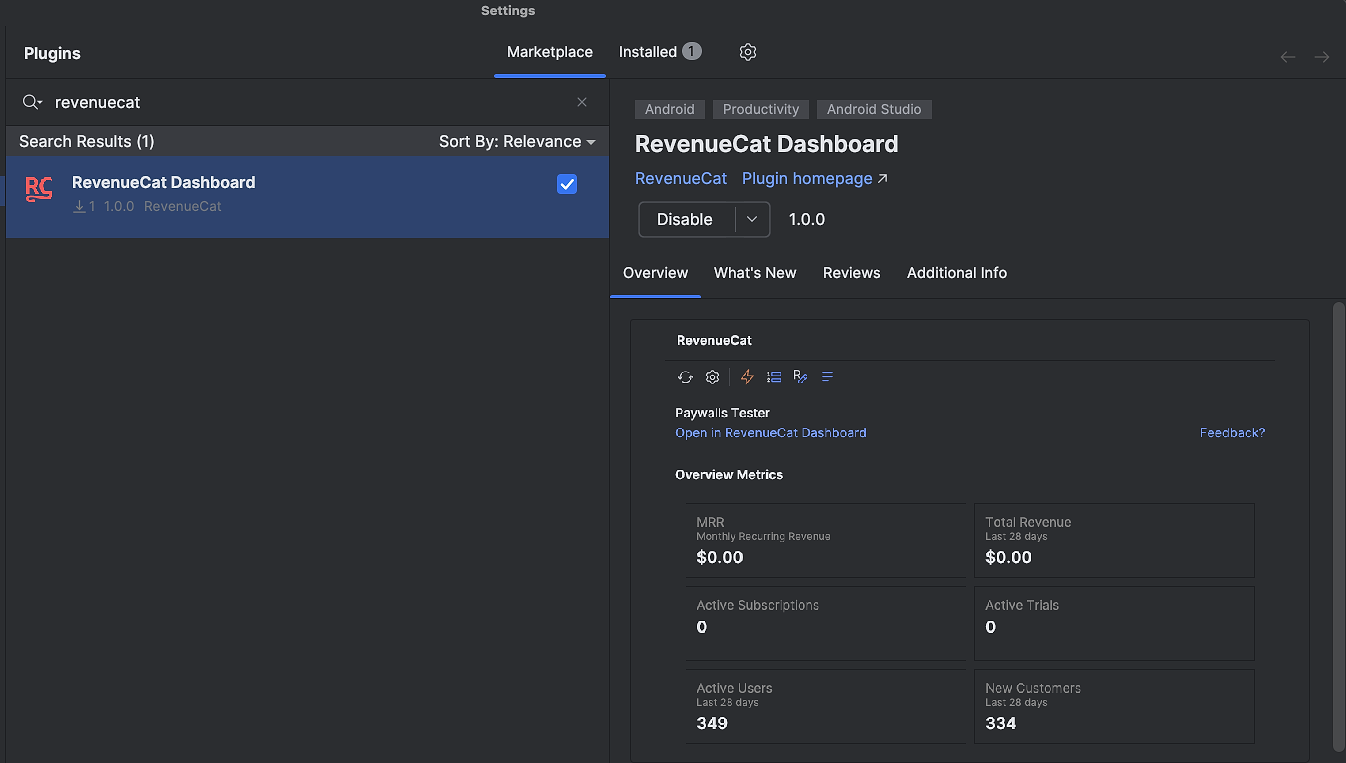
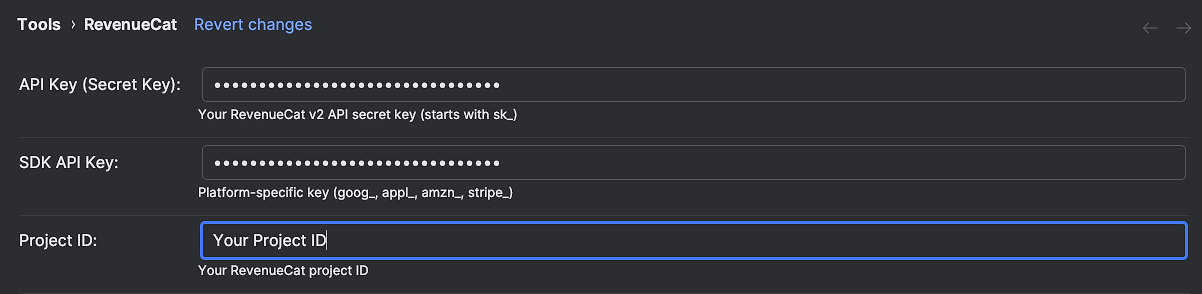
After installing the plugin, open the RevenueCat tool window from the right sidebar. If you don’t see it there, you can enable it via View → Tool Windows → RevenueCat. Then first, configure your API credentials in the settings panel, and you’ll see your metrics appear immediately. You can get all of these keys on your RevenueCat dashboard.
Track key metrics
The plugin displays your RevenueCat dashboard metrics directly in your IDE. You can monitor MRR, active subscriptions, active trials, revenue, and other key metrics at a glance while you’re working on your app.
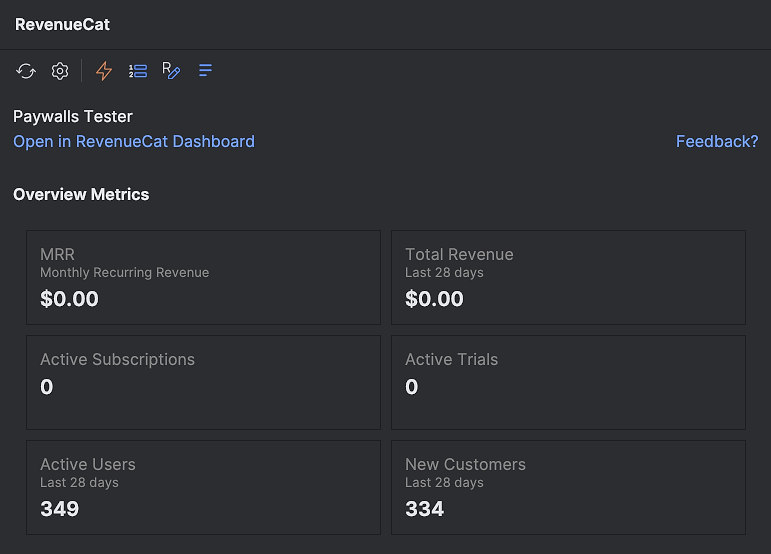
The metrics panel shows your current subscription values without requiring you to open a browser. When you’re debugging a purchase flow or implementing a new subscription feature, having immediate visibility into your metrics helps you verify that changes are working as expected. The data refreshes by clicking the refresh button, or when you change any configurations.
This is particularly valuable during feature development. When you’re implementing a new subscription tier or modifying your paywall, you can immediately see the impact on your metrics. You can start your morning by exploring the metrics on the IDE directly and focus on your code right away.
Receive notifications for purchases and webhook events
Want a little dopamine hit from new purchase notifications while you’re building? Stay informed about what’s happening with your app’s subscriptions in real-time. The plugin can receive RevenueCat’s webhook events and display notifications for new purchases, renewals, cancellations, billing issues, and other subscription lifecycle events directly in your IDE.
You can set up a webhook for your IDE in the RevenueCat settings. This plugin includes a lightweight local server to listen for webhook events, so you’ll need to configure webhook integration on the RevenueCat dashboard and install ngrok by following the plugin guide. Once it’s set up, the webhook listener will automatically start whenever you restart your IDE.
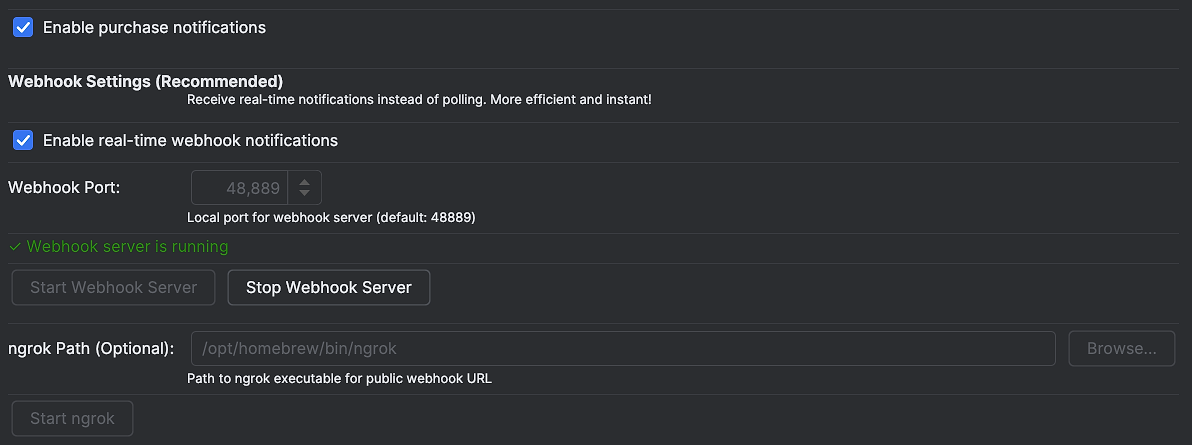
Once you’ve finished the configuration, you can send a test event from the dashboard by going to Integrations (left menu) → Webhooks → Send test event.
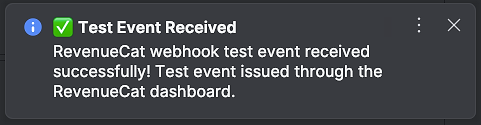
The webhook integration works by running a local server managed by a plugin that receives events from RevenueCat server. When a purchase occurs, a renewal process, or a subscription cancels, you get an immediate notification in your IDE. This creates a tight feedback loop during development, you make a test purchase, and within seconds you see the confirmation appear in your IDE.
This is particularly useful during development and testing. When you’re testing purchase flows with sandbox accounts, you can immediately see whether the transaction went through without checking the dashboard or digging through logs. The notification shows you the event type, the product involved, and relevant details, giving you instant feedback on your implementation.
Browse and manage offerings
Your offerings define what subscription products are available to your users. The plugin displays your offerings directly in the IDE, showing each offering with its packages, current status, and paywall configuration.
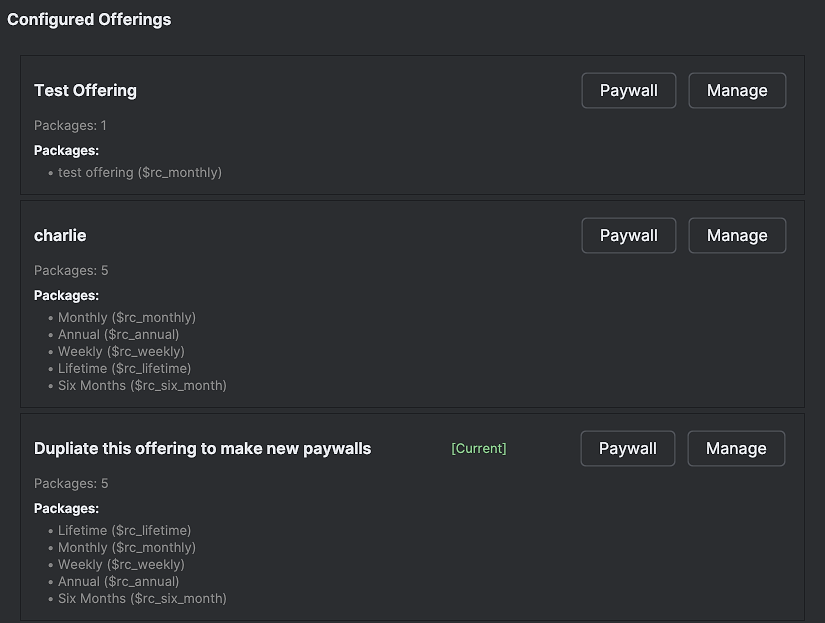
Each offering card shows the offering name, the number of packages it contains, and the individual packages with their display names and identifiers. You can quickly scan your product catalog without opening the dashboard. For offerings marked as current, a badge indicates which offering your app serves by default.
The plugin provides a part of RevenueCat’s paywall functionality. If an offering has a paywall configured, you can click the Paywall button to open the paywall tab of your offering directly in your browser. If an offering doesn’t have a paywall yet, the Add Paywall button creates one for you and opens the paywall builder so you can start customizing immediately.
The Manage button takes you directly to the offering’s configuration page in the RevenueCat dashboard. This provides quick access when you need to modify packages, update metadata, or configure advanced settings. Instead of navigating through the dashboard hierarchy, you jump straight to the offering you’re working with.
Integration wizard: Easy SDK and Paywall setup
Setting up RevenueCat in a new project involves multiple steps: adding dependencies, configuring the SDK, setting up entitlements, and integrating paywalls. Each platform has its own requirements, and getting the configuration right requires consulting documentation and copying code snippets. The integration wizard guides you through this entire process.
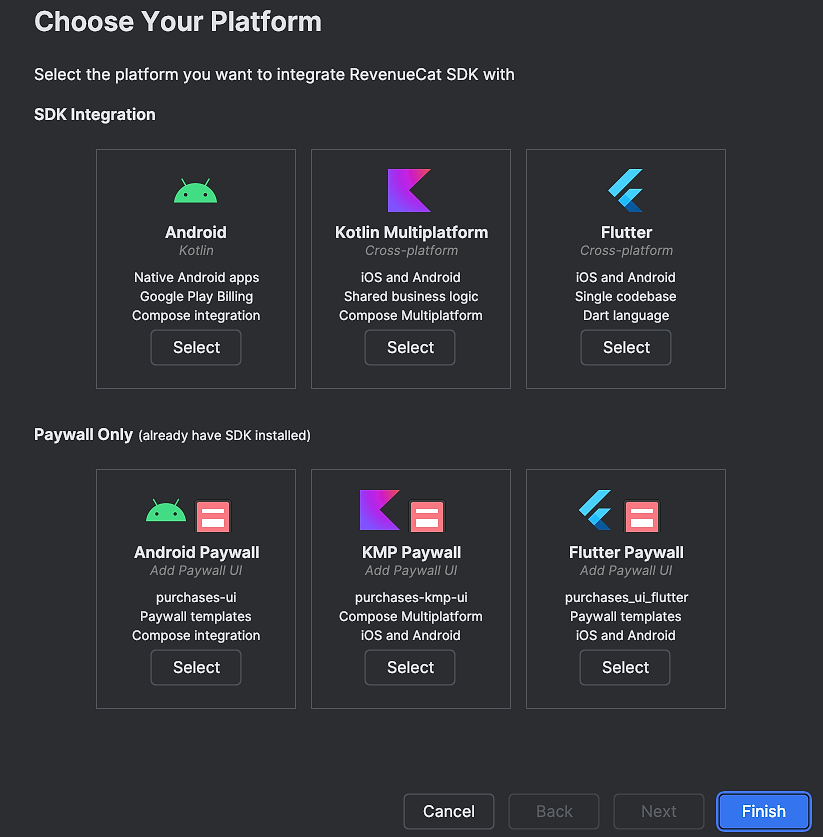
The wizard supports Android, Kotlin Multiplatform, and Flutter projects. It detects your project type and generates the correct dependency configurations with the latest SDK version for your build system, whether that’s Gradle, or pub.yaml. Beyond dependencies, the wizard suggests initialization code tailored to your platform.
You can choose between SDK-only integration or full paywall integration. The SDK-only option sets up the core RevenueCat functionality for fetching offerings and processing purchases. The paywall integration option adds RevenueCat’s UI components, generating the code to render the paywalls that you can customize in the RevenueCat dashboard.
The wizard eliminates the friction of initial setup. Instead of spending time on boilerplate configuration, you can focus on building your subscription experience.
Set milestones and monitor progress
Building a subscription business is a long-term endeavor. Having concrete goals to work toward helps maintain momentum during development. The plugin lets you define revenue and subscriber milestones to track your app’s growth.
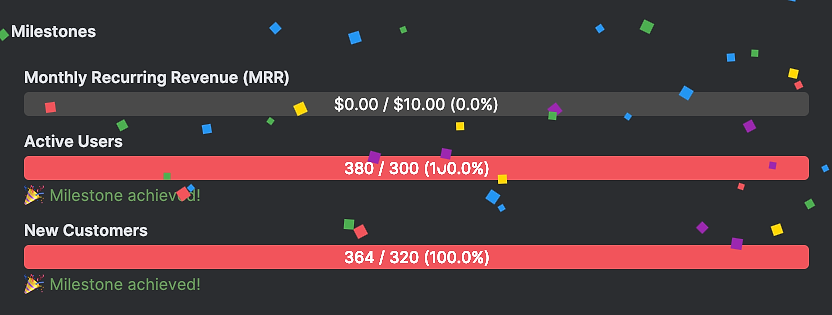
You can set targets for MRR, active subscriptions, active trials, new customers, or total revenue. The plugin monitors your progress against these milestones and displays your current standing. When you hit a milestone, the plugin celebrates with you, providing a moment of recognition for your progress.
This feature transforms abstract business goals into tangible targets visible in your development environment. When you’re deep in implementation work, seeing that you’re 80% of the way to your next subscriber milestone provides motivation to push through. It connects the code you’re writing to the business outcomes you’re working toward.
Stay up to date with SDK releases
RevenueCat’s SDKs are actively developed, with regular releases that include bug fixes, new features, and performance improvements. Staying current with SDK versions ensures you have access to the latest capabilities and fixes, but manually checking GitHub for new releases is tedious.
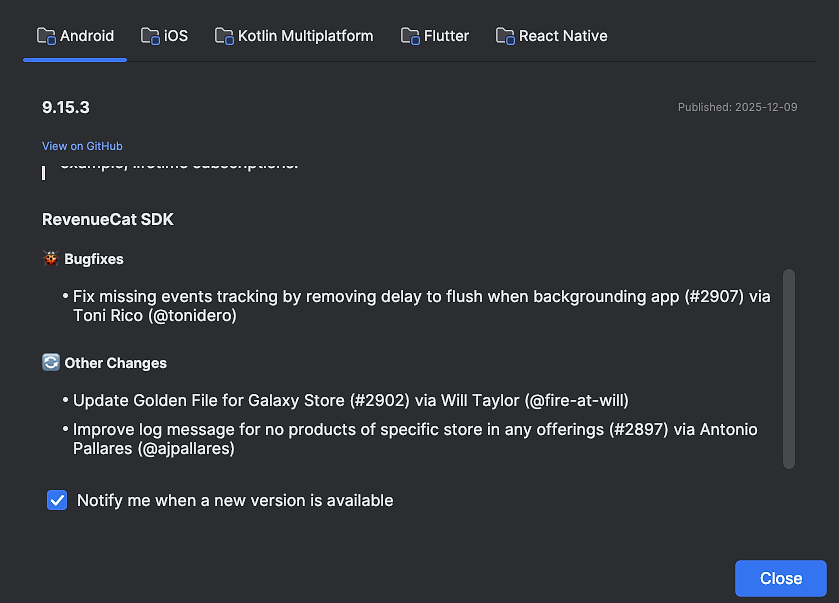
The plugin fetches release notes from RevenueCat’s GitHub repositories and displays them in a dedicated dialog. You can view the latest releases for Android, iOS, Kotlin Multiplatform, Flutter, and React Native SDKs. Each release shows the version number, publication date, and full release notes, so you can quickly assess whether an update is relevant to your project.
More importantly, you can enable notifications to get alerted when new SDK versions are released. When a new version drops, you’ll see a notification in your IDE with the version number and a link to the full release notes. This helps you stay current with bug fixes, new features, and breaking changes without manually checking GitHub or subscribing to release notifications.
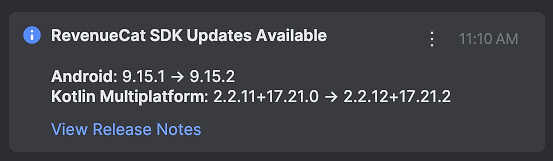
The notification system is opt-in on a per-platform basis. If you’re only building Android apps, you can enable notifications just for the Android SDK. If you’re building cross-platform, you can enable notifications for multiple SDKs.
Browse blog posts and get notified
The RevenueCat blog publishes articles about new features, engineering insights, best practices, and mobile subscription industry trends. Staying informed about these updates helps you make better decisions about your subscription implementation.
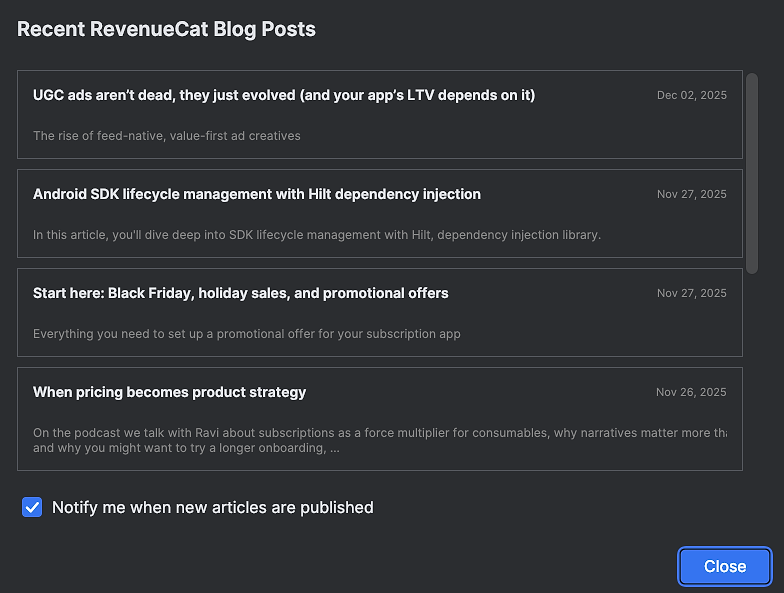
The plugin fetches recent articles from the RevenueCat blog and displays them in a browsable list. Each article shows the title, publication date, and a brief description. Clicking an article opens it in your browser, letting you read the full content when you’re ready.
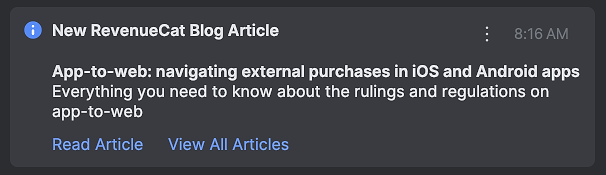
You can enable notifications to get alerted when new articles are published. This keeps you informed about RevenueCat updates, new SDK features, and industry insights without manually checking the blog. When a new article is published, you’ll see a notification in your IDE with the title and a link to read more.
Conclusion
The RevenueCat IntelliJ plugin brings subscription management more convenient directly into your IDE. Instead of context switching between your IDE, the RevenueCat dashboard, GitHub, and the blog, you can access everything from a single tool window. Track metrics while you code, receive instant notification on purchases, set up new projects with the integration wizard, monitor your progress toward business goals, stay current with SDK releases, and keep up with the latest articles.