
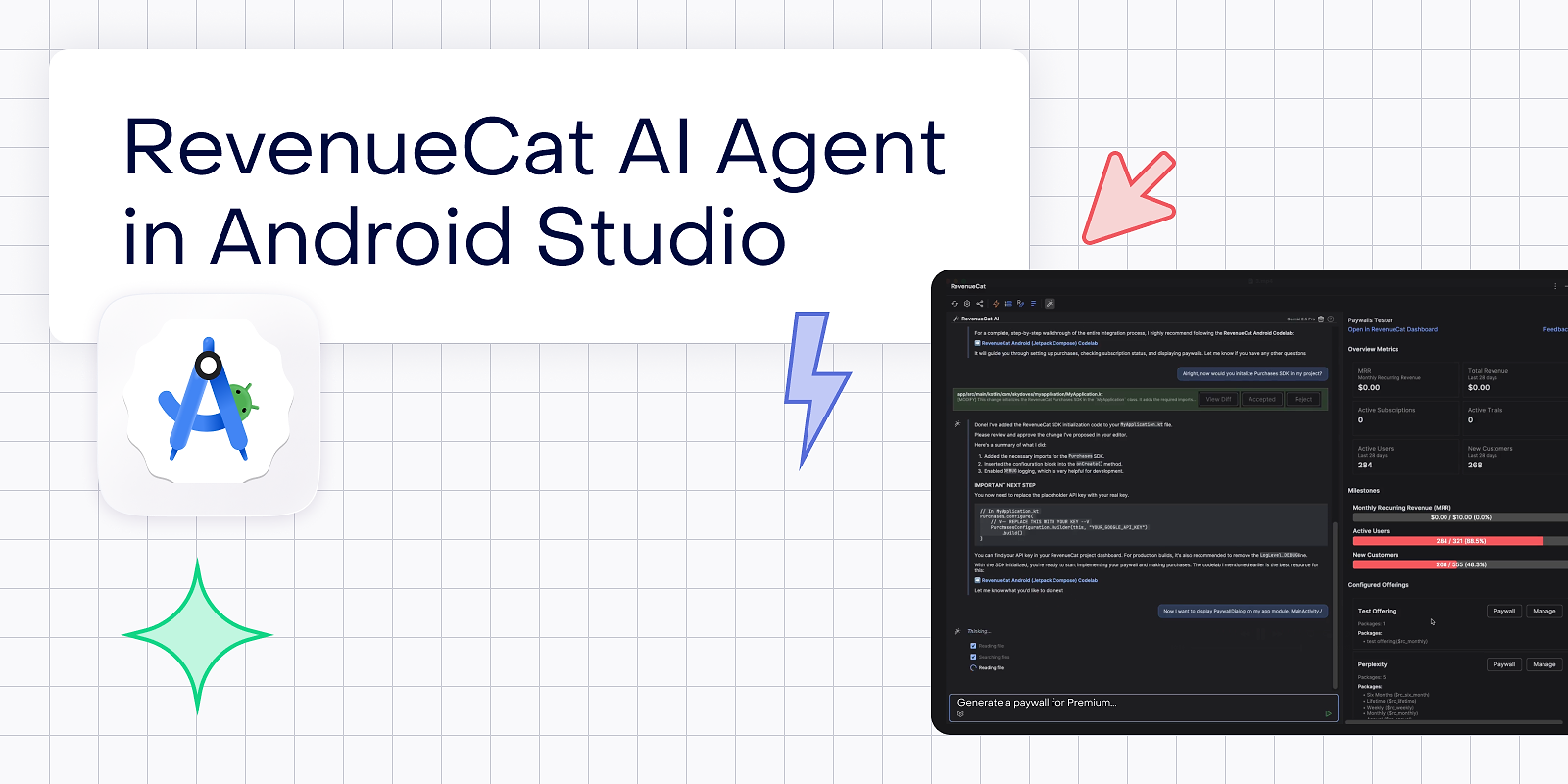

Managing subscriptions, paywalls, and revenue metrics typically involves constant context switching between your IDE and the RevenueCat dashboard. You write code in Android Studio, switch to a browser tab to check MRR, open another tab to configure offerings, and switch again to design a paywall. Each context switch breaks your flow and fragments your attention. The RevenueCat IntelliJ Plugin eliminates this friction by bringing your entire subscription business directly into your development environment.
But this plugin is more than a dashboard mirror. It includes a full-featured AI agent that understands your RevenueCat project and can take action on your behalf. You can ask it to create offerings, generate paywalls with AI, analyze your revenue charts, debug integration issues, and even edit your source code, all through natural language prompts without leaving your IDE.
In this article, you’ll explore the key features of the RevenueCat IntelliJ Plugin, including how OAuth sign in replaces manual API key configuration, how the dashboard panel surfaces real time metrics without browser context switching, how the AI agent generates paywalls and manages your entire project through conversation, and how AI powered code editing lets the agent modify your project files with full diff preview and undo support.
Getting started: OAuth sign-in
The plugin uses OAuth 2.0 authorization with PKCE flow, replacing the older API key configuration. When you open the RevenueCat tool window for the first time, you’ll see a welcome screen with a “Sign in with RevenueCat” button.
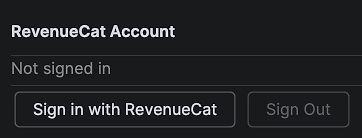
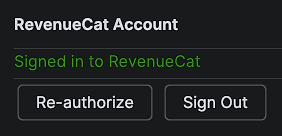
Clicking the sign-in button opens your browser for authorization. The plugin starts a local callback server, handles the token exchange automatically, and stores your credentials securely. Once authorized, the plugin fetches your projects and lets you select which one to work with.
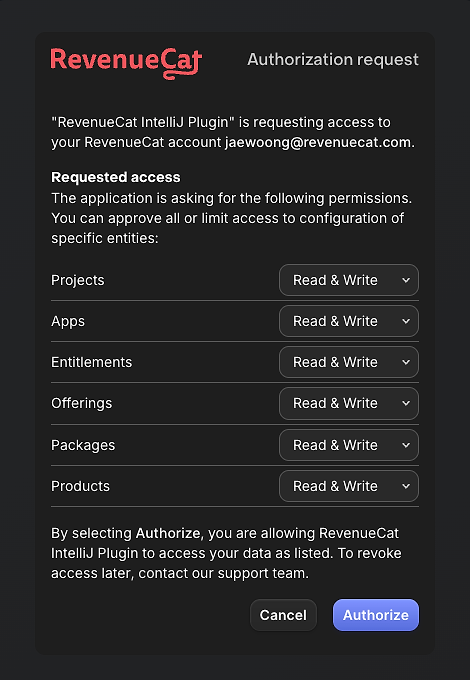
The OAuth flow requests scoped permissions for project configuration, charts and metrics, and customer information. Tokens refresh automatically when they expire, so you stay authenticated across sessions without manual intervention.
AI Agent code editing: Agent-powered file modifications
Beyond querying data, the AI agent can read, search, and edit your project’s source files directly. This enables workflows like “Add the RevenueCat SDK initialization to my Application class” or “Update my paywall screen to use the new offering ID.”
Staged edit system
When the agent proposes code changes, they appear as staged edits with inline diff preview. You can review each change before applying it:
- Accept individual edits: Apply specific changes while rejecting others
- Accept all: Apply all proposed changes at once
- Reject: Discard proposed changes without modifying your files
AI paywall generation
The most powerful feature of the AI agent is end-to-end paywall generation. You describe what you want, and the agent handles everything: creating the offering, setting up packages, attaching products, and generating a fully designed paywall with AI, complete with copy, images, styling, and template selection.
he agent monitors the generation job in the background. When the paywall is ready, a notification appears with a direct link to the paywall builder where you can review and publish the design. The monitoring works reliably even when OAuth tokens expire, using your API key as an independent fallback.
You can generate multiple paywalls in sequence. The agent tracks each job independently, so you can ask for a “premium” paywall, then a “freemium” paywall, and the monitoring handles both without conflicts.
Managing your project through conversation
The agent supports full create, read, update, and delete operations across your RevenueCat resources. Here are some examples of what you can ask:
Creating resources:
"Create a new offering called Premium with a monthly package at $9.99 and an annual package at $79.99"The agent creates the offering, creates both packages, and attaches the appropriate products. If any of these resources already exist, the agent detects the duplicates and reuses them instead of failing.
"Set up an entitlement called pro_access and attach it to all my subscription products"The agent creates the entitlement, lists your existing products, and attaches each one.
Querying your project:
"Show me all my offerings and which ones have paywalls"The agent fetches your offerings and paywall data, presenting a clear summary of what’s configured and what’s missing.
"What products do I have configured? Which ones aren't attached to any package?"The agent cross references your products, packages, and offerings to find orphaned resources.
Paywall management:
"Generate an AI paywall for my premium offering. The app is a fitness tracker called FitCat targeting health conscious millennials."The agent uses your app context to generate a paywall with relevant copy, styling, and design that matches your brand.
"Duplicate my current paywall and name it Holiday Promo"The agent duplicates the paywall through the API and provides the builder link for customization.
Analyzing your revenue with Charts API
The agent has access to 21 chart types including revenue, MRR, ARR, churn rate, trial conversions, active subscriptions, and retention cohorts. You can ask analytical questions and get data driven answers:
"What's my MRR trend over the last 6 months?""Show me my trial to paid conversion rate broken down by weekly""Compare my revenue this month vs last month""What's my churn rate for annual subscribers?"The agent queries the Charts API with the appropriate parameters, including date ranges, resolutions, and segment filters, and presents the results in a readable format.
Debugging and integration help
The agent isn’t limited to CRUD operations. It understands RevenueCat’s SDK and can help you debug integration issues:
"I'm getting a 'Configuration not found' error when presenting my paywall. What's wrong?"The agent checks your project configuration, verifies that your offerings have packages with products attached, and identifies the root cause.
"Walk me through setting up RevenueCat in my Kotlin Multiplatform project"The agent has access to Codelabs content and can provide step-by-step guidance tailored to your platform.
"What's the difference between offering lookup keys and offering IDs? Which one should I use in my code?"The agent explains concepts with context from your actual project configuration, not just generic documentation.
Model selection
The AI agent supports multiple models that you can switch between using the gear icon in the input bar. Available models include GPT-4.1, GPT-4.1 Mini, Claude Sonnet 4, and Claude Haiku 4.5, letting you balance capability and response speed based on your needs.

Dashboard panel: Metrics without context switching
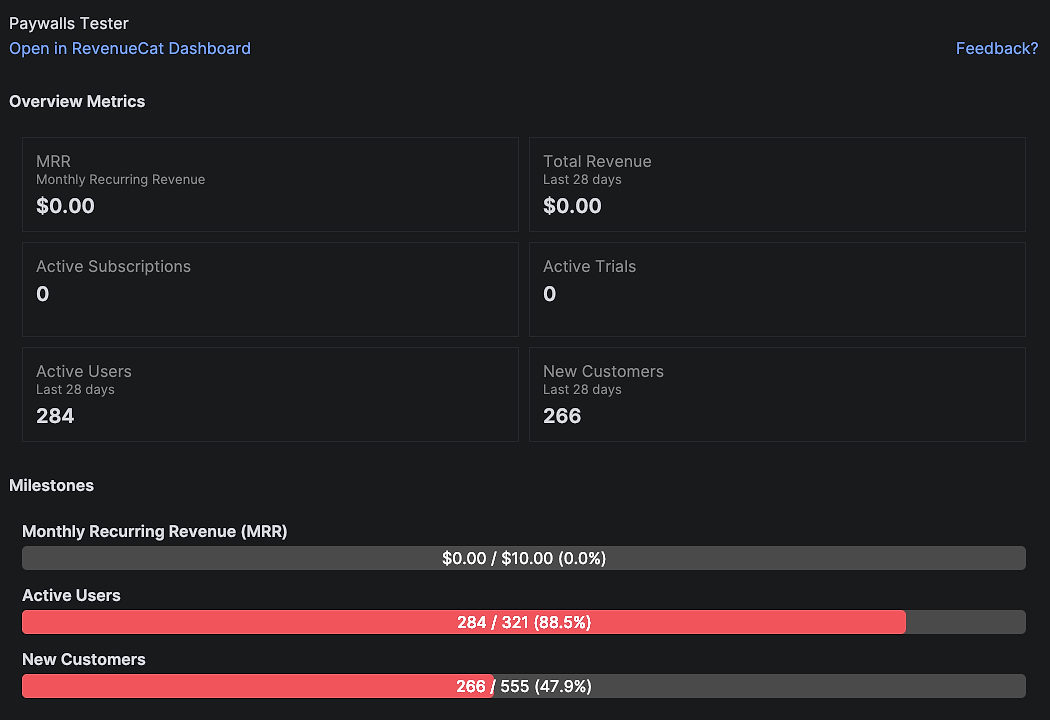
The dashboard panel gives you a live view of your RevenueCat project without opening a browser. It organizes your subscription data into collapsible sections that load when you open the tool window.
Revenue overview
The top section shows your key metrics at a glance: active subscribers, active trials, MRR, and revenue. These numbers pull directly from the RevenueCat API, so you’re always looking at current data.
Milestones
Below the metrics, a milestones section tracks your subscription business achievements. These are the same milestones you’d see on the RevenueCat dashboard: first subscriber, revenue thresholds, and trial milestones, all surfaced directly in your IDE.
Configured offerings
The offerings section lists all your offerings with their packages and attached products. You can expand each offering to see its package structure, which products are attached, and whether it has a paywall configured. Offerings with paywalls show a direct link to the paywall builder.
Paywalls section
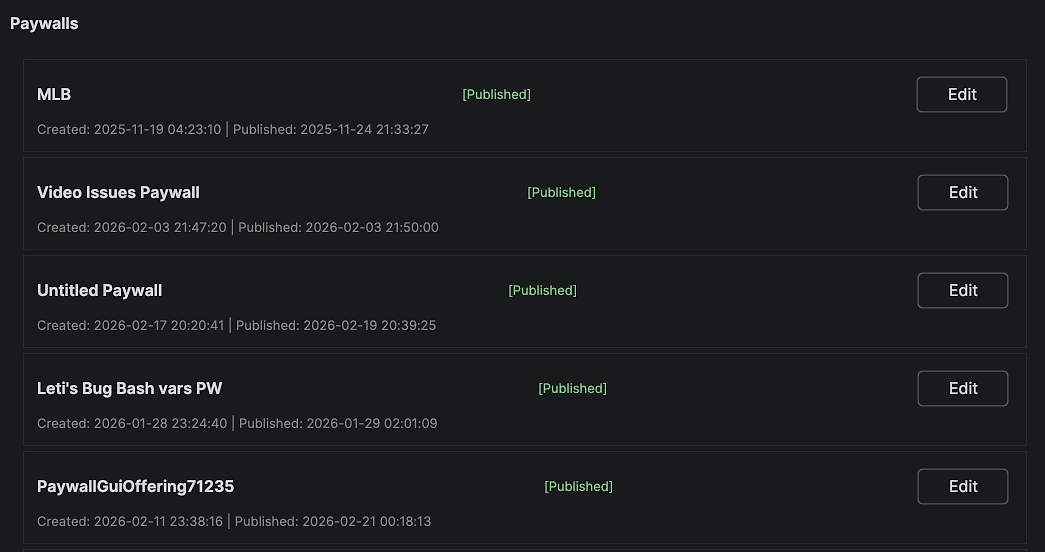
A dedicated paywalls section shows all your paywalls with colored status badges: Published (green), Draft (yellow), and Has Unpublished Changes (orange). Each paywall has context-aware action buttons based on its status: Edit, Publish, Unpublish, Discard, Duplicate, and Delete. The Edit button opens the paywall builder in your browser. Lifecycle actions call the API directly and auto-refresh the panel.
Conclusion
The RevenueCat IntelliJ Plugin transforms your IDE into a complete subscription management environment. OAuth sign-in eliminates manual API key configuration. The dashboard panel surfaces metrics, milestones, offerings, and paywalls without browser context switching. The AI agent goes far beyond a simple chatbot. It creates offerings, generates paywalls with AI, analyzes your revenue data through the Charts API, debugs integration issues, and edits your source code with safe, reviewable changes.
The AI paywall generation alone saves significant time. Instead of navigating through the dashboard to create an offering, set up packages, attach products, and design a paywall manually, you describe what you want in one sentence, and the agent handles every step. The result is a fully designed paywall ready for review in the builder.
Whether you’re checking your MRR between code reviews, generating a paywall for a new offering, analyzing churn trends, or asking the agent to scaffold your SDK integration, the plugin keeps you in your development flow. The goal is simple: spend less time switching tabs and more time building your subscription business. You can install the RevenueCat IntelliJ Plugin from the JetBrains Marketplace: RevenueCat Dashboard.