
Chapter 2: Building your web-to-app funnel
This guide won’t dive into the detailed steps of building your funnel in RevenueCat — if you’re yet to build your funnel, head to our Docs or check out the tutorial.
Prefer hands-on help?
Find a RevenueCat Funnels Certified Partner to help design your funnel, connect hosted checkout, and get it ready to launch.
Remember: you don’t need to start from scratch: ready-made templates already exist that you can adapt directly or simply use as inspiration. When you create a web funnel, you can choose to browse RevenueCat’s pre-built funnel templates.
These provide pre-configured funnel structures you can customize. Each template includes:
- Pre-configured steps with sample content
- Example flow logic and connections
- Suggested component layouts
Selecting a template creates a new funnel as a copy of that template, named Copy of [template name]. You can customize any aspect of a template after selecting it — templates are just starting points to help you get up and running quickly.

Web-to-app funnel archetypes
Each type of funnel build offers different benefits. You can use the list below as a planning guide, but always choose the simplest approach that gives your audience enough context to make the purchase decision.
Direct response
Use it when: the product and outcome are easy to understand
Typical sequence: message match → proof → offer → checkout
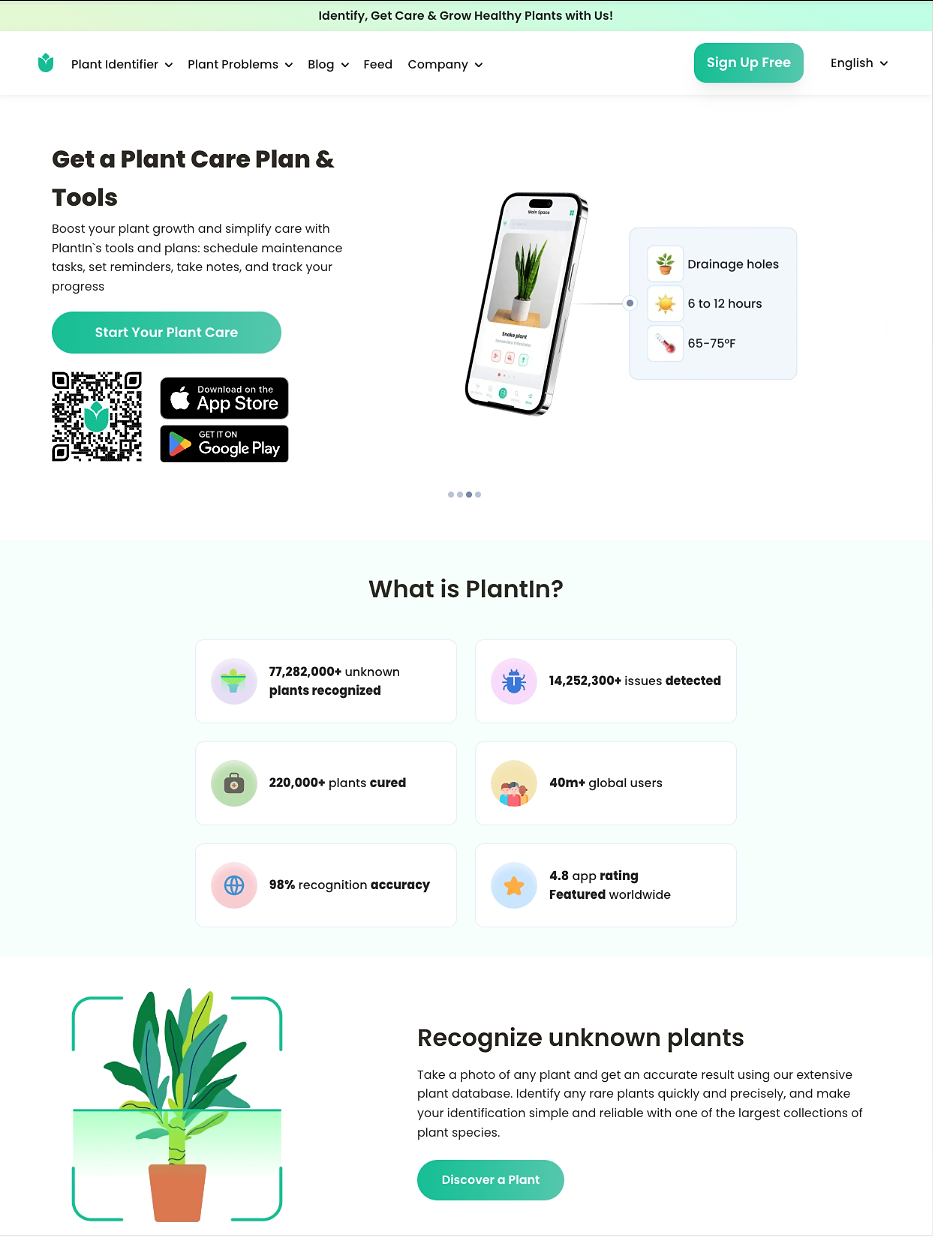
Example: Plantin
Plantin leads straight from ad to a landing page that states its value, backs it up with credibility stats, and pushes to a web checkout that clearly shows the savings, without a quiz or content detour in between.
Quiz or diagnostic
Use it when: a few answers change the recommendation
Typical sequence: promise → high-signal questions → personalized result → offer → checkout
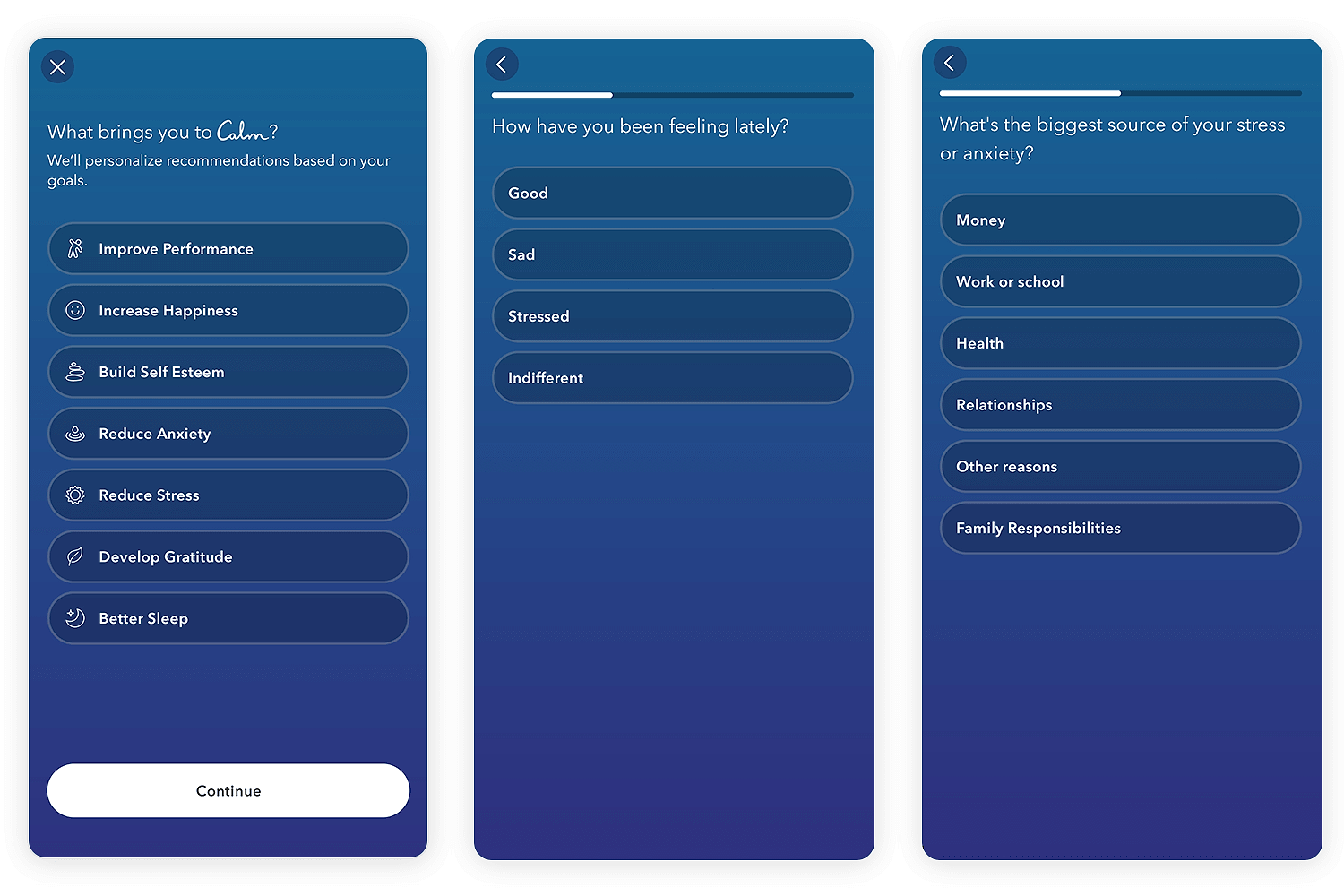
Example: Calm
Calm asks a handful of high-signal questions about the user's specific problem (sleep, stress, focus), reflects that input back with reassurance and a tailored review, then converts on a single simple trial offer.
Content-led
Use it when: education is necessary before conversion
Typical sequence: useful explanation → product bridge → proof → offer → checkout
Example: Blinkist
Blinkist opens with a standalone, valuable article that lets the user learn something first, then positions the app as the natural next step to go deeper on that idea.

Demonstration
Use it when: the product is easier to show than describe
Typical sequence: demonstration or preview → result → proof → offer → checkout
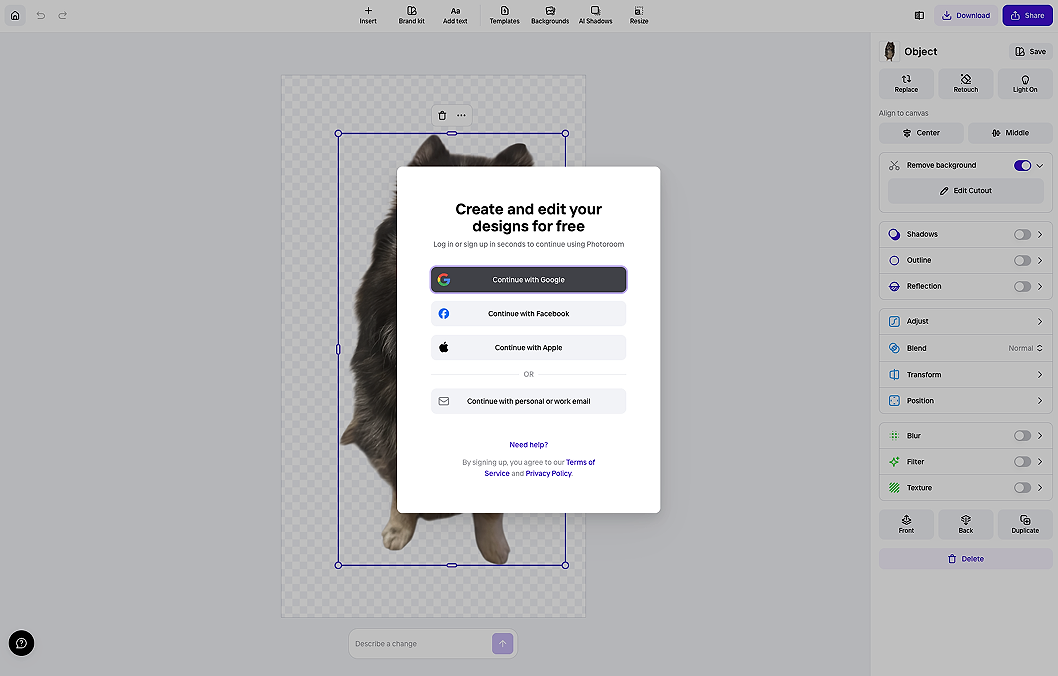
Example: Photoroom
Photoroom lets the user complete a real task (removing a background) for free on the web with zero sign-up, then converts that aha! moment into creating an account, a team setup, and eventually a trial.
Learn more
Check out Daphne Tideman’s blog on web-to-app funnel examples to see a breakdown of each archetype.
To quiz or not to quiz?
As Nathan Hudson explains, not all web funnels are onboarding quizzes. That being said, there are times an onboarding quiz is a useful option — namely when a user’s answer actually changes something (the recommendation, branch, copy, or offer).
Quiz-based funnels can also help put the user in the right mindset for the outcome they're hoping for, and strengthen the underlying need in the process. For example, a productivity app where users answer questions about their struggles (being late, forgetting tasks etc.) then answer what they’d like from the app (e.g. to be organized or on time). By the end of the quiz, the user is recognizing their problems and picturing the person they could be — which in turn reinforces the need.
A quiz can also be used to give the user a preview of what to expect inside the app later on: which categories it covers, what kind of help they can expect, and so on.
If you do opt for a quiz, just remember to keep your questions engaging and to the point — less is more. Don’t burden your user with lots to read or endless questions. Too much effort on the user's part raises the drop-off rate.