

RevenueCat Paywalls is our native paywall builder that lets you build and optimize paywalls in real-time through RevenueCat’s dashboard, no app updates or code changes needed. In summer 2025 we rebuilt RevenueCat Paywalls from the ground up. What was once a simple, template-first tool is now a fully flexible, component-based editor where you can design fully custom layouts, localize every string, and tailor the experience to every segment.
But we’re not stopping there, we’ve been on a particularly rampant shipping spree as of November 2025. We’re shipping the most-requested and most impactful updates to Paywalls with a clear goal to make it the best paywall builder for every app.
This blog will serve as a living changelog for all-things RevenueCat Paywalls, so bookmark it to follow along and keep up with everything new.
Keep in the loop with RevenueCat product updates
See every update to RevenueCat and all its features in our main changelog, right here.
A new Paywalls editor layout
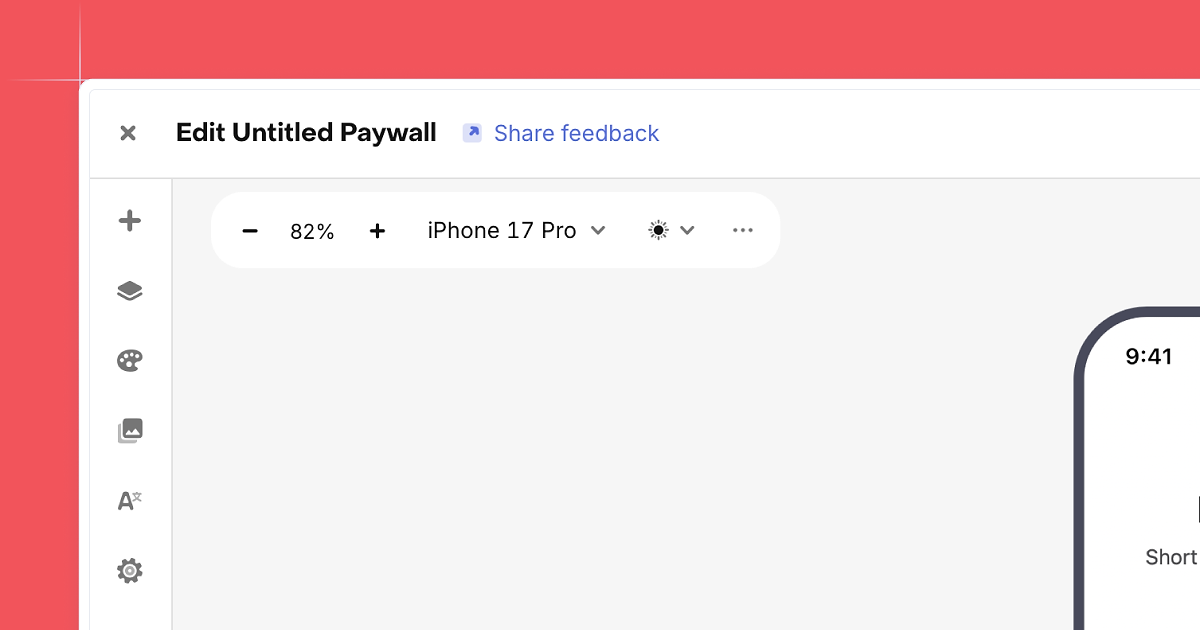
We’ve refreshed the Paywalls editor with a sidebar-based layout that replaces the old dual-panel interface. Core areas like components, layers, branding, media, and localization now live in clearly labeled tabs, making the editor easier to navigate and simpler to learn.
The new layout keeps the canvas front and center while giving us room to keep expanding Paywalls over time. As features grow, the editor stays organized instead of crowded, even when you’re working on more complex paywalls.
Keyboard shortcuts for faster editing
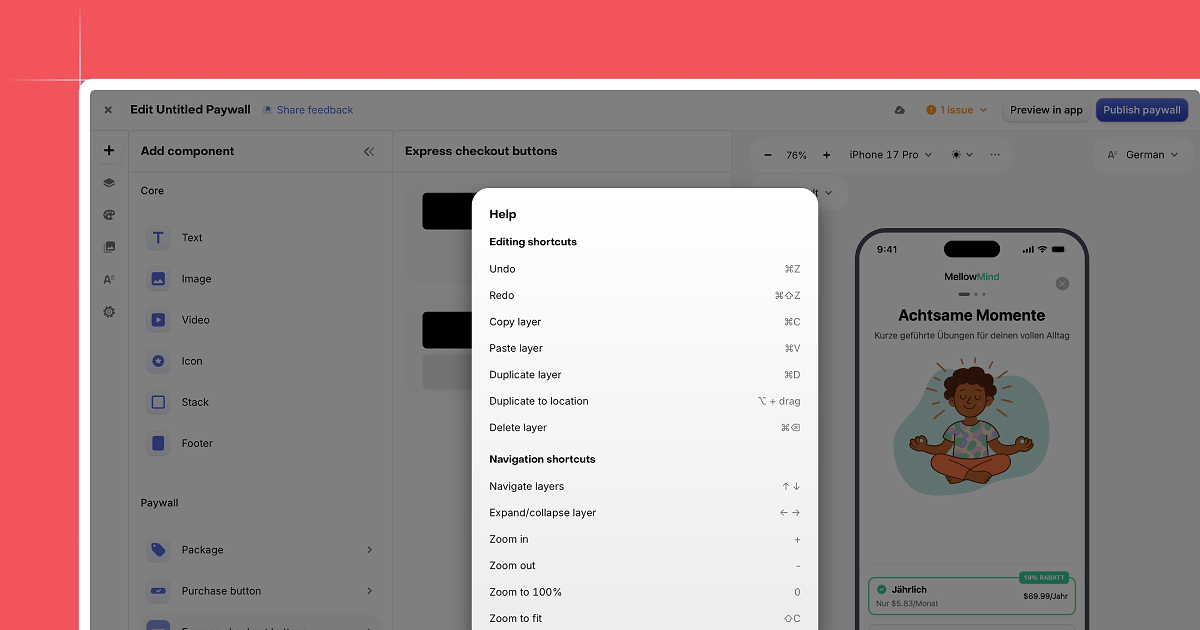
When you’re iterating quickly, small interactions add up. The Paywalls editor now supports Figma-style keyboard shortcuts for common actions like moving, duplicating, selecting, and deleting components.
To make shortcuts easy to discover, we added a help icon inside the editor that shows the full list of supported commands. You can open it at any time, pick up shortcuts as you go, and keep your focus on the layout instead of the UI.
Copy and paste components between paywalls
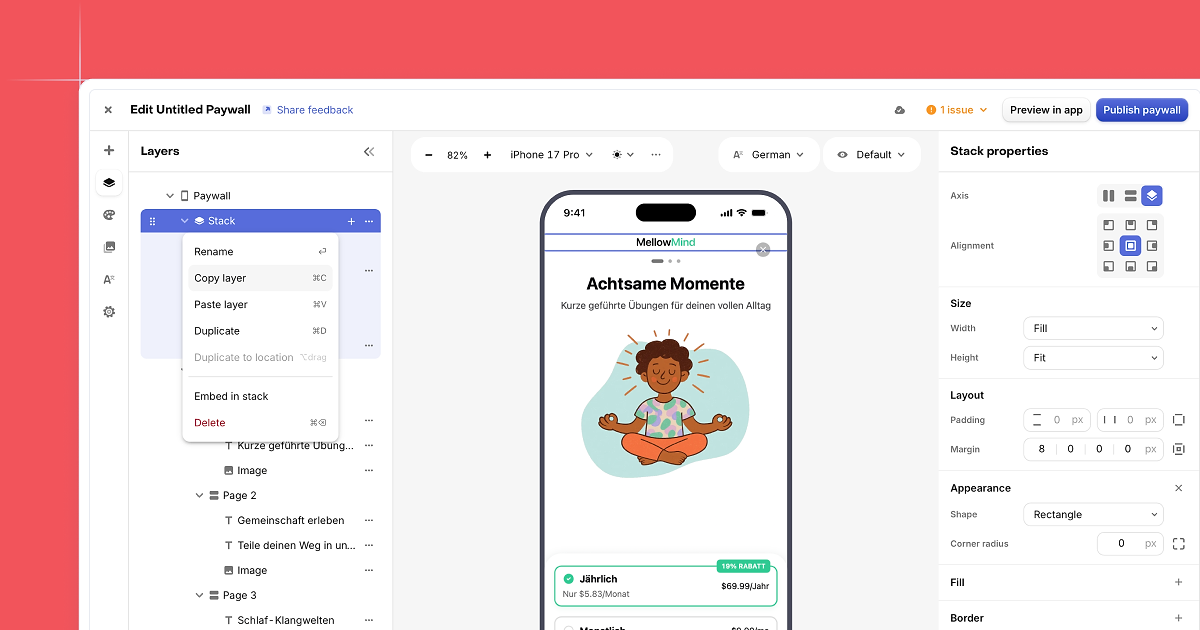
You can now copy and paste components across different paywalls, not just within a single one. This makes it much easier to reuse layouts that already work, like hero sections, benefit lists, or pricing blocks.
When you paste a component into another paywall, its structure, styling, and bindings come with it. For teams running multiple campaigns or experiments, this cuts down on repetitive work and helps keep designs consistent across variations.
A dedicated Branding tab
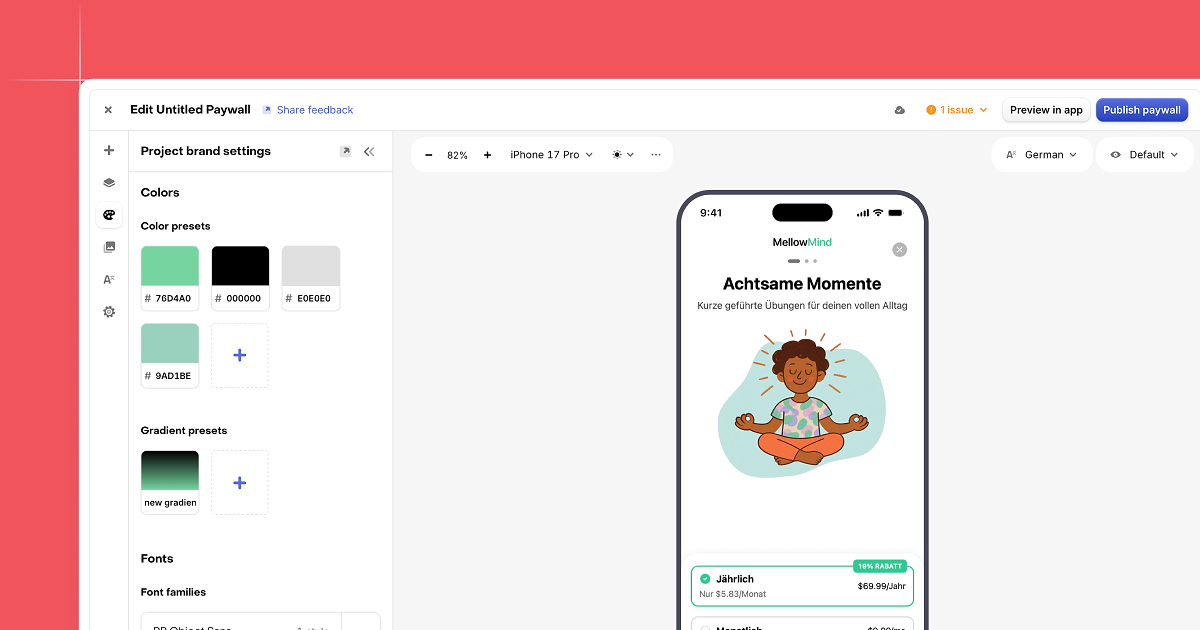
We’ve added a new Branding tab to the Paywalls editor to centralize your visual system. You can now manage saved colors, gradients, and custom fonts in one place and reuse them across all paywalls in your project.
Branding assets appear directly in color and typography pickers while you edit, which makes it easier to stay on brand and avoid one-off values. This also simplifies collaboration, since teams can standardize styles once and confidently build on top of them.
A new Media gallery
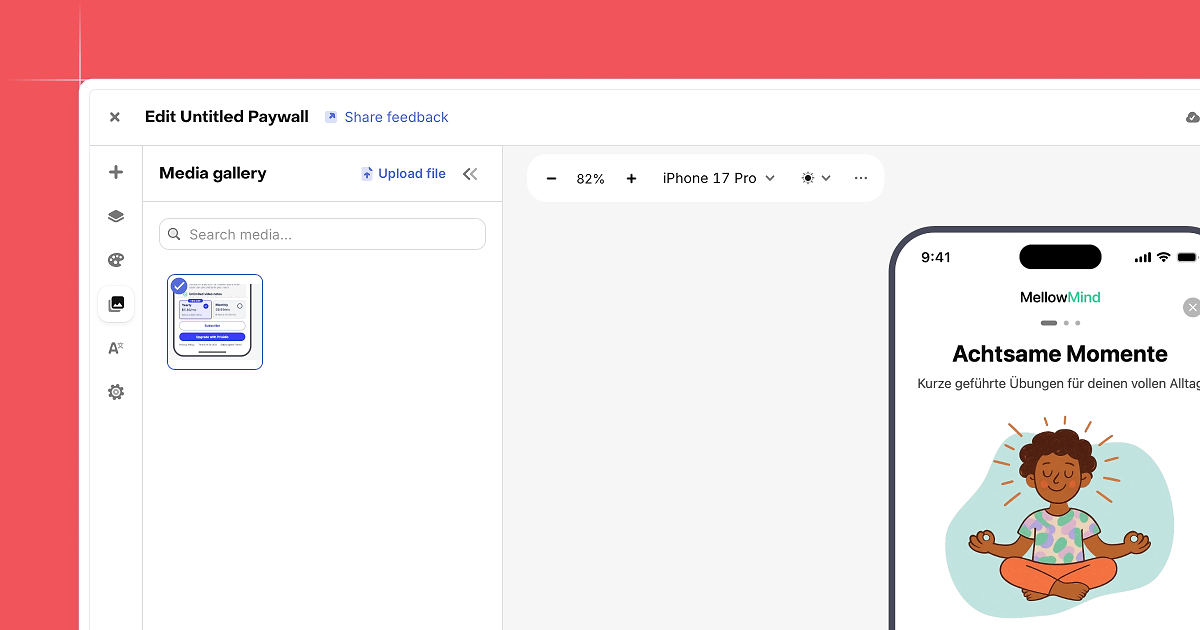
Managing images across paywalls is now smoother with the new Media gallery. You can see all uploaded assets in one place, preview them at a glance, and clean up files you no longer need.
Uploading images is as simple as dragging and dropping them into the gallery. When editing a paywall, you can reuse existing assets instead of uploading the same file again. This is especially helpful for teams running many paywalls that share artwork or campaign visuals.
Safer localization with out-of-date alerts
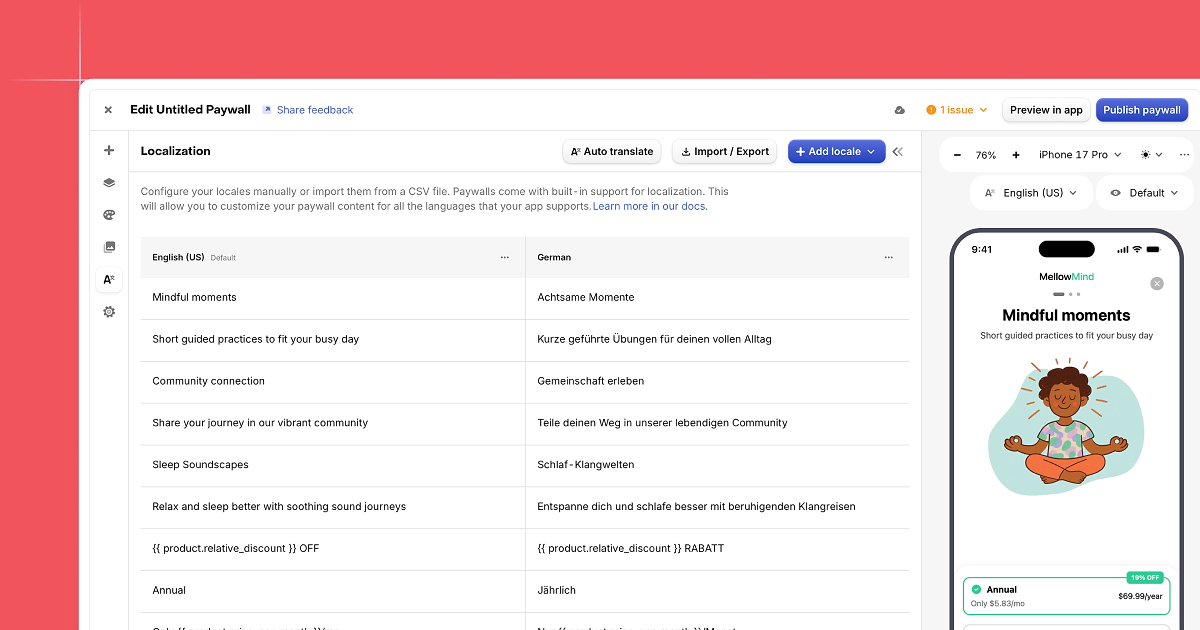
Localization is now more transparent. When you update text in the default language, the editor automatically detects which translations are out of date.
A warning badge appears in the sidebar, along with a clear list of affected locales and fields. From there, you can update translations with one click or dismiss the warning if the change is intentional. This helps prevent silent copy drift and keeps global paywalls aligned as content evolves.
Learn more about localization ↗
Exit offers on paywall dismissal
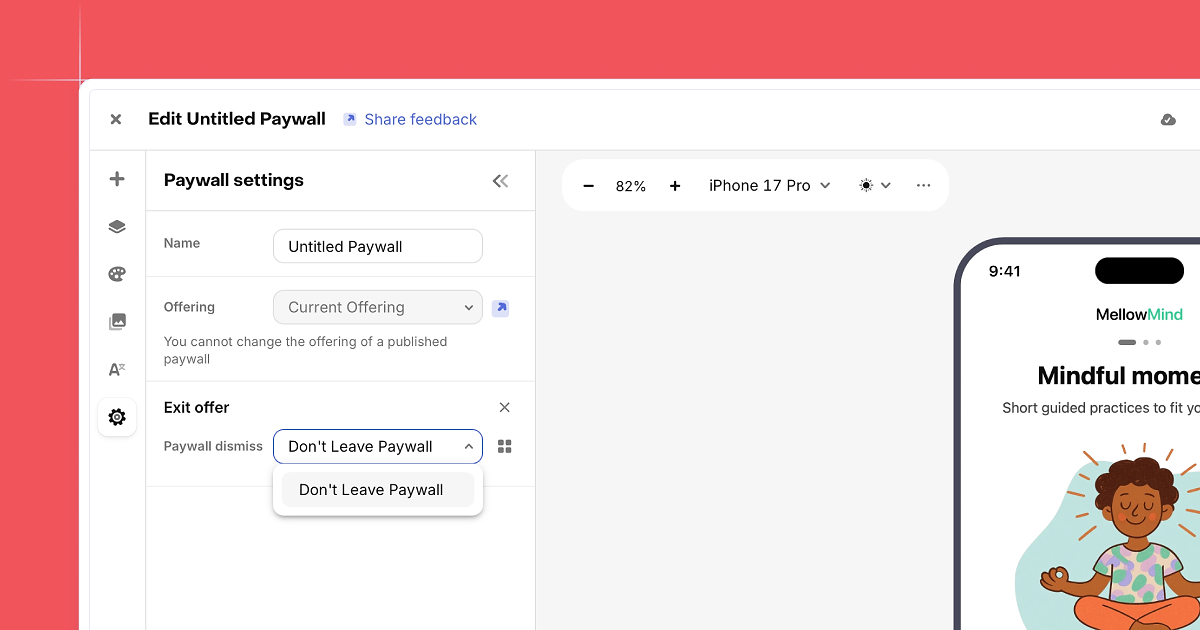
You can now configure an exit offer that appears when a user closes a paywall without purchasing. Instead of ending the flow immediately, you can present a second paywall with an alternative offer.
This is useful for scenarios like offering a different billing option, a lower price, or a final reminder before the user leaves. Exit offers work across iOS, Android, and hybrid SDKs, and integrate cleanly with existing paywalls and experiments.
Auto-save for paywall drafts
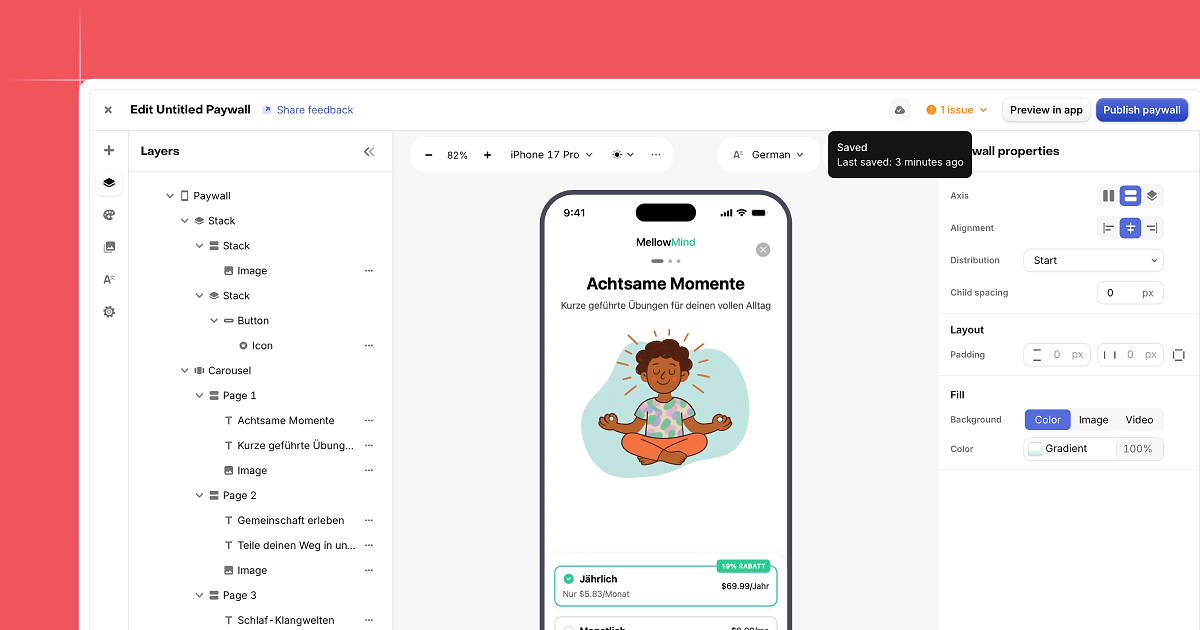
The Paywalls editor now auto-saves drafts as you work. Changes are saved continuously in the background, which reduces the risk of losing progress if you navigate away or refresh the page.
Auto-save also surfaces validation issues earlier, since drafts are saved more frequently. Publishing behavior stays the same. Nothing goes live until you choose to publish, but editing feels safer and smoother, especially during longer design sessions.
Export Figma designs straight into Paywalls
Design handoff shouldn’t mean starting over. And now, it doesn’t.
You can export Figma mockups directly into the Paywall editor. Your layout comes in as native Paywalls components, so you can immediately:
- Edit copy without touching the structure
- Swap products and packages
- Localize text
- Add experiments
- Target specific audiences
The practical win is speed. Designers stay in Figma, and the team shipping paywall tests can go from final mock to live variant, without recreating the layout by hand.
Keyboard shortcuts in the Paywalls editor
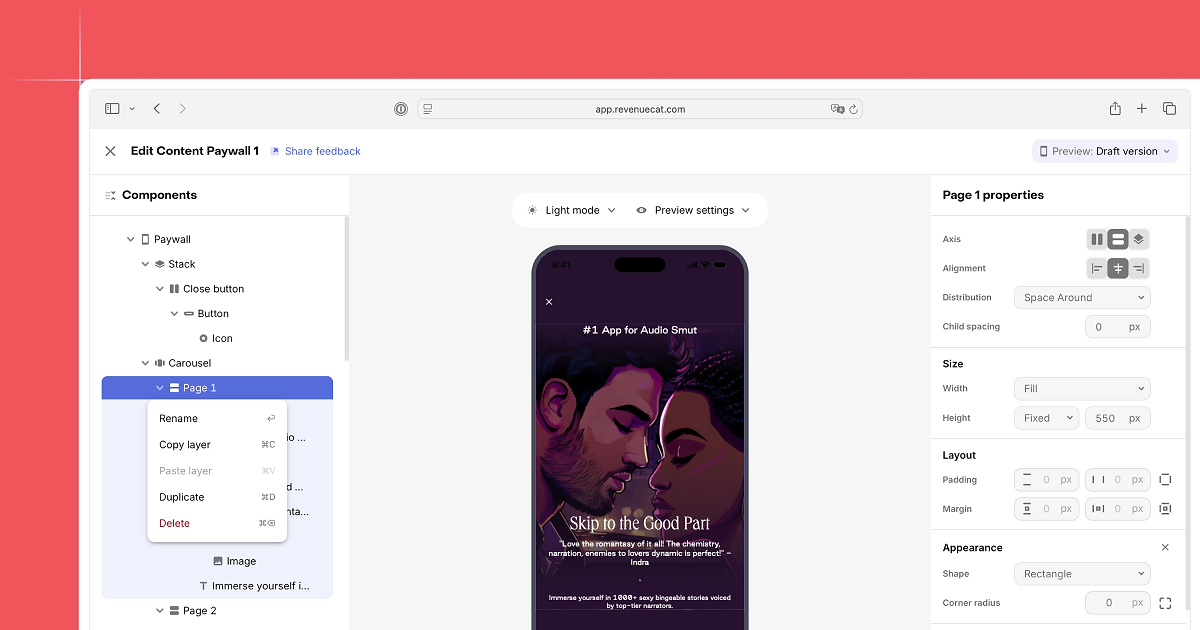
When you’re iterating quickly, little clicks add up.
The Paywalls editor now supports keyboard shortcuts for the actions you use most, including adding components, duplicating sections, undoing and redoing changes, and deleting blocks. It keeps you in flow and makes fast iteration feel genuinely lightning quick.
Preview your paywall on more devices
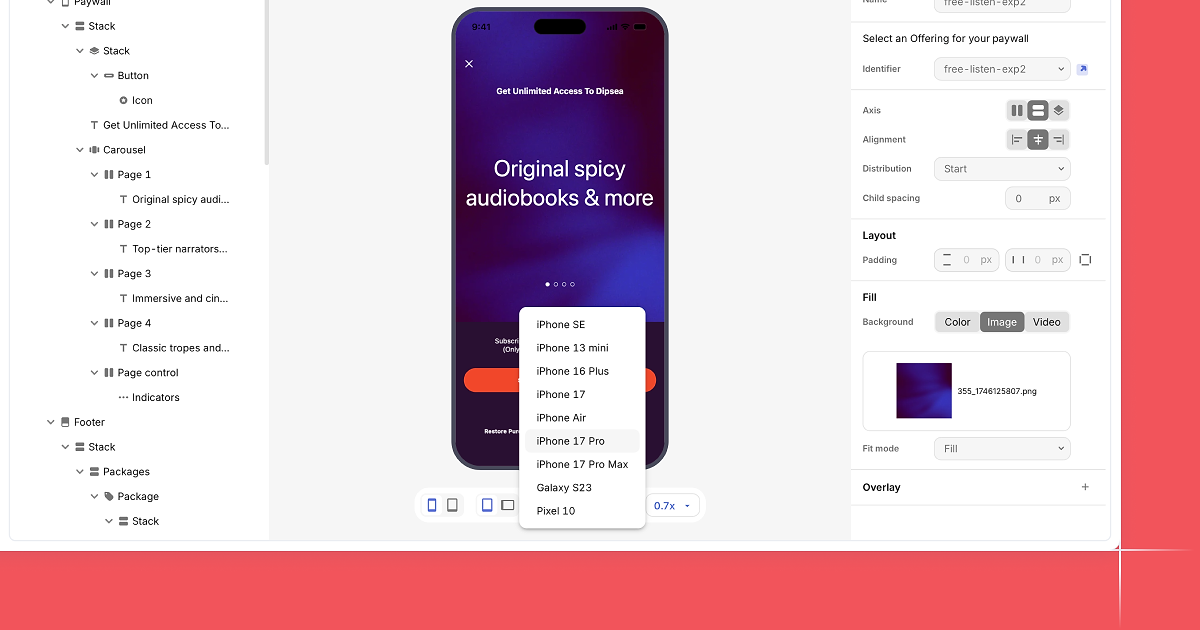
A paywall can look perfect on one screen and awkward on another. That used to be something you discovered after publishing, but now you can preview paywalls across a wider set of iOS and Android phones and tablets. The canvas updates to real screen sizes, so you can flip through devices in seconds to:
- Catch spacing issues early
- Confirm font sizes
- Check crops and media positioning
- Sanity-check scroll behavior
- Make sure your CTA lands where you want it
It’s a simple change that prevents a lot of last-minute fixes.
Filter paywall templates
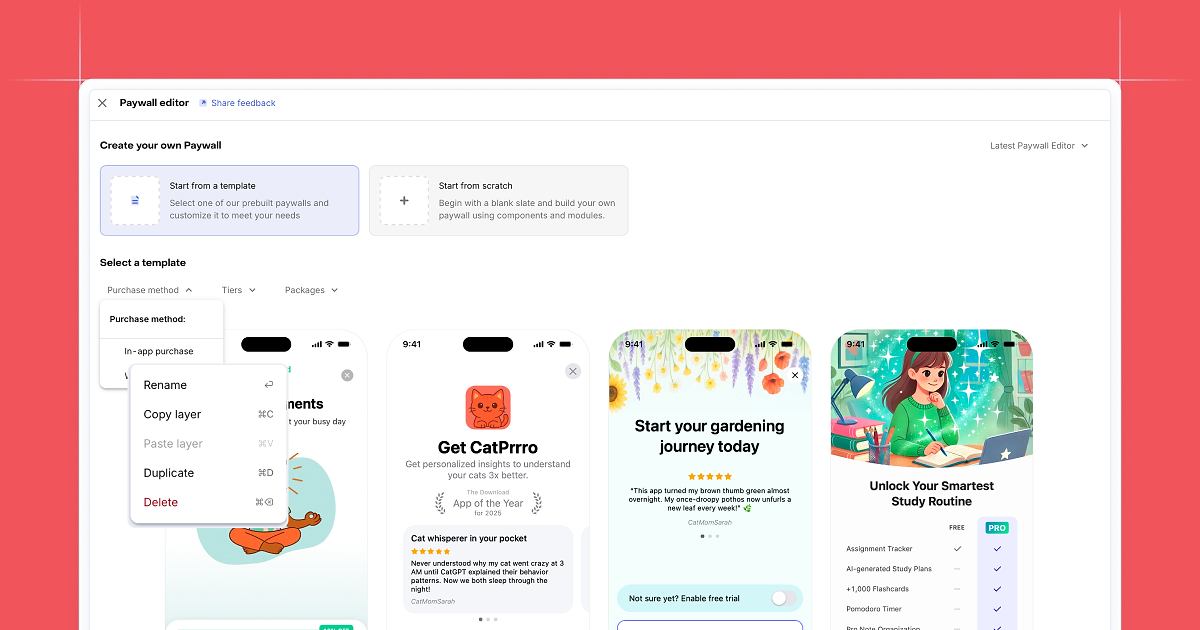
Templates are only helpful if you can find the right one quickly.
The template gallery now includes filters by purchase method, tier, or package. It’s especially useful when you know the pattern you want up front, like a trial-first layout, a pricing grid, or a promo-ready design. You spend less time searching and more time shipping.
Stuck for inspiration?
paywalls.com is the definitive source for real app paywalls. Filter by industry, component, or downloads to find examples and inspiration.
Countdown component for your paywall
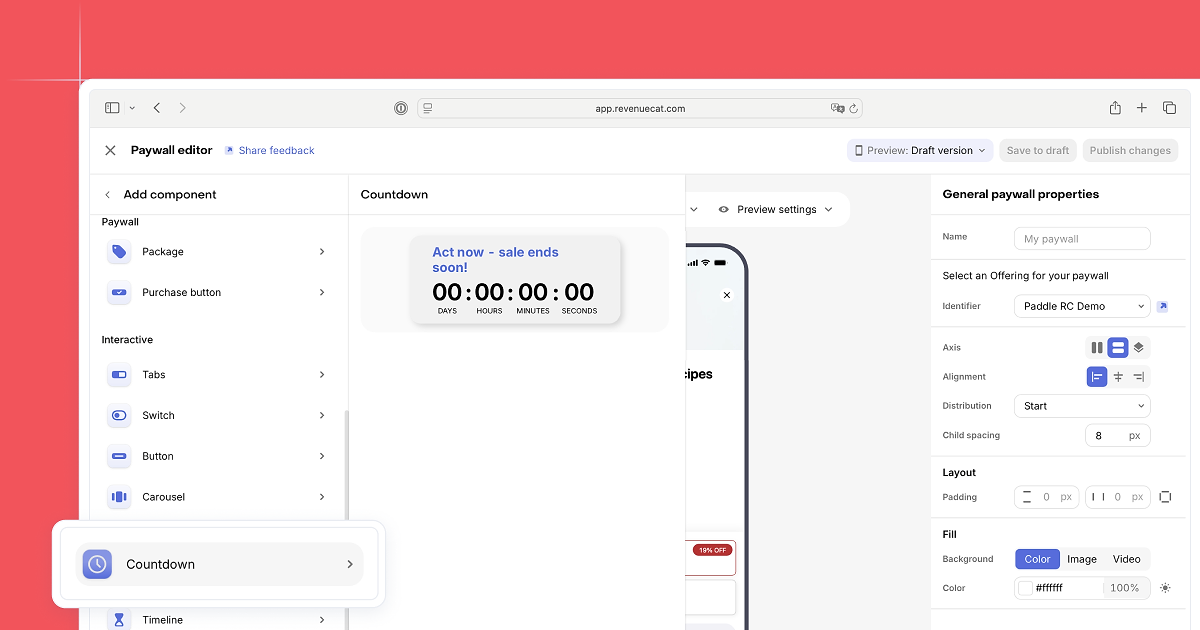
Promos can be a great paywall technique, but they only work best when urgency is clear and real. To help, you can now add a countdown timer to any paywall. Set an end date once and the timer updates automatically. No extra code, no manual updates.
This is built for campaigns like Black Friday, launch promos, limited-time discounts, or any offer where timing helps people decide.
Project level brand color settings
Setup brand colors now in project settings that are available in the Paywalls editor (and soon more places).
Real prices displayed in the Paywalls Editor
Previously, placeholder values displayed for product prices while being viewed in the dashboard editor. This latest update makes it so that you now see the real prices in the editor. This makes it much easier to get a more realistic version of the paywall while you’re working on it. (The one caveat is we will need to have seen at least one test purchase with this product for it to display).
Use AI to create a paywall
You can now use artificial intelligence to create a paywall based on data from an app store page. A great way to get inspiration or a solid starting point to adjust from and test.
Videos in Paywalls
Paywalls now support videos being added as their own component, just like images.
Video backgrounds
Videos can now be set as backgrounds on the root paywall, footer, or any parent component (stacks, packages, etc).
Intercept purchase intent
Native iOS & Android SDKs now offer a method to intercept purchase intent (tapping on the purchase CTA) to display custom UIs before choosing to proceed with the purchase flow. Use cases that apps find for this include: Age gate/parental consent: display a UI that acts as an age gate before letting someone proceed to purchase, Disclosures: If there’s additional info you want/need to present to a customer and have them confirm before proceeding (country specific terms, legal language, etc.)
View all plans (sheets)
You can now choose to have your button navigate to a sheet that can be used to display additional content. When you select a sheet as the destination to navigate to, you’ll see a new Sheet component inside of your button in the Components panel. When the sheet or any component within it is selected, you’ll see the sheet displayed in the paywall preview. You can add components to the sheet just as you would to any other stack.
Sheet’s can have their own packages & purchase buttons so that customers can directly make a purchase from the options displayed within the sheet.